
TL;DR:
- Measuring website success requires defining key business actions and marking them as conversions in Google Analytics 4.
- Regularly analyzing traffic sources, engagement metrics, search performance, and Core Web Vitals helps optimize user experience and marketing ROI.
Your website is live, visitors are showing up, and you’re posting content regularly. So why does it feel like nothing is actually working? Knowing how to measure website success is the question most small business owners skip entirely, and it costs them. Not in dramatic, obvious ways, but in months of effort pointed in the wrong direction. Traffic numbers go up, but sales don’t follow. This guide cuts through the noise and shows you exactly which metrics matter, which tools to use, and how to connect your website data to real business outcomes.
Table of Contents
- Define your key success actions with Google Analytics conversions
- Track traffic and visitor engagement to understand acquisition and behavior
- Measure search engine performance with Google Search Console metrics
- Ensure a positive user experience with Core Web Vitals metrics
- Verify success by analyzing conversion and engagement metrics regularly
- Why focusing on conversions over traffic is the key to meaningful website success
- Boost your website success with expert SEO and marketing solutions
- Frequently asked questions
Key Takeaways
| Point | Details |
|---|---|
| Define conversions | Track specific business actions as conversions in Google Analytics to measure meaningful website success. |
| Separate traffic from outcomes | Analyze where visitors come from and how they behave to understand acquisition and engagement. |
| Monitor search metrics | Use impressions, clicks, CTR, and average position from Search Console to gauge search performance. |
| Improve user experience | Optimize Core Web Vitals like page speed and stability to boost SEO and visitor satisfaction. |
| Focus on actionable metrics | Prioritize conversions over vanity metrics to align website measurement with business goals. |
Define your key success actions with Google Analytics conversions
Before you can measure anything meaningful, you need to decide what “success” actually looks like for your business. That sounds obvious, but most small business owners skip this step and end up staring at a sea of numbers that don’t tell them anything useful.
Start by listing the specific actions visitors can take on your website that have real business value. Common examples include:
- Submitting a contact or quote request form
- Completing a purchase or booking a service
- Calling your phone number via a click-to-call button
- Downloading a lead magnet like a price guide or brochure
- Signing up for your email newsletter
Once you have that list, set each action up as an event inside Google Analytics 4 (GA4). GA4 tracks nearly everything users do on your site as events. Your job is to tell it which of those events are actually meaningful. You measure website success by marking these events as “key events” or conversions, which gives you consistent counts across GA4 and Google Ads simultaneously.
This matters more than most guides admit. If you don’t mark specific events as conversions, your Google Ads campaigns will try to optimize toward whatever it can find, which might be total page views or session starts. You’d essentially be paying to send people to your site with no guarantee they do anything worthwhile once they arrive. Precise conversion tracking is also the foundation of tracking campaign results for sales and knowing whether your ad spend is actually generating revenue.
Pro Tip: Start with just two or three conversion events rather than tracking everything. More is not better here. A form submission and a purchase confirmation are worth more than twenty vaguely defined events.
Good tracking digital marketing success always begins with this step. If your measurement framework doesn’t reflect your business goals, everything downstream is built on sand.
Track traffic and visitor engagement to understand acquisition and behavior
With your conversions defined, the next layer to examine is how people find your site and what they do when they get there. These two things, acquisition and behavior, are often lumped together but need to be read separately.

Traffic source reports in GA4 and HubSpot show you whether visitors arrive from organic search, paid ads, social media, referral links, or direct visits. This matters because different sources bring very different types of visitors with different intent levels. Someone who found you by searching “emergency plumber near me” is far more likely to convert than someone who clicked a Facebook post.
Key engagement metrics to monitor include:
- Page views: Total number of pages viewed, which indicates content interest
- Average session duration: How long visitors stay, with longer durations generally indicating stronger interest
- Bounce rate: The percentage of visitors who leave after viewing only one page; a high rate on a landing page often signals a mismatch between what the ad promised and what the page delivers
- New vs. returning visitors: Returning visitors often signal brand trust and content value
| Metric | What it tells you | Healthy benchmark |
|---|---|---|
| Page views | Content reach and interest | Depends on site size |
| Average session duration | Visitor engagement depth | 2 to 3 minutes or more |
| Bounce rate | Landing page relevance | Below 50% for most pages |
| New contacts from forms | Lead generation effectiveness | Tied to conversion goals |
Separating acquisition from behavior and outcomes, such as new contacts generated from form submissions, is what transforms raw traffic data into actionable intelligence. You can also use UTM parameters (short tracking codes added to your URLs) to measure whether a specific email campaign or social post is actually sending visitors who convert.
Pro Tip: UTM parameters are free and take two minutes to set up using Google’s Campaign URL Builder. Add them to every link in every email and paid campaign you run. Without them, GA4 attributes that traffic as “direct,” and you lose visibility entirely.
Understanding these patterns is central to website analytics for growth and gives you the context needed to make smart decisions about where to invest your marketing budget. For a closer look at return on investment, the approach ties directly into tracking marketing ROI for small businesses.
Measure search engine performance with Google Search Console metrics
Google Search Console is a free tool that shows how your website performs specifically inside Google’s search results. It answers a different question than GA4: not what visitors do on your site, but how visible you are before they even click.
The four core metrics to understand are:
- Impressions: How many times your pages appeared in Google search results. This is your visibility score.
- Clicks: How many times users actually clicked through to your site from those results.
- Click-through rate (CTR): Clicks divided by impressions, expressed as a percentage. A low CTR on a high-impression page means your title or meta description isn’t compelling enough to earn the click.
- Average position: Your average ranking across searches. Position 1 is the top organic result; anything below position 10 is effectively off the first page.
“Clicks, CTR, impressions, and average position show your website’s visibility and engagement on Google Search.”
Reading these together is where the real insight lives. If you have 10,000 impressions but only a 1% CTR, your pages are ranking but failing to attract clicks. That’s a title tag and description problem, not a rankings problem. Fixing it costs nothing and can double your traffic without touching your SEO strategy.
Monitoring these numbers monthly gives you a clear picture of website performance metrics and whether your content is gaining or losing ground in search results over time.
Ensure a positive user experience with Core Web Vitals metrics
Your visitors form an opinion about your site in under a second. Core Web Vitals are Google’s official set of metrics that quantify that experience in measurable terms. They also directly influence your search rankings, so poor scores hurt you twice.
The three metrics you need to know:
| Core Web Vital | What it measures | Good threshold |
|---|---|---|
| Largest Contentful Paint (LCP) | How fast the main content loads | Under 2.5 seconds |
| Cumulative Layout Shift (CLS) | Visual stability (elements jumping around) | Below 0.1 |
| Interaction to Next Paint (INP) | Responsiveness to clicks or taps | Under 200ms |
These good thresholds indicate a fast, stable, and responsive website, all three of which contribute to both user satisfaction and search engine rankings.
LCP is often the most impactful to fix. A slow-loading hero image or unoptimized server response time can push your LCP above 4 seconds, which is long enough to lose a significant portion of visitors before your page even finishes loading. CLS is particularly damaging on mobile, where an ad or image that loads late and pushes content down can cause users to tap the wrong button. INP became an official Core Web Vital in 2024, replacing the older FID metric, and it measures how quickly your site responds after a user interacts with it.
Pro Tip: Use Google’s PageSpeed Insights tool (free) to check your Core Web Vitals scores for any URL. It gives you specific recommendations, not just a score, so you know exactly what to fix.
Good website user experience and strong Core Web Vitals scores are not separate goals. They’re the same goal measured different ways, and the website performance metrics guide covers how to act on what you find.
Verify success by analyzing conversion and engagement metrics regularly
Measuring once is an audit. Measuring regularly is a strategy. The difference between businesses that improve their websites and businesses that wonder why theirs isn’t working often comes down to how consistently they review the numbers.
Here’s a practical review process to follow each month:
- Check your conversion rate for each key event. Is it trending up, down, or flat?
- Review goal completions by traffic source. Which channels are sending visitors who actually convert?
- Look at your top exit pages. If people are consistently leaving from your pricing page, something there needs attention.
- Compare new vs. returning visitor behavior. Returning visitors who don’t convert may signal a trust or clarity issue.
- Analyze the conversion path. GA4 can show you which pages visitors touch before converting, revealing your most valuable content.
Beyond the funnel, also keep an eye on:
- Bounce rate trends on key landing pages
- Average session duration compared to the previous period
- Marketing channel performance, specifically which channels bring visitors who take meaningful action
Successful practitioners treat website success as a funnel: acquisition metrics only matter if they lead to conversion events that represent actual business value. That mindset shift changes how you read every report.
This kind of regular review feeds directly into tracking marketing ROI for small business and ties your website performance to real financial outcomes. Pair it with website analytics for business growth to turn monthly reviews into an actual growth system.
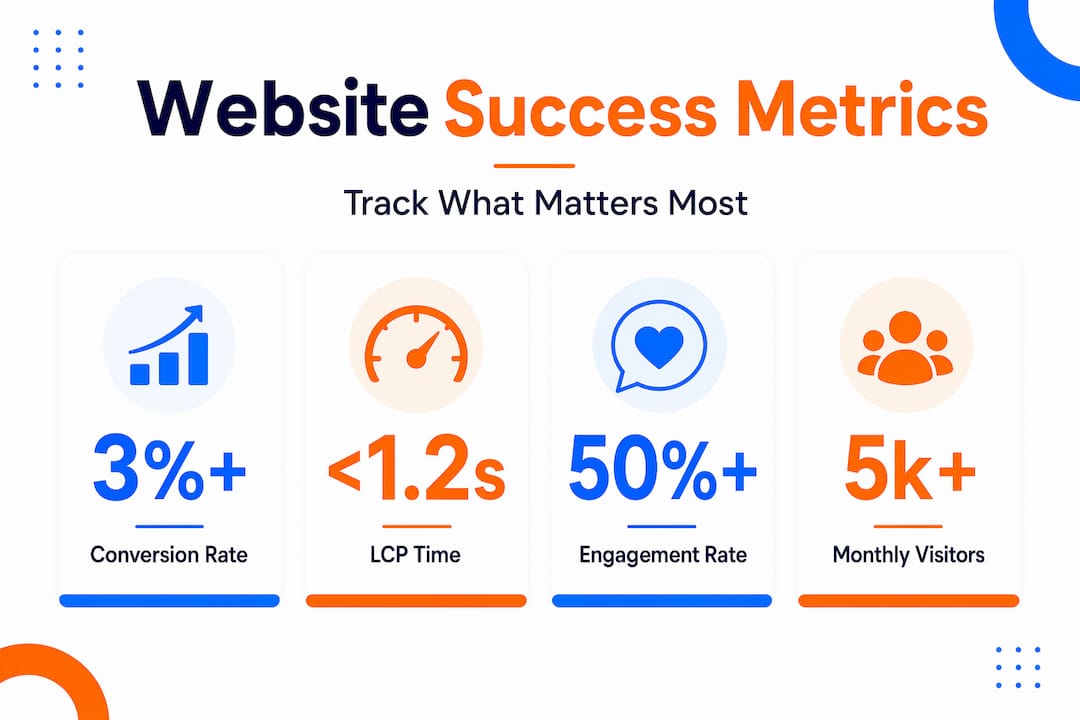
Why focusing on conversions over traffic is the key to meaningful website success
Here’s an uncomfortable truth: most small business owners are measuring the wrong things, and their analytics platforms quietly encourage it. Traffic numbers are large, easy to find, and feel like progress. But high traffic with poor conversion rates isn’t a success story. It’s an expensive treadmill.
We’ve seen businesses with 20,000 monthly visitors generating fewer leads than a competitor with 3,000 because the competitor built their site around conversion actions and the larger site optimized for page views. Vanity metrics, total sessions, social shares, and time-on-site numbers feel rewarding but don’t pay invoices.
The sharper approach is to define two or three conversion events that directly reflect your business model, then build every marketing and website decision around moving those numbers. Conversions prevent teams from chasing activity that doesn’t matter, keeping focus squarely on the actions that define business success.
A common mistake we see is adding more metrics when results are disappointing, as if more data will reveal the answer. It rarely does. The answer is almost always hiding in the conversion funnel, in the gap between people who arrived and people who acted. That gap is your opportunity.
The businesses that grow fastest don’t have the most sophisticated dashboards. They have the clearest definitions of what success looks like and the discipline to check whether they’re hitting it. Your tracking digital marketing success guide should be built around that principle from day one.
Boost your website success with expert SEO and marketing solutions
Knowing what to measure is half the battle. Getting those metrics to actually move is where most small businesses need support.

At ibrand.media, we help small and medium-sized businesses build measurement frameworks that connect directly to revenue, then execute the SEO for small businesses strategies that move the needle. Whether you need qualified traffic from search, better conversion rates from existing visitors, or a complete picture of what’s working across every channel, our team builds a tailored plan around your specific goals. We also show you how to market to local customers more effectively and track campaign performance in real time, so you always know what’s earning its keep.
Frequently asked questions
What is the most important metric to measure website success?
The most important metric is your conversion rate, which tracks how many visitors complete high-value actions like form submissions or purchases. Conversions measure business success consistently across tools, making them far more reliable than traffic volume alone.
How can I track where my website visitors come from?
Use GA4 or HubSpot to view traffic source reports, which show whether visitors arrived from organic search, paid ads, social media, or direct visits. The Sources report shows exactly where on the internet your visitors are coming from, helping you double down on what’s working.
What are Core Web Vitals and why do they matter?
Core Web Vitals are Google’s user-experience metrics covering page load speed (LCP), visual stability (CLS), and responsiveness (INP). Good thresholds for these metrics signal a fast, stable, responsive site, which directly supports both visitor satisfaction and search engine rankings.
How often should I check my website’s analytics?
Monthly reviews are the minimum for most small businesses, with weekly checks during active campaigns or after major site changes. Regular monitoring helps you catch drops in conversion rates or traffic early, before small issues compound into larger problems.
Recent Comments