
Understanding web design for small businesses starts with a surprising truth: most websites fail because they tell the business’s story instead of solving client problems. Your website isn’t a digital brochure celebrating your journey. It’s a sales tool designed to answer visitor questions quickly and guide them toward action. In 2026, effective web design combines speed, clarity, and user focus to drive conversions. This guide explains what web design truly means for small businesses, why it matters more than ever, and how to build a site that serves customers while boosting your bottom line. You’ll discover practical strategies to avoid common pitfalls and create a website that actually works.
Table of Contents
- Why Web Design Matters For Small Businesses In 2026
- Core Elements Of Effective Web Design For Small Businesses
- Handling Common Challenges: Page Speed, Edge Cases, And Usability
- Best Practices To Maximize Your Small Business Website’s Effectiveness
- Boost Your Small Business Web Design With Expert Help
- Frequently Asked Questions
Key takeaways
| Point | Details |
|---|---|
| Customer-focused design | Effective websites solve client problems rather than showcasing business achievements. |
| Page speed matters | Fast loading times directly impact search rankings and conversion rates in 2026. |
| Clear value proposition | Visitors need immediate answers about what you offer and why it matters to them. |
| Mobile responsiveness | Sites must work flawlessly across all devices to capture today’s mobile-first audience. |
| Edge case handling | Robust systems prevent broken experiences during name changes or unusual scenarios. |
Why web design matters for small businesses in 2026
Your website’s design directly affects how Google ranks your business and whether visitors become customers. Slow page load speed significantly impacts both search engine ranking and conversion rates in 2026. Google’s Core Web Vitals now measure page speed, interactivity, and visual stability as ranking factors. If your site loads slowly or shifts content while loading, you’ll rank lower than faster competitors.
The connection between design and sales is straightforward. Visitors make snap judgments about your credibility within seconds. A professional, fast-loading site signals trustworthiness. A slow, cluttered site drives potential customers away before they read a single word. The importance of website speed extends beyond rankings to actual revenue impact.
Poor design creates measurable business losses:
- Visitors abandon slow sites before content loads
- Confusing navigation prevents users from finding products or services
- Unclear messaging fails to communicate your value proposition
- Mobile issues block the majority of today’s web traffic
Consider this reality check:
Every second of delay in page load time can reduce conversions by up to 7%, directly impacting your revenue potential.
Small businesses can’t afford to ignore these factors. Your competitors are optimizing their sites right now. The gap between a well-designed website and a mediocre one translates directly into lost opportunities. Understanding how to increase website conversions through design improvements becomes essential for survival in 2026’s competitive landscape.
Pro Tip: Test your site speed using Google PageSpeed Insights monthly to catch performance issues before they cost you customers.
Core elements of effective web design for small businesses
Effective web design centers entirely on your customer’s needs, not your business history. Many small businesses design websites focusing on their own journey instead of clients’ problems. This fundamental mistake creates sites that talk at visitors rather than helping them. Your homepage should immediately answer three critical questions: What is this? Is it for me? What do I do next?
Your value proposition must appear above the fold, visible without scrolling. Visitors shouldn’t hunt for information about what you offer or why it matters to them. Clear, benefit-focused headlines capture attention instantly. Vague statements like “We provide quality service” mean nothing. Specific promises like “Get your website live in 48 hours” communicate real value.
Navigation structure guides visitors naturally toward desired actions. Follow these principles:
- Limit main menu items to 5-7 options maximum
- Use descriptive labels that match visitor intent
- Place contact information prominently in headers and footers
- Create clear pathways from landing pages to conversion points
- Eliminate dead ends where visitors get stuck without next steps
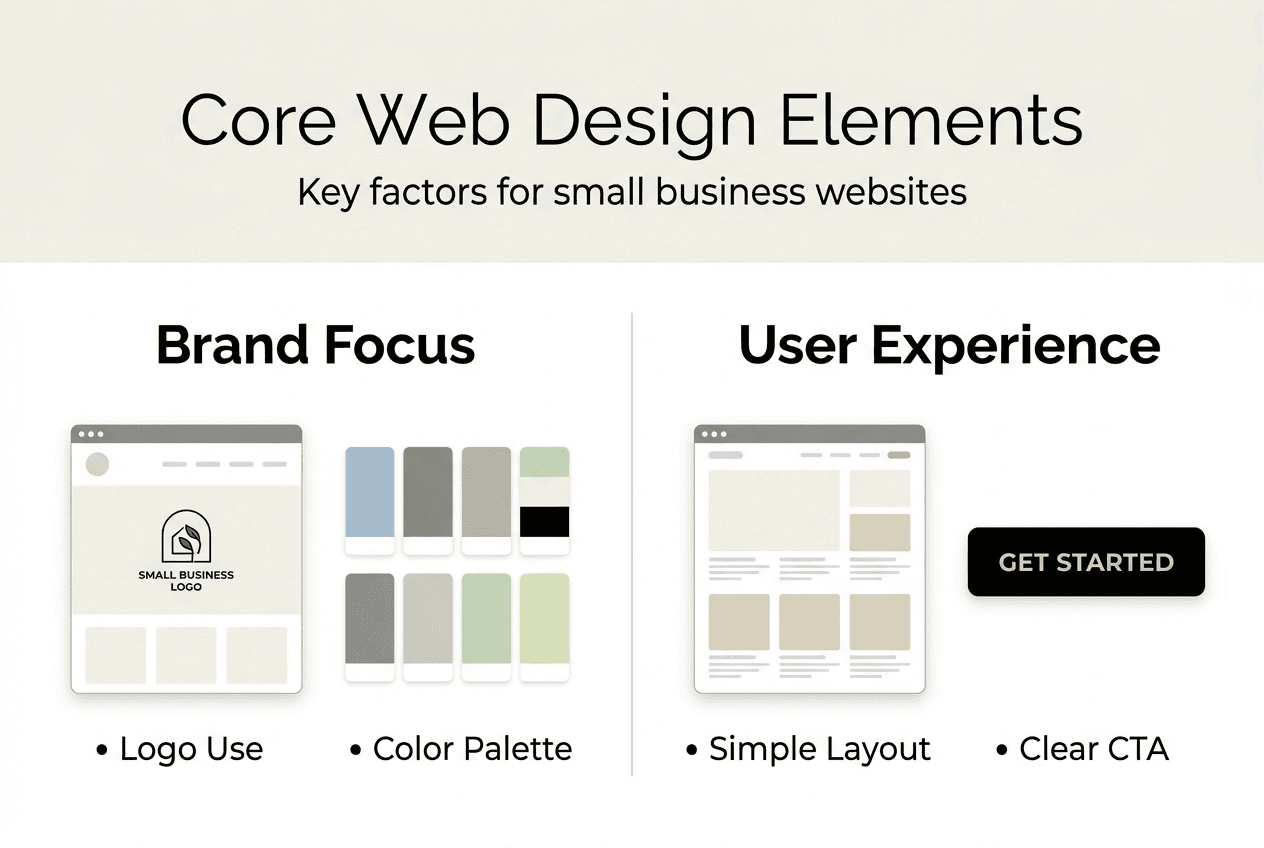
Consistent branding across all pages builds credibility and recognition. Your logo, colors, fonts, and tone should remain uniform throughout the site. Inconsistency signals unprofessionalism and erodes trust. Mobile responsiveness isn’t optional anymore. Over 60% of web traffic comes from mobile devices in 2026. Sites that break on phones lose the majority of potential customers instantly.

Implementing website design tips for small businesses requires understanding visitor psychology. People scan rather than read. They seek quick answers to specific questions. Your design should accommodate scanning behavior with clear headings, short paragraphs, and strategic use of white space. Dense text blocks overwhelm visitors and drive them away.
Pro Tip: Record yourself explaining your business to a stranger, then use that natural language on your website instead of corporate jargon.
Strategies to boost website conversions start with removing friction from the user journey. Every extra click, confusing instruction, or unclear option reduces conversion rates. Simplify forms, clarify calls to action, and eliminate unnecessary steps between visitor arrival and desired outcomes.
Handling common challenges: page speed, edge cases, and usability
Technical challenges destroy otherwise solid websites if left unaddressed. Name changes often lead to broken user experiences if not handled properly. When businesses rebrand, change ownership, or modify service names, websites frequently break. Links stop working, old content conflicts with new messaging, and search engines get confused about which version to show.
Edge cases require proactive planning. Consider scenarios like:
- Users entering unexpected characters in form fields
- Visitors accessing pages through outdated bookmarks
- Search engines indexing old URLs after site restructures
- Mobile users with slow connections or older devices
Page speed optimization directly impacts both SEO performance and customer experience. Slow page load speed affects ranking and conversions significantly. Implementing speed improvements requires systematic attention to multiple factors. Image compression reduces file sizes without visible quality loss. Browser caching stores frequently used files locally, speeding up repeat visits.
Responsive design ensures usability across devices, but implementation details matter. Simply shrinking desktop layouts for mobile screens creates terrible experiences. True mobile optimization redesigns interfaces specifically for touch interaction and smaller screens. Buttons need adequate spacing for finger taps. Text must remain readable without zooming. Navigation should work with one hand.
| Challenge | Impact | Solution |
| — | — |
| Slow page speed | Lost rankings and conversions | Compress images, minimize code, use CDN |
| Broken redirects | Confused visitors and search engines | Implement 301 redirects, maintain redirect maps |
| Poor mobile experience | Majority of traffic bounces immediately | Design mobile-first, test on real devices |
| Form errors | Abandoned conversions | Validate inputs, provide clear error messages |
Pro Tip: Create a testing checklist covering edge cases like special characters in names, extremely long inputs, and accessing pages from different devices before launching updates.
Addressing website speed impact requires ongoing monitoring, not one-time fixes. Performance degrades over time as you add content, plugins, and features. Regular audits catch problems before they become critical. Tools to optimize website speed include image optimization services, caching plugins, and content delivery networks that serve files from servers closer to visitors.
Best practices to maximize your small business website’s effectiveness
Implementing proven best practices transforms websites from digital placeholders into revenue-generating assets. Clear calls to action placed strategically throughout your site guide visitors toward desired outcomes. Every page should have a primary action you want visitors to take. Make those actions obvious through contrasting buttons, compelling copy, and strategic placement.
Mobile-first design prioritizes the growing majority of web users accessing sites from phones and tablets. Start designing for small screens, then expand to desktop rather than shrinking desktop layouts. This approach ensures core functionality works everywhere. Fast loading times become non-negotiable in 2026’s competitive environment. Visitors expect pages to load in under three seconds. Anything slower triggers immediate abandonment.
SEO best practices improve local search visibility for small businesses:
- Optimize page titles and meta descriptions with location keywords
- Create location-specific content addressing local customer needs
- Build citations on relevant local directories
- Encourage and respond to customer reviews
- Ensure NAP (name, address, phone) consistency across web properties
A clear value proposition above the fold is crucial for visitor engagement. This single element determines whether visitors stay or leave within seconds. Your headline should communicate specific benefits, not generic claims. Supporting copy should expand on that promise with concrete details about how you deliver value.
| Design Change | SEO Impact | Conversion Impact |
| — | — |
| Improve page speed by 2 seconds | +15-20% ranking improvement | +25-30% conversion increase |
| Add clear value proposition | +10% organic traffic | +40% engagement rate |
| Optimize mobile experience | +25% mobile rankings | +35% mobile conversions |
| Simplify navigation | +5% pages per session | +20% goal completions |
Quick wins to boost website performance immediately include:
- Remove unused plugins and scripts slowing your site
- Compress all images to appropriate file sizes
- Add descriptive alt text to images for accessibility and SEO
- Update outdated content with current information
- Fix broken links that frustrate visitors and search engines
Pro Tip: Use heatmap tools to see where visitors actually click and scroll, then redesign based on real behavior rather than assumptions.
Applying website design best practices requires balancing aesthetics with functionality. Beautiful sites that don’t convert waste resources. Ugly sites that convert well leave money on the table by failing to build trust. The sweet spot combines professional design with conversion-focused architecture. Understanding conversion rate optimization tips helps you make data-driven improvements rather than guessing what might work.
Boost your small business web design with expert help
Building an effective website requires expertise across design, development, SEO, and conversion optimization. Professional web design services help you avoid the costly mistakes that plague DIY websites while accelerating your path to results. You’ve learned what makes websites work, but implementing these strategies while running your business creates real challenges.

Ibrand.media specializes in creating conversion-focused websites for small businesses that need results, not just pretty designs. Our team handles the technical complexities of speed optimization, mobile responsiveness, and SEO integration while you focus on serving customers. We build sites that answer visitor questions immediately, guide them toward action naturally, and perform reliably across all devices.
Explore proven website design tips for small businesses that drive measurable growth. Our approach combines 2026 best practices for SEO for small businesses 2026 with conversion-focused design that turns visitors into customers. Discover how optimizing websites for small businesses creates sustainable competitive advantages in your local market.
Frequently asked questions
What is web design for small businesses?
Web design for small businesses focuses on creating websites that solve customer problems and drive sales rather than simply looking attractive. It combines visual appeal with strategic functionality, ensuring sites load quickly, communicate value clearly, and guide visitors toward becoming customers. Effective small business web design prioritizes user needs over business preferences, answers visitor questions immediately, and works flawlessly across all devices.
How can I improve my small business website’s loading speed?
Improve loading speed by compressing images to appropriate file sizes, leveraging browser caching to store frequently used files locally, and minimizing plugins that add unnecessary code. Choose a reliable hosting service with fast servers and select a lightweight, well-coded theme designed for performance. Slow page load speed affects ranking and conversions significantly, making regular speed testing essential. Use tools like Google PageSpeed Insights monthly to identify specific bottlenecks, then address the highest-impact issues first for maximum improvement. Learn comprehensive strategies to optimize website speed for small businesses through systematic performance improvements.
What common web design mistakes should small businesses avoid?
Avoid ignoring customer needs by focusing your website on solving their problems rather than telling your business story. Many small businesses design websites focusing on their own journey instead of clients’ problems, creating sites that fail to engage visitors. Other critical mistakes include unclear value propositions that leave visitors confused about what you offer, slow page loading that drives people away before content appears, and neglecting mobile responsiveness when most traffic comes from phones. Poor navigation structure that prevents users from finding what they need also kills conversions before they start.
Why is a clear value proposition important on my website?
A clear value proposition immediately answers visitor questions about who you are, what you offer, and why it matters to them, preventing the confusion that causes people to leave. A clear value proposition above the fold is crucial for visitor engagement because it captures attention within the critical first few seconds. Without this clarity, visitors assume your site isn’t relevant to their needs and move on to competitors. Your value proposition should appear prominently on your homepage, communicating specific benefits rather than generic claims about quality or service.
Recommended
- Why Invest in Web Design: Complete Guide for SMBs | Ibrandmedia
- 10 Essential Website Design Tips for Small Businesses | Ibrandmedia
- Building a Business Website: Your 2025 Step-by-Step Guide | Ibrandmedia
- Optimizing Websites for Search: A Guide for Small Businesses 2025 | Ibrandmedia
- Proces promovare pe social media: ghid esențial 2026
- Finding the Best Ecommerce Platforms for Small Business: An Expert Gui – Reddog Consulting Group
Recent Comments