
TL;DR:
- Most dental website visitors access sites via smartphones, making mobile-friendliness essential for patient engagement.
- Features like responsive design, fast loading, click-to-call, and online booking improve user experience and boost bookings.
- Choosing the right platform based on practice size, budget, and needs ensures a mobile-optimized site that enhances local search visibility.
Most dental website visitors arrive on a smartphone, yet countless clinics are still running sites that pinch, scroll sideways, and load like it’s 2010. That disconnect is costing real appointments. When a prospective patient can’t find your phone number in seconds or struggles to tap a booking button, they move on to the next result. This article breaks down why mobile-friendly design is non-negotiable for dental practices, which features matter most, which platforms deliver results, and how to turn your website into a steady stream of booked chairs.
Table of Contents
- Why mobile-friendly design is crucial for dental websites
- Key features every mobile-friendly dental website should have
- Top platforms and solutions for mobile-friendly dental websites
- Optimizing your dental website for local search and patient bookings
- Comparing mobile-friendly solutions: Which suits your practice best?
- The evolving role of mobile sites in patient care
- How Ibrandmedia can help your dental clinic thrive online
- Frequently asked questions
Key Takeaways
| Point | Details |
|---|---|
| Mobile-first design | Prioritize layouts and features that work seamlessly on all mobile devices for patient convenience. |
| Essential clinic features | Include click-to-call, easy booking forms, and real patient images to increase conversions. |
| Platform selection | Choose website platforms that offer reliable mobile responsiveness and built-in dental tools. |
| SEO and accessibility | Optimize for local search and make your site accessible to all patients to boost engagement and trust. |
| Tailored recommendations | Match your website solution to your clinic’s size, budget, and patient needs for the best results. |
Why mobile-friendly design is crucial for dental websites
Patients are not sitting at desks when they look for a dentist. They are waiting in a school pickup line, browsing during a lunch break, or searching at 10 p.m. because a tooth is aching. Mobile searches account for the majority of patient appointments booked online, which means your website’s performance on a 6-inch screen is more important than how it looks on a 27-inch monitor.
Beyond convenience, mobile-friendliness directly affects how Google ranks your practice. Since 2019, Google has used mobile-first indexing, meaning it evaluates the mobile version of your site first when deciding where you appear in search results. A clinic with a beautifully designed desktop site but a clunky mobile version will consistently rank below competitors who prioritized smaller screens. Strong dental SEO strategies start with a mobile-ready foundation.
Here’s what poor mobile performance actually costs a clinic:
- Lost first impressions. Patients judge your professionalism by your website in under three seconds.
- Higher bounce rates. Visitors who can’t navigate easily leave immediately, and Google notices.
- Missed local visibility. Google Maps results favor practices with fast, mobile-optimized sites.
- Fewer bookings. Every friction point between landing and booking loses a percentage of visitors.
“A dental clinic’s website is often the first handshake with a patient. If that handshake is weak on mobile, many patients will simply walk away before meeting you.”
Investing in online marketing for dental practice without fixing your mobile site first is like running ads that point to a locked front door. The traffic arrives, realizes it can’t get in, and leaves. Fix the door first.
Next, let’s break down what features make a dental website truly mobile-friendly.
Key features every mobile-friendly dental website should have
Knowing that mobile matters is one thing. Knowing exactly what to build is another. These are the features that separate a website patients trust from one they abandon.
- Responsive design. The layout should automatically resize and reorganize for any screen, from a tablet to a small Android phone. Static layouts that require horizontal scrolling are an instant deterrent.
- Fast loading times. Compress images, minimize code, and use caching. A site that takes more than three seconds to load loses a significant chunk of visitors before they even read your name.
- Thumb-friendly navigation. Buttons and menu items need to be large enough to tap accurately. Tiny links clustered together frustrate users and push them away.
- Click-to-call functionality. Your phone number should be a tappable link. Mobile-optimized contact forms and click-to-call buttons significantly improve conversion rates, making it effortless for patients to reach you.
- Online appointment booking. An embedded booking form that works flawlessly on mobile removes the biggest friction point between interest and action.
- ADA accessibility. Alt text for images, sufficient color contrast, and keyboard-navigable menus make your site usable for patients with disabilities. Reviewing web accessibility for dentists is a smart step toward both inclusivity and reduced legal risk.
- Clear calls to action. “Book Now” or “Call Us Today” buttons should appear above the fold on mobile, visible without scrolling.
Pro Tip: Replace generic stock photos with real images of your clinic, your team, and happy patients (with consent). Authenticity builds trust faster than any polished template image, and it signals to visitors that your practice is real and welcoming.
Once you know the features to include, it’s time to select the best platform or approach for your website build.
Top platforms and solutions for mobile-friendly dental websites
Choosing the right platform is not just a technical decision. It affects how much time your front desk spends updating content, how quickly your site loads, and whether your booking system integrates cleanly.
Responsive website builders reduce administrative time for clinics by up to 40%, which is a compelling reason to choose a platform with strong built-in tools rather than cobbling together custom solutions.
Here’s a comparison of the most common options:
| Platform | Mobile performance | Ease of editing | Dental integrations | Starting cost |
|---|---|---|---|---|
| Wix | Good | Very easy | Limited | Low |
| Squarespace | Good | Easy | Moderate | Low to mid |
| WordPress | Excellent | Moderate | Extensive | Variable |
| Custom build | Excellent | Requires developer | Fully customizable | Higher |
Wix and Squarespace are strong choices for clinics that want to manage their own content without relying on a developer. Both produce mobile-responsive sites by default, and their drag-and-drop editors mean your team can update hours, promotions, or staff bios without outside help.
WordPress offers the most flexibility. With plugins like Calendly, Zocdoc integrations, or dedicated dental booking systems, it can handle complex needs. The trade-off is that setup requires more technical knowledge, and ongoing maintenance matters more.
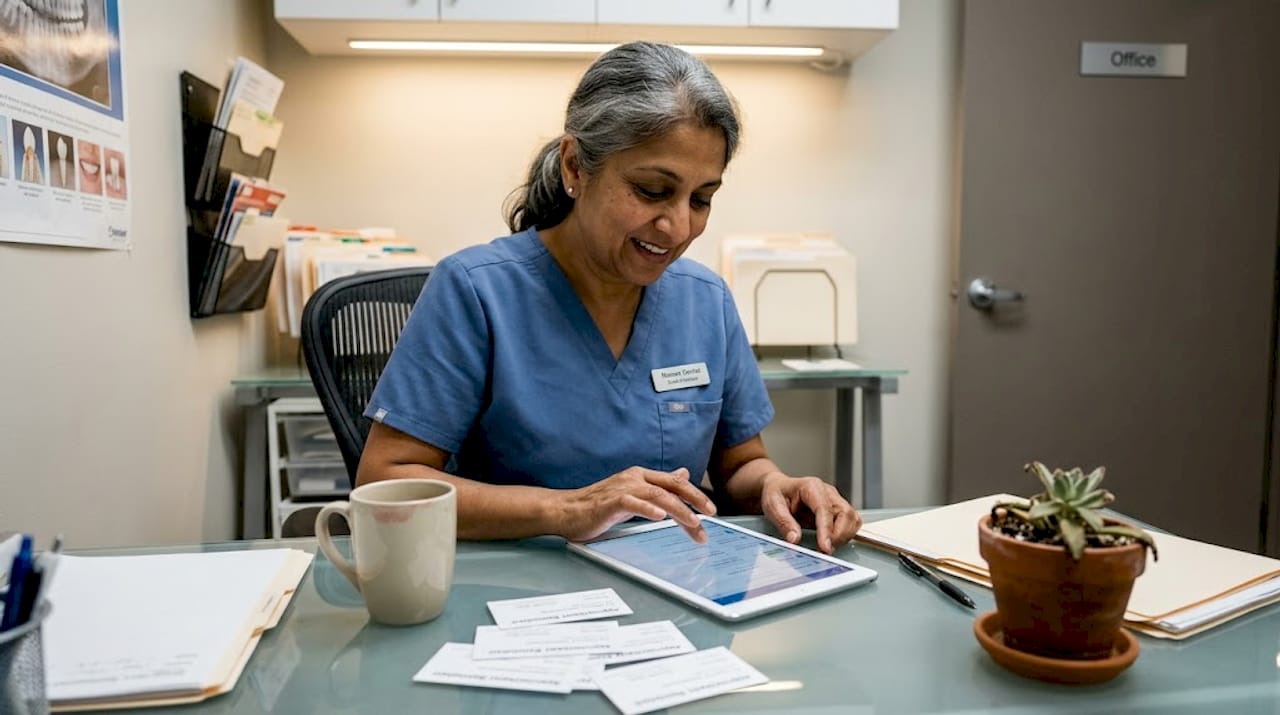
Custom-built sites are best for multi-location practices or specialty clinics with unique patient flow needs. They offer complete control but come at a higher cost and longer timeline.
Pro Tip: When evaluating any platform, look specifically for dental-focused templates. These are pre-structured for services pages, patient testimonials, and appointment forms, saving you significant setup time and ensuring mobile layouts make clinical sense.
For clinics watching their budget, exploring affordable dental marketing options alongside your platform choice ensures you’re not overspending on infrastructure. And if you’re new to website decisions, brushing up on website design basics will help you ask the right questions.
With platforms selected, clinics should focus on optimizing the site for search and patient engagement.
Optimizing your dental website for local search and patient bookings
Building a mobile-friendly site is step one. Getting it found and converting visitors into booked patients is step two. These are not automatic, but they are achievable with a focused approach.
Mobile-friendly enhancements can boost appointment requests by 30%, and the following steps are how you unlock that kind of growth.
“Clinics that align their mobile experience with local search intent consistently outperform competitors, even those with bigger marketing budgets.”
Here’s a practical sequence to follow:
- Claim and optimize your Google Business Profile. Make sure your name, address, and phone number (NAP) exactly match what appears on your website. Inconsistencies confuse both Google and patients.
- Target local mobile keywords. Phrases like “dentist near me open Saturday” or “emergency dental [your city]” reflect how mobile searchers actually type. Include them naturally in your page titles and service descriptions.
- Add schema markup. This structured data tells Google what type of business you are, your hours, location, and accepted insurance, helping your listing appear richer in search results.
- Collect and respond to reviews. Online reviews are a major local ranking signal. Ask satisfied patients to leave a Google review immediately after a visit while the experience is fresh.
- Speed-test regularly. Use Google’s PageSpeed Insights to check your mobile load time monthly. Slow sites drop in rankings quietly.
| Local ranking signal | Impact level | Clinic action |
|---|---|---|
| Google Business Profile completeness | High | Fill every field |
| NAP consistency across web | High | Audit all directories |
| Mobile page speed | High | Compress and cache |
| Patient reviews | High | Request consistently |
| Local keyword usage | Medium | Update service pages |
Content also plays a role. Adding blogging for dental clinics to your strategy helps you rank for informational searches, while dental marketing with videos builds trust with patients who prefer watching over reading.
Now, let’s examine how these options compare and make recommendations based on practical scenarios.
Comparing mobile-friendly solutions: Which suits your practice best?
Not every clinic needs the same solution. Clinic size and budget play a major role in selecting mobile website solutions, and matching the tool to the practice avoids both overpaying and underbuilding.
| Practice type | Best platform fit | Key priority | Budget range |
|---|---|---|---|
| Solo practitioner | Wix or Squarespace | Simplicity, low upkeep | Low |
| Growing group practice | WordPress with plugins | Scalability, bookings | Mid |
| Multi-location clinic | Custom or WordPress | Integration, branding | Higher |
| Specialty dental office | Custom or WordPress | Patient education content | Mid to high |
Here are quick takeaways for each scenario:
- Solo practitioners benefit most from template-based builders. Fast setup, low monthly cost, and no developer dependency mean you can launch in days and update it yourself.
- Growing practices need a platform that scales. WordPress with a solid hosting plan and booking plugin covers most needs without a full custom build.
- Multi-location clinics dealing with dental marketing challenges often need centralized control over multiple location pages, consistent branding, and advanced analytics. A custom build or well-configured WordPress multisite is worth the investment.
- Specialty offices focusing on implants, orthodontics, or pediatric dentistry need rich content structures that explain procedures clearly on mobile. Custom design ensures your unique patient journey is reflected in the site architecture.
Review website design best practices to ensure whichever platform you choose is configured correctly from the start.
Let’s wrap up with a unique perspective on the future of dental websites and patient engagement.
The evolving role of mobile sites in patient care
Most dental clinics still think of their website as a digital brochure. That framing is becoming outdated fast. Mobile sites are shifting from passive marketing tools into active patient care hubs, and clinics that recognize this early will have a meaningful advantage.
Real-time appointment updates, post-visit care instructions sent via mobile, and teledentistry integration are no longer futuristic extras. They are features patients increasingly expect, especially younger demographics who manage everything through their phones.
Here’s the contrarian insight most agencies won’t tell you: investing in accessibility best practices is not just about compliance. Accessible sites consistently earn higher trust scores from patients, rank better in search, and reduce phone volume by making information easier to find independently. Accessibility is a competitive advantage, not a checkbox.
Pro Tip: Treat your mobile website as the central channel for all patient communications, from appointment reminders to post-treatment follow-ups. Patients who interact with your practice digitally between visits are more likely to return and more likely to refer.
The clinics that will lead in 2026 and beyond are not simply the ones with the flashiest design. They are the ones that use mobile as a genuine connection point with patients at every stage of care.
How Ibrandmedia can help your dental clinic thrive online
Your dental practice deserves a mobile presence that works as hard as your team does. At ibrand.media, we specialize in building and optimizing websites that attract patients, rank in local search, and convert visitors into booked appointments.

Our team handles everything from website optimization for local search to full web design for small business builds tailored to your practice size and goals. Whether you are starting from scratch or need to improve an existing site, we create mobile-first experiences that turn smartphone browsers into loyal patients. Let’s build something that works for your clinic, not against it.
Frequently asked questions
What makes a dental website mobile-friendly?
A mobile-friendly site loads quickly, displays correctly on all devices, and offers easy navigation and booking for patients. Strong mobile usability features drive patient conversions by reducing friction at every step.
How does mobile-friendliness impact dental SEO?
Mobile-optimized websites rank higher in Google, helping clinics attract more patient searches and local bookings. Mobile sites help clinics appear prominently in local search results, especially in Google Maps.
Which website platform is best for small dental practices?
Easy-to-use builders like Wix and Squarespace are ideal for smaller clinics, while custom WordPress sites suit larger practices. Responsive website builders reduce administrative time for clinics significantly, freeing staff for patient care.
Can a mobile-friendly site improve patient bookings?
Yes, clinics with mobile-optimized sites see up to 30% more online appointment requests, making mobile design one of the highest-return investments a practice can make.
Do mobile dental sites need accessibility features?
Yes, accessible mobile sites ensure all patients can book appointments and access information, improving both reputation and compliance. Prioritizing ADA accessibility is essential for inclusivity and positions your clinic as a trustworthy, patient-centered practice.
Recent Comments