
TL;DR:
- Conversion rate measures the percentage of visitors completing desired actions, predicting actual revenue.
- Tracking and improving on-site elements like CTAs and load speed significantly boost conversions.
- Focusing on audience alignment and customer needs is more effective than obsessing over high conversion percentages.
You’re getting website traffic but not seeing sales grow. It’s a frustrating cycle that many small business owners know well. The assumption is simple: more visitors should mean more customers. But that’s not how it works. The number that actually predicts your online revenue is your conversion rate, and most businesses either don’t track it or misunderstand what it’s telling them. This guide breaks down exactly what conversion rates are, how to measure them, what holds them back, and what you can do right now to move the needle in a meaningful way.
Table of Contents
- What is a conversion rate and why does it matter?
- How to measure and track your conversion rates
- Common challenges and what affects your conversion rates
- Actionable steps to improve your conversion rates
- The conversion mindset: what most guides get wrong
- Drive more conversions with expert support
- Frequently asked questions
Key Takeaways
| Point | Details |
|---|---|
| Conversion rates matter | Measuring your conversion rates reveals how well your website turns visitors into leads or customers. |
| Track for growth | Using analytics tools to monitor conversions helps you make smarter marketing decisions. |
| Fix common issues | Addressing website and messaging problems can quickly boost your conversion rates. |
| Small changes, big results | Simple optimizations often lead to significant gains in sales or leads. |
What is a conversion rate and why does it matter?
A conversion rate is the percentage of website visitors who complete a specific action you want them to take. That action could be buying a product, submitting a contact form, signing up for a newsletter, downloading a resource, or booking an appointment. Whatever your business goal is, a conversion is the moment a visitor takes that step.
The formula is straightforward:
Conversion rate = (Conversions ÷ Total visitors) × 100
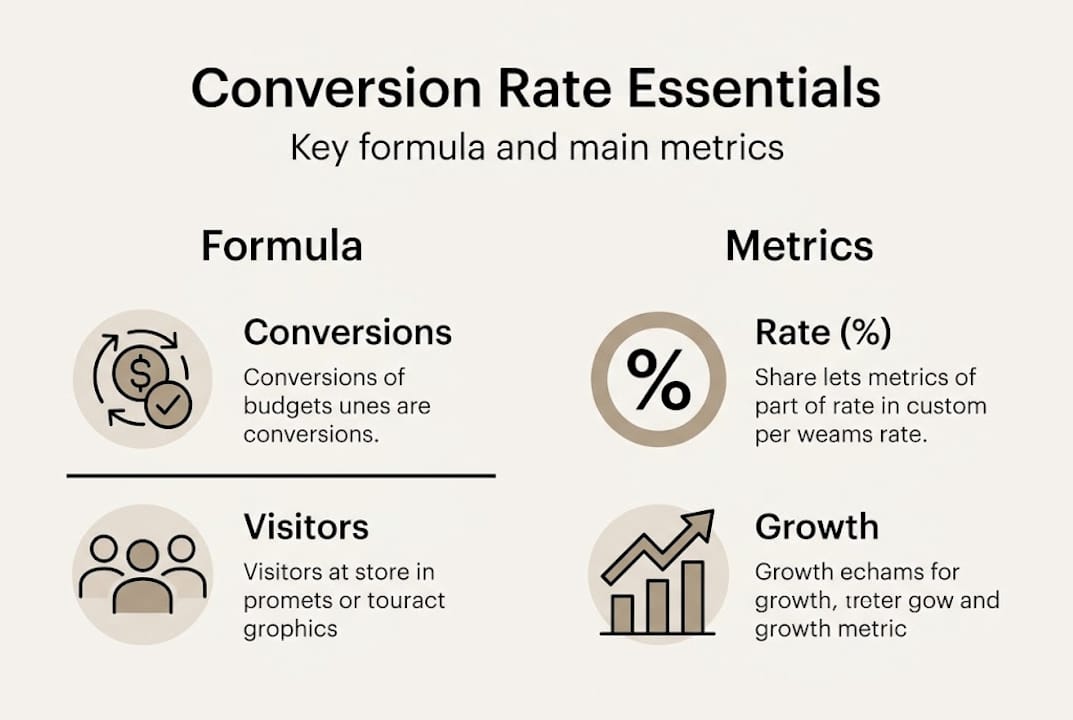
So if 1,000 people visit your website in a month and 30 of them fill out your contact form, your conversion rate is 3%. Simple math, but the insight it gives you is enormous.
Here’s why this matters more than raw traffic numbers. Imagine you run two different ad campaigns. Campaign A brings 5,000 visitors to your site with a 1% conversion rate, giving you 50 leads. Campaign B brings 1,500 visitors with a 4% conversion rate, giving you 60 leads. Campaign B costs you less and delivers more results. Without tracking conversion rates, you’d never know which campaign was actually performing better.
Types of conversions worth tracking
Not every conversion is a sale. Depending on your business model, you’ll want to track several types:
- Macro conversions: The primary goal, such as a purchase or a signed contract
- Micro conversions: Smaller steps toward the big goal, like clicking a pricing page or watching a product video
- Engagement conversions: Actions that signal growing interest, like subscribing to your email list
- Lead conversions: Form fills, quote requests, or phone call clicks
Understanding the difference helps you see exactly where in your customer journey things are working and where people are dropping off.
| Metric | What it tells you |
|---|---|
| Total visitors | How many people found your site |
| Conversion rate | How effectively your site turns visitors into leads or buyers |
| Cost per conversion | How much you’re spending to get each result |
| Revenue per visitor | The average dollar value each visitor brings |
As explained in the boost website conversions guide, tracking conversion rates is one of the most direct ways to tie your marketing efforts to real business outcomes, not just traffic numbers or impressions.
Pro Tip: If you’re just starting out, pick one conversion goal and track it consistently for 30 days before adding more. Measuring everything at once leads to analysis paralysis.
How to measure and track your conversion rates
After understanding the basics, it’s important to know how to put conversion rates to practical use. Knowing the formula is one thing. Actually pulling reliable data and building a system to monitor it is where most small businesses either skip steps or give up entirely.
The good news is that you don’t need expensive software to get started. Google Analytics 4 (GA4) is free and gives you access to detailed conversion data for your website. Most website platforms like Shopify, WordPress, and Squarespace also have built-in reporting tools that can show you conversion-related metrics in a dashboard.
Here’s how to set up conversion tracking in a practical way:
-
Define your conversion goals clearly. Before you touch any analytics tool, write down the specific actions you want to track. “More sales” is not a goal. “Product purchase completions on the checkout thank-you page” is a goal.
-
Set up goal tracking in GA4. In Google Analytics 4, navigate to your Admin panel and create events or conversion events. Mark the key actions (form submissions, purchases, button clicks) as conversion events so the platform counts them automatically.
-
Connect your ad platforms. If you’re running Google Ads or Meta Ads, link them to your analytics account so conversions are attributed to the right campaigns. This step is critical for understanding which channels deliver the best return.
-
Create a simple tracking spreadsheet. Export monthly data into a spreadsheet that tracks visitors, conversions, and conversion rate by channel (organic, paid, social, email). This gives you a running history to compare against.
-
Review the data on a set schedule. Don’t log in once and move on. Consistent reviews, at least monthly, help you catch drops early and identify what’s working.
Tracking website analytics for growth is one of the most powerful habits a small business owner can build, because it turns guessing into deciding. Every marketing change you make becomes a test with measurable results rather than a leap of faith.
Understanding how to track campaign performance at a granular level also helps you move budget toward what’s working and cut what isn’t. Your digital marketing tracking guide should include not just conversion counts but also time-on-page, bounce rates, and traffic source breakdowns because these give context to your conversion numbers.

Pro Tip: Set a calendar reminder for the first week of every month to review your conversion data. Treating it like a standing appointment makes it a habit rather than a chore.
Common challenges and what affects your conversion rates
With tracking in place, it’s important to understand the problems that often hold businesses back. Even with clean data in front of you, low conversion rates can feel mysterious. The good news is that the most common culprits are predictable, and once you know what to look for, fixing them becomes much more manageable.
Website and user experience problems
The biggest conversion killers often live right on your own website:
- Slow load times: A page that takes more than three seconds to load loses a significant chunk of visitors before they even see your content
- Unclear calls-to-action: If visitors can’t immediately see what to do next, they leave
- Poor mobile design: More than half of all web traffic now comes from phones, and a site that doesn’t work on mobile is losing conversions constantly
- Cluttered layouts: Too many competing elements confuse visitors and dilute their attention
- Lack of trust signals: No reviews, no testimonials, no contact info visible means visitors hesitate
“Many small businesses unintentionally sabotage their own conversions by focusing on driving traffic while ignoring the on-site experience. A beautiful ad can bring someone to your door, but a confusing website sends them straight back out.” — ibrand.media
Marketing and audience mismatches
Sometimes the issue isn’t the website at all. It’s that the traffic you’re attracting isn’t the right traffic. Common online marketing mistakes include targeting broad keywords that attract window shoppers instead of buyers, running ads with misleading promises that create the wrong expectations, and sending people to generic homepages instead of specific landing pages built around what they clicked on.
Many small businesses struggle with marketing mistakes that quietly drain conversions, often without realizing it. A user who clicked a Facebook ad promising a free consultation and lands on a product catalog page will bounce almost every time.
| Scenario | Conversion rate | Result |
|---|---|---|
| Targeted traffic to a specific landing page | 4 to 6% | High-quality leads, good ROI |
| Broad traffic to homepage with no clear CTA | 0.5 to 1% | High volume, poor returns |
| Retargeted traffic to a personalized offer | 6 to 10% | Strongest conversion potential |
| Paid traffic to a slow, mobile-unfriendly page | Under 0.5% | Wasted ad spend |
Understanding your online promotion essentials means matching the right message to the right audience at the right stage of their buying journey. Traffic is only valuable when it’s qualified traffic.
Actionable steps to improve your conversion rates
After uncovering common issues, let’s focus on changes you can make right away. Improvement doesn’t always require a major website overhaul or a bigger ad budget. Many of the highest-impact changes are small, focused, and free to test.
Here’s a structured approach to start improving your conversion rates:
-
Rewrite your calls-to-action (CTAs). Replace vague button text like “Submit” or “Click here” with action-specific language like “Get my free quote” or “Start saving today.” Specific CTAs consistently outperform generic ones.
-
Build a dedicated landing page for each campaign. Instead of sending ad traffic to your homepage, create a focused page that mirrors the exact promise in your ad. Match the headline, imagery, and offer precisely.
-
Add social proof above the fold. Place star ratings, customer testimonials, or the number of happy clients where visitors can see them immediately, before scrolling. Trust influences decisions, especially for first-time visitors.
-
Run A/B tests on key pages. Change one element at a time, a headline, a button color, an image, and measure which version converts better. Even small improvements compound significantly over time.
-
Speed up your website. Use tools like Google PageSpeed Insights to identify what’s slowing your pages down. Compress images, reduce unnecessary plugins, and consider upgrading your hosting if needed.
These proven conversion strategies are the foundation of sustainable online growth. They don’t require a massive budget. They require consistent attention and a willingness to test and adjust.
Beyond the numbered steps, here are quick wins worth trying this week:
- Add a live chat or chatbot to your most visited pages to answer questions in real time
- Place your phone number in the header of every page so mobile visitors can call in one tap
- Reduce the number of form fields to the bare minimum required to qualify a lead
- Include a money-back guarantee or risk-free trial offer to lower purchase hesitation
- Use exit-intent popups with a compelling offer for visitors who are about to leave
Applying these conversion tips alongside stronger advertising tips for small businesses creates a complete system where your ads and your website are both working together to convert visitors instead of fighting against each other.
Pro Tip: Before redesigning anything, run a heatmap tool (like Hotjar, which has a free tier) on your key pages for two weeks. The data will show you exactly where visitors click, scroll, and stop, so you fix the right problems first.
The conversion mindset: what most guides get wrong
Here’s the uncomfortable truth most conversion rate articles skip: obsessing over your conversion rate percentage as the ultimate metric can actually lead you in the wrong direction. We’ve seen businesses squeeze their rate from 2% to 4% by targeting a narrower, more qualified audience, while simultaneously reducing total revenue because the pool of visitors got too small.
Conversion rates are a signal, not a destination. A high conversion rate on a poorly defined audience might mean you’ve gotten really good at convincing the wrong people. What matters more is the alignment between who you’re attracting, what you’re offering, and the long-term value of that customer relationship.
The businesses that grow steadily aren’t the ones who ran 50 A/B tests. They’re the ones who used website analytics insights to understand their customers more deeply and built experiences that genuinely matched what those customers needed. Conversion optimization done right is less about tricks and more about empathy.
Chase the relationship. The numbers will follow.
Drive more conversions with expert support
Knowing what to fix and actually fixing it are two different things, especially when you’re running a business at the same time.

At ibrand.media, we work with small and medium-sized businesses to build data-driven websites and marketing strategies that turn visitors into customers. Whether you need to optimize your website for search, boost local sales with SEO, or set up performance tracking that gives you real answers, our team handles the strategy and execution so you don’t have to figure it out alone. Every plan is tailored to your business goals and built for measurable results from day one.
Frequently asked questions
What is considered a good conversion rate for small businesses?
On average, a conversion rate between 2% and 5% is healthy for most small businesses, but this varies by industry, traffic source, and type of conversion being tracked.
Can conversion rates be improved without spending more on ads?
Yes, and often the most effective improvements come from on-site optimization rather than increased ad spend, including clearer CTAs, faster load times, and better mobile design.
How often should conversion rates be checked?
Monitor conversion rates at least monthly to catch drops early, but tracking analytics regularly on a weekly basis during active campaigns gives you faster feedback to act on.
What is the easiest conversion to start tracking?
Start with contact form submissions or product purchases since they are straightforward to set up in most analytics platforms and directly tied to business revenue.
Recent Comments