
A city page is worth building only for a city where you have real work, real customers and something specific to say. For those cities, a dedicated page can bring in searchers who would never find you through your home-town listing. For every other city, a page that only swaps the place name is a liability. This guide shows how to tell the difference, what each page needs and how to set it up.
It is written for owners of local businesses: HVAC and plumbing companies, contractors, dentists, med spas, venues and retailers. These are businesses that want to be found in more than one town without paying for ads in each of them.
TL;DR
- A city page (also called a location page or city landing page) targets one city or service area. Give one only to cities where you have completed jobs, customers or a staffed location.
- Never build a separate page for the city your address is in. Your homepage and main service pages already cover it.
- Each page needs proof that exists only for that city: local projects, reviews, staff, conditions, a clear next step. A copy with a new city name does not qualify.
- Google names pages that funnel users to a single destination and near-identical city pages as spam. Fewer, stronger pages are safer.
- Set up a clean URL, title, H1, consistent business details and LocalBusiness markup, then link each page into the rest of your site.
Table of Contents
- What city pages do, and what they cannot do
- Which cities deserve their own page
- What a page that earns its place contains
- Avoid thin, duplicate and doorway pages
- Set up the technical basics
- How to build a city page, step by step
- Our perspective
- Let us build the pages for you
- FAQ
- Sources
What city pages do, and what they cannot do
A city page is a page on your own website built around one place, such as “AC repair in Plano” or “wedding venue near Naperville.” The name varies (city landing page, location page, service area page), but the idea is the same: one page, one place, one clear answer for the person searching there.
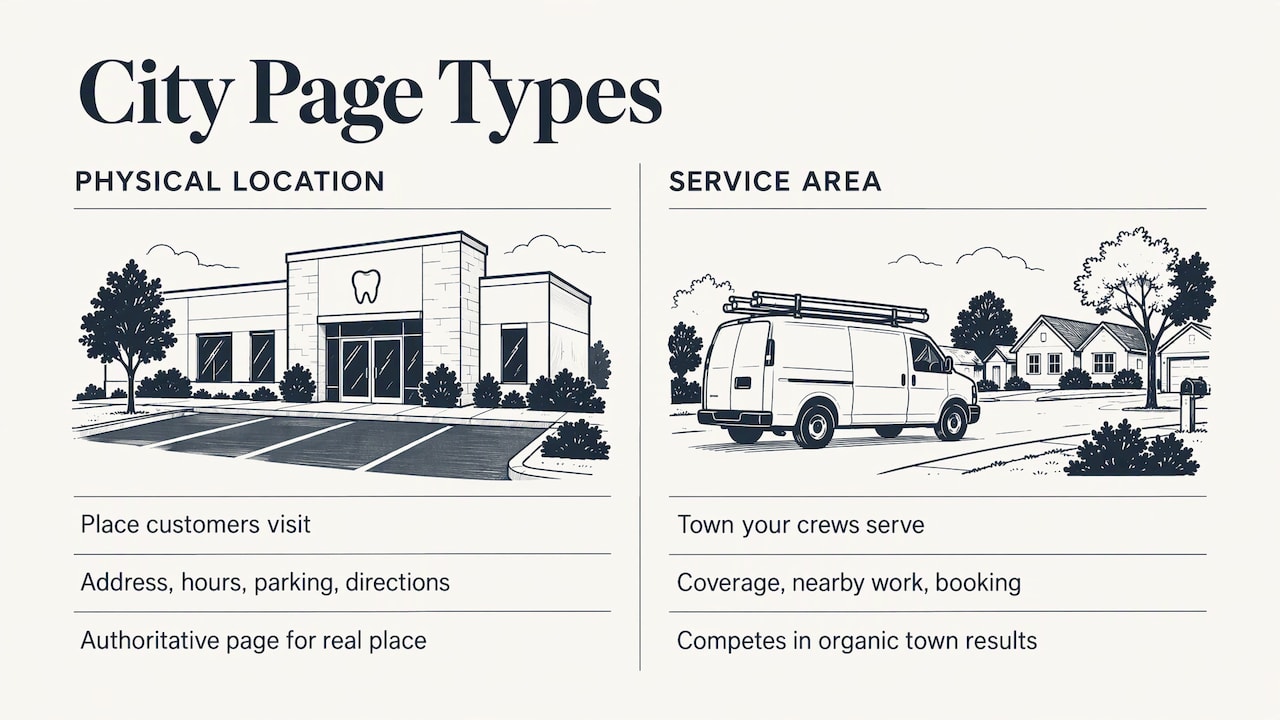
There are two kinds, and they work differently.
Physical location pages describe a place customers visit: a dental office, a med spa, a banquet hall, a showroom. Searchers want the address, hours, parking and directions. This page should be the authoritative web version of that real place.
Service area pages describe a place you travel to: the town where your plumbers, roofers or HVAC technicians work. Searchers want to know whether you cover their area, whether you have worked nearby and how to book.
Many businesses need both. A company with a shop in one town and crews in five others would have one location page and several service area pages, each linked to the nearest physical location.
One limit matters for service businesses. Your Google Business Profile, the listing that appears in the map results, is tied to your business address or to the service areas you set. A city page is how you compete in the regular organic results of a town where you have no address. It helps you show up for searches in that town. It does not put you in that town’s map results, which depend on the profile and proximity. Our guide to Google Business Profile service areas covers the profile side of this.
Which cities deserve their own page
The most common mistake in multi-city SEO is treating every nearby town as an equal candidate. Search Engine Land argues that a service area page should be an approved exception, not the default reaction to every city keyword. It makes sense when a market has something real behind it: a dedicated team, distinct logistics, local regulations or substantial project experience. The same article says each geographic page needs a clear customer purpose, a defined place in the site structure, genuine business relevance and enough useful information to keep up to date.
Turn that into a plain test. A city earns a page when you can say yes to most of these:
- You have finished jobs there that you can describe.
- You have customers there, or could ask for reviews from them.
- You know something local that a competitor from outside would not: permit rules, the age of the housing, hard-water problems, the venues and neighborhoods people ask about.
- There is search demand for your service plus that city’s name.
- You want more work there and can serve it.
If you answer no to the first three, skip the page. A page that promises service in a town you have never worked in is hard to make useful, and it invites trouble for the reasons covered below.
Do not build a page for your home city
Your address, your Business Profile, your directory listings and your homepage already point to the city you are based in. A separate page for that city competes with your own service pages. Aim your main service pages at the home city, and use city pages for the surrounding markets where you have real presence.
The same logic applies to services. Keep one page per city-and-service combination. If two pages chase “water heater repair in Frisco,” they split the signals between them and you leave it to Google to pick which one to show.
A worked example
Say you run an HVAC company based in Plano, Texas, with crews that also work in Frisco, McKinney and Allen. You have 60 finished jobs in Frisco and 40 in McKinney, a handful in Allen, and one job in Dallas from a referral.
- Plano: no city page. The homepage and service pages (“AC repair,” “furnace installation”) carry the city.
- Frisco and McKinney: one page each, built from real jobs, reviews and local details.
- Allen: one combined page covering a few nearby towns until the work there grows, or none.
- Dallas: nothing yet. One job is not a market.
That is two strong pages instead of five weak ones, and each can be defended as useful to a person living there.
What a page that earns its place contains
What goes on the page depends on the type.
For a staffed location, Search Engine Land’s service area guide says to emphasize the address and give contact details, hours, local proof, FAQs and clear calls to action. Add photos of the actual building, directions and parking, and the services offered at that site.
For a service area page, the same guide says to explain how customers can reach your services, give relevant local information and make contact options and next steps obvious. It lists the kinds of material that make such a page worth reading:
- completed local projects, with photos and a short description
- reviews from customers in that city
- city-specific offers
- staff profiles for the people who work the area
- local awards and community involvement
- expertise tied to local conditions
Build each page around the question “Why would someone in this city choose us?” and let the answer decide the content. A plumber might describe how often older homes in one neighborhood have galvanized pipes. A venue owner might list the corporate and wedding clients from a neighboring suburb and how far guests typically travel. A med spa might explain parking and the nearest cross streets for the practice that serves that part of the metro.
The repeated core of the page, such as your general service description, can stay similar from page to page. Search Engine Land notes that repeated service-menu text can be acceptable as long as page-specific local proof and usefulness make each page meaningfully tailored. Everything that does the persuading should be unique.
Our local landing pages playbook includes a launch checklist for small businesses, and how to write for SEO as a local business helps with the copy itself.
Avoid thin, duplicate and doorway pages
Google’s spam policies describe doorway abuse as pages made to rank for similar queries that then send people to a less useful page. Among its examples are pages for city or region variations that funnel users to a single destination, and substantially similar pages with no clear, browsable hierarchy. The same policy lists unnatural blocks of cities or regions meant for ranking, and excessive repetition of terms, as keyword stuffing.
That gives you four rules to build by:
- No city lists in footers or boxes. A paragraph that names 40 towns to catch searches is exactly what the policy describes. A short, honest “areas we serve” list that links to real pages is a navigation aid.
- No template with a swapped name. If a page would read the same after you replace “Frisco” with “Austin,” it is not a city page.
- No page that only redirects the visitor. Each page should let the person in that city do something: see proof, learn the details, call or book.
- Group small areas. Consider covering several nearby small towns on one page where you have limited work in each, instead of publishing many near-empty pages.
Fewer pages that each stand on their own are easier to maintain and safer. Twelve pages you update twice a year are better than 120 you never open again.
Set up the technical basics
Once a city has earned a page, the setup is straightforward.
URL, title and headings
Use a clean, readable URL that shows the structure, such as yoursite.com/ac-repair/frisco/. Give each page its own title tag and meta description, with the city and core service clearly stated, as the Search Engine Land guide recommends. Put the same service and city in the H1 and in the opening lines of copy, then add local context where it helps the reader.
Business details that match everywhere
For a staffed location, keep the name, address, phone number and hours identical to your Google Business Profile and directory listings. Search Engine Journal’s guide to local landing pages recommends the same, along with breadcrumbs back to the parent city or state page and links to nearby locations and relevant service pages.
For a service area business, the rules on Google’s side are specific. Google Business Profile Help says a business that serves customers at its address and also travels can show its address and set a service area. One that does not serve customers at its address should remove the address and enter only its service area. It allows up to 20 service areas, defined by cities, postal codes or other areas rather than a radius, and recommends staying within roughly two hours’ drive of your base. A public address, per Google, should be a complete, findable street address.
Those limits are a useful cross-check for your city pages. If a city is outside what you could reasonably list as a service area, it is probably outside what you should build a page for. For more on running a business with no storefront, see our service area business SEO playbook.
Structured data
LocalBusiness markup tells search engines the facts on the page in a machine-readable format. Google Search Central says it can describe a business or each branch, and recommends the most specific LocalBusiness subtype that fits (for example, a dentist or a plumber rather than the generic type). Business name and address are required for rich-result eligibility. Opening hours, telephone, geographic coordinates and the URL of the specific location are recommended extras.
We have copy-ready LocalBusiness templates you can adapt, and a matching guide to FAQ markup for local businesses if the page includes questions and answers.
Internal links
A city page nobody links to is hard for visitors and search engines to find. Link each page from your service pages, from a “service areas” hub page that lists only cities that have pages, and from neighboring city pages where it makes sense. Link back from each city page to the main service page and, for service area pages, to the nearest physical location.
How to build a city page, step by step
- List your candidate cities from your own records. Pull completed jobs, invoices or bookings by city, and rank them. The cities with the most real work come first. Where it goes wrong: starting from a keyword tool and ignoring where you have actually worked.
- Check demand. Search your service plus the city and see whether people look for it and what appears. Skip cities with no demand and no work.
- Choose one service and one city per page. Decide which page owns each city-and-service combination before you write anything, so two pages never compete.
- Collect the local material. Gather job photos, a short description of two or three recent projects, reviews from customers in the city, the names of the staff who work there and any local detail such as permits or building types.
- Write the page for a person in that city. Open with the service and the city, explain how you serve them, show the proof and make the next step obvious: a phone number, a booking form, a quote request.
- Add the technical layer. Set the URL, title, meta description, H1, consistent business details, LocalBusiness markup and breadcrumbs.
- Link it in. Connect the page to your service pages, the service areas hub and nearby city pages.
- Track and refresh. Watch calls, form submissions and organic visits by page. Add new projects and reviews as they come in, and merge or remove pages that never earn their place.
The work in steps 4 and 5 is where most DIY attempts fail, because the proof lives in your jobs and your staff’s heads, not in a template. It also takes the most time for an owner who is already running crews or a chair schedule.
Our perspective
We see city pages as a proof exercise, not a keyword exercise. The question that matters is simple: can a person in that town read this page and believe you work there?
That is why we build around cities where a client has real jobs, and why we plan one page per city and service before writing a word. Small and local businesses do not have the budget to publish and maintain pages that never pay off. Our approach is a custom plan for each client, so the list of cities, the pages and the follow-up fit the business instead of a template.
We also think a page is only finished when you can see what it does. Real-time performance tracking lets an owner watch which city pages bring calls and which need more local proof, and adjust from there.
TONY
Let us build the pages for you
If you would rather spend your time on jobs than on photos, reviews and markup, our team can handle the work. We offer SEO optimization, local marketing and web design for small and local businesses, with a custom plan for each client and real-time performance tracking so you can see how each page performs. Start with the services overview and tell us which cities you serve.

For a broader view of how city pages fit into the rest of your search presence, read our guide to SEO for small businesses.
FAQ
How many city pages should a small business have?
As many as you have cities with real work behind them, and no more. For many local service companies that means three to ten strong pages, not dozens. If you cannot describe completed jobs or customers in a city, wait until you can.
Can I rank in a city where I have no office?
Yes, in the regular organic results. A service area business can rank there with a well-built city page backed by local proof. You will generally not appear in that city’s map results, which depend on your verified address or the service areas you set on your Google Business Profile.
Are city pages the same as doorway pages?
No, but poorly made ones become doorway pages. Google’s spam policy targets near-identical pages built for similar queries that funnel people to one destination. A page with its own local projects, reviews and next steps, in a clear site hierarchy, serves a real purpose.
Should I make a page for the city my business is in?
Usually not. Your homepage, main service pages, Business Profile and listings already tell search engines where you are based. A separate page for the same city can compete with them. Use city pages for the surrounding markets you serve.
Do I need schema markup on city pages?
It is not a guarantee of rankings, but it is recommended. Google documents LocalBusiness structured data for describing a business or each branch, and it requires the name and address for rich-result eligibility. Use the most specific business type that fits.
Sources
- Multi-location SEO: How to structure geographic pages (Search Engine Land)
- Service Area Pages: Boost Local SEO Across Locations (Search Engine Land)
- Spam Policies for Google Web Search (Google Search Central)
- Manage your service areas for service-area and hybrid businesses (Google Business Profile Help)
- Manage your business address (Google Business Profile Help)
- Local Business (LocalBusiness) Structured Data (Google Search Central)
- Local Landing Pages: A Strategy For Ranking Local Search (Search Engine Journal)
Recent Comments