
A banquet hall should pick the most specific category Google offers that describes the business as a whole, and add only a few secondary categories for real, distinct parts of the operation. Google’s category list is fixed, so you choose from it and cannot invent your own. Your primary category is the one that matters most, so choose it deliberately and change it only when the business itself changes.
This guide covers how to decide, how to edit categories, and the mistakes that cost venues visibility.
TL;DR
- Google does not let you create categories. You choose from its list, and a banquet hall category appears in the reference lists that track it.
- Your first category is the primary one. Make it the answer to “This business IS a…” and nothing else.
- You can add up to nine more, but Google asks you to use as few as possible to describe your core business.
- Do not add a category for every amenity, menu item or event type. Those belong in attributes, photos, your description and your website.
- Edits are reviewed before they go live, and Google may ask you to verify again.
Table of Contents
- Is there a Google category for banquet halls?
- How to choose your primary category
- When to add secondary categories
- Step by step: how to find, add or change categories
- What categories can and cannot do for a venue
- Where the rest of your venue details belong
- Our perspective
- Let us review your venue’s listing
- A short checklist before you save
- FAQ
- Sources
Is there a Google category for banquet halls?
Yes. The category reference lists that track Google’s options include “Banquet hall” with the ID banquet_hall. For a venue whose main business is renting rooms for receptions, banquets, anniversaries and similar gatherings, that is the natural starting point.
Two cautions apply.
First, Google changes its list from time to time. What shows in your own dashboard when you type is the final word, so search for the term inside your profile rather than trusting any third-party list, including this one.
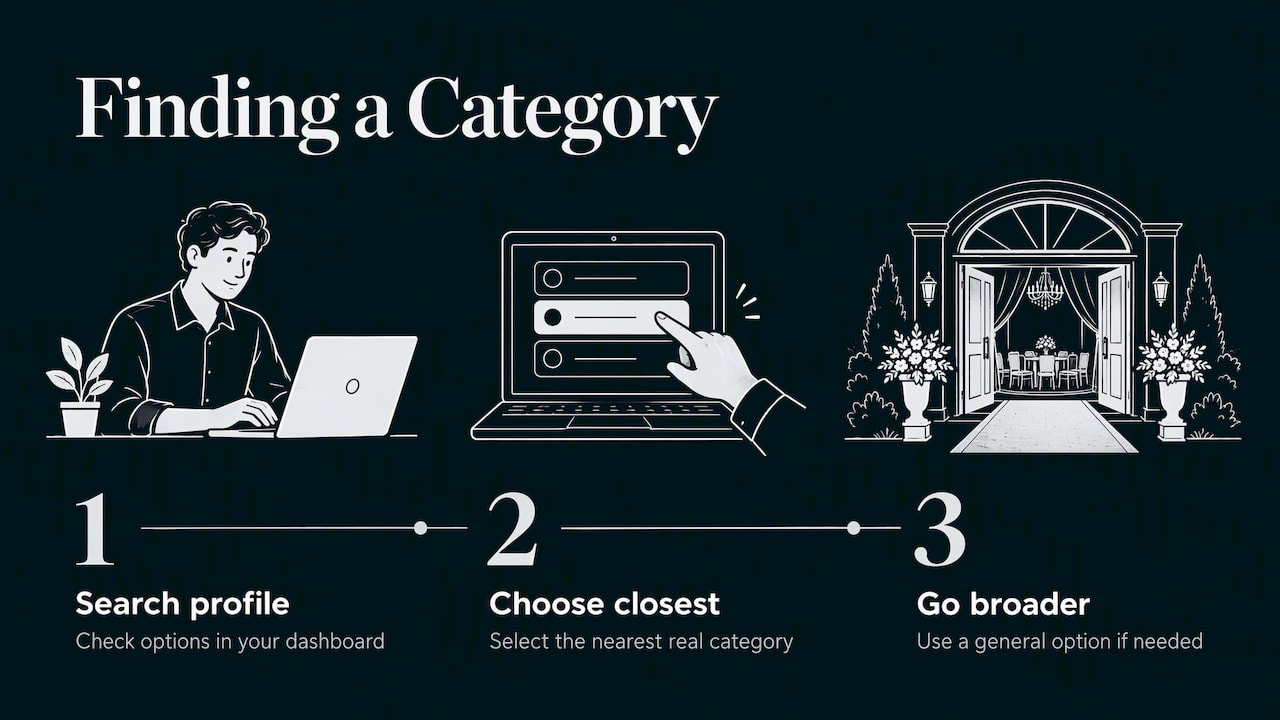
Second, a category is not a keyword. Google states plainly that you cannot create your own category and must select the closest available one. If you try a phrase such as “wedding reception hall” and it is not on the list, you will not get it. Choose the nearest real option or a more general one.
How to choose your primary category
Your primary category is the label that sits at the center of how Google understands your business. Google says it can affect local ranking, may assign a business label, and may unlock category-specific features. That is enough reason to treat it as a decision, not a form field.
Use this three-step test.
- Write down what you actually earn money from. Rooms rented by the event? Ticketed events you host yourself? Food service plus the room? Rank those by revenue.
- Complete Google’s sentence. Google’s guidelines say a category should complete “This business IS a,” not “This business HAS a”. “This business is a banquet hall” passes. “This business has a dance floor” does not.
- Pick the most specific option that still covers the whole business. Google’s guidance is to select a specific available category, or a general one if the specific one does not exist.
For most halls that rent space for private and corporate events, the banquet hall category will be the answer. If your core identity is different, for example you operate mainly as a restaurant that happens to have a back room, the restaurant category may be the more honest primary. Choose by what most customers think you are.
Primary category mistakes to avoid
- Choosing the broadest label. A very general category tells Google less than a precise one.
- Picking what you wish you were. If most revenue comes from rentals, do not lead with a category from a side line.
- Swapping it every few months. Changing the primary can shift how Google labels and features your listing. Test one change at a time and leave it long enough to judge.
Our own 30 to 60 minute audit for fixing category problems walks through this decision in more detail for any local business.
When to add secondary categories
Google says additional categories are for special departments or services, and that you should not select one for every product or service. It also states that additional categories should represent the business itself, not attributes such as facilities or amenities.
In practice, here is how that sorts for a banquet hall.
| Situation | Add a secondary category? | Why |
|---|---|---|
| You host weddings and also market yourself as a broader event space | Yes, if Google offers a matching event-space or wedding-space category | It describes a real, central part of the business |
| You run an in-house catering operation sold separately from room rental | Possibly, if catering is a distinct service customers buy | It is a department, not an amenity |
| You have a bar, a stage and a dance floor | No | These are amenities, which belong in attributes and photos |
| You host quinceañeras, bar mitzvahs and corporate dinners | No | These are event types, which belong on your website and in your description |
| A separate company operates a restaurant in the same building | No, it needs its own profile | Google says independent, separately owned, public-facing departments should have their own profiles |
That last row comes straight from Google’s guidance: independent departments that are separately owned and operated should have their own profiles.
A good habit is to keep your list to the primary plus one or two additions, even though Google lets you go further. A Business Profile can have up to nine more categories after the primary, but a limit is not a target.
Step by step: how to find, add or change categories
Google’s help pages describe the path clearly. Here is the version for a venue owner.
- Sign in to the Google account that manages your profile and open your Business Profile.
- Select Edit profile, then Edit next to Business category. Google also describes starting from Google Maps with Edit profile and Business information, or from Google Search with Edit profile and then About, where you select Business category. (See Google’s category guide.)
- Start typing in the first field and select your primary category from the suggestions. The first field is the primary category.
- To add a secondary, select Add another category. To drop one, select Remove next to it.
- Select Save.
Expect a delay. Google says profile edits are reviewed before they appear live, and a category change may prompt you to verify your business again. Do not stack other edits while you wait, or you will not know which change moved anything.
If verification or the review process becomes a bottleneck, outside help with Google Business Profile management can take the paperwork off your desk while you run events.
What categories can and cannot do for a venue
Google says categories help connect customers who search for a product or service with a business, can affect local ranking, and may bring category-specific features. That is a real lever, but it is one of several.
What the category will not do:
- It will not rescue a thin profile. Photos, accurate hours, a working website link, reviews and a clear description all still count.
- It will not substitute for a strong website. Searchers who tap through want pricing guidance, capacity, floor plans and a way to check dates.
- It will not stack with more categories. Adding labels for every event type does not widen your reach. Google’s guidance is the opposite: fewer, accurate categories.
For a fuller look at the other signals, see our breakdown of local SEO ranking factors and the guide to improving local search rankings for small businesses.
Where the rest of your venue details belong
Owners often try to cram everything into categories because it feels like the one field that “counts.” Move the other details to where they fit.
- Attributes and features: accessibility, parking, amenities and similar details.
- Business description: the event types you host, your style and your guest capacity range, in plain language.
- Photos: each room, the entrance, the stage area, the parking lot and a few real events, so couples and planners can picture the space.
- Website pages: one page per room or event type, with the keywords that people type when they plan a party.
- Reviews: a steady flow from real hosts, answered promptly.
This split keeps your categories clean and still gives every event type a home. Our guide to SEO for banquet halls lays out what to build on the website side, and SEO optimization for venues covers the broader booking funnel.
Our perspective
We work with local businesses, and venues come up often because the booking cycle is so tied to being found. The pattern we see is simple: owners treat categories as a place to list everything they offer, then wonder why the profile feels muddy.
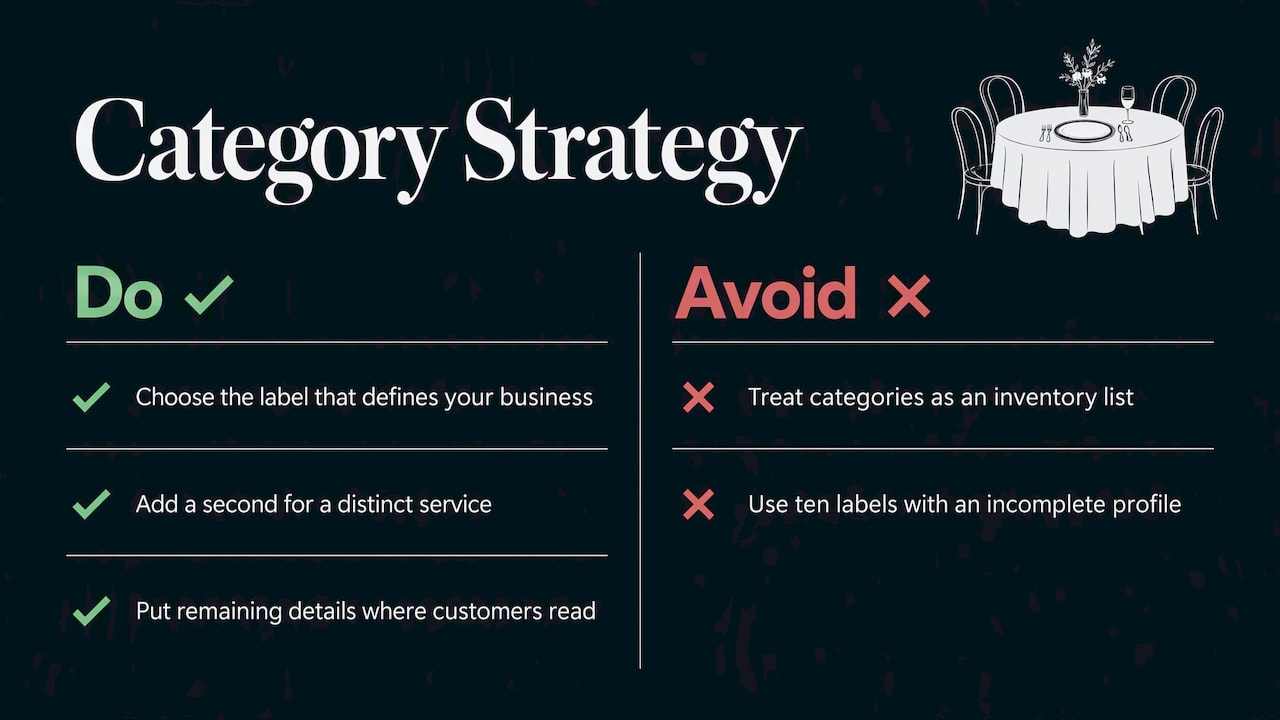
Our view is that the category field is for identity, not inventory. Pick the one label that tells Google what you are, add a second only when a distinct service really justifies it, and put the rest of your story where customers actually read it. A hall with three clear categories and complete photos, hours and descriptions will usually serve guests better than one with ten labels and a half-filled profile.
We also think the fix should be fast and cheap. A category review is a short job, not a six-month project. If your listing is a mess, start there, then move on to the website and reviews, in that order. Local marketing works best when each piece is plain and consistent. That is how we build every custom plan, and it is why we track results in real time instead of asking you to trust a monthly report.
— TONY
Let us review your venue’s listing
If you would rather have a specialist check your categories, listing details and booking pages, we can do that as part of a custom local marketing plan built around your hall. We cover local SEO, Google Business Profile work, web design and advertising, with real-time performance tracking so you can see what is changing.

Start with our local marketing and SEO services and tell us about your venue, your busiest seasons and the events you most want to book.
A short checklist before you save
Run through these before you hit Save on a category change.
- Does my primary category finish the sentence “This business is a…” for the whole operation?
- Is it the most specific option Google offers that still fits?
- Does each secondary category describe a real department or service, not an amenity?
- Have I resisted adding categories only because there is room?
- Do my business name, address, phone number and website match across the web? See our notes on local listings optimization for how to keep them aligned.
- Have I noted today’s date and the change, so I can compare calls and direction requests later?
That last step is underrated. Without a note, you cannot tell whether a change helped. Check your profile’s performance numbers over the following weeks and judge the effect with patience, not panic. For a broader plan, our guide to local SEO strategies for small businesses shows how the pieces fit together.
FAQ
Can I make up a banquet hall category if Google does not list the one I want?
No. Google says a business cannot create its own category and must select one that is available. If the specific option is missing, choose a general category that describes your core business, then use your description, website and attributes to add detail.
How many categories should a banquet hall use?
The profile supports a primary plus up to nine more, but Google’s guidance is to use as few as possible to describe the core business. For most halls, one primary and one or two secondaries are plenty.
Should I list weddings, birthdays and corporate events as separate categories?
Usually not. Those are types of events you host, not separate businesses. Google asks that categories describe what the business is, not every product or service. Cover each event type on your website and in your business description instead.
Why has my category change not appeared yet?
Google reviews edits before they go live, and a change may require you to verify the business again. Check your profile for a verification prompt, avoid making repeat edits, and give the review time to finish.
Sources
- Manage your business category – Google Business Profile Help
- How to choose a category for your Business Profile
- Guidelines for representing your business on Google
- Edit your Business Profile – Google Business Profile Help
- Google Business Profile Categories List: All GCIDs
Recent Comments