
Pick one primary category that describes your HVAC company as a whole. For most full-service shops that is “HVAC contractor.” Then add a small number of additional categories for services you really sell, such as air conditioning repair or furnace repair. Google says categories connect you to customers searching for what you offer, and that they are one of many local ranking factors. So treat them as a foundation, not a trick. The rest of this guide shows how to choose, which categories HVAC owners usually consider, and how to check yours in ten minutes.
TL;DR
- Your primary category should describe the whole business. Google’s guidance is to be specific and pick from its dropdown list. You can’t invent a category.
- Additional categories are for special departments or services. Don’t add one for every product or service.
- Categories help Google understand what you do. They do not outrank reviews, proximity, a complete profile and a solid website.
- If you are unsure, look at which primary categories the top-ranking local competitors use, then decide for yourself.
- Review your categories once or twice a year, and any time your service mix changes.
Table of Contents
- What categories actually do for an HVAC profile
- The HVAC categories owners usually consider
- How to choose your primary category
- Additional categories: when to add them and when to stop
- Categories are only part of the profile
- How to check or change your categories
- Common HVAC category mistakes
- Our perspective
- Let us review your profile
- Next steps for an HVAC owner
- FAQ
- Sources
What categories actually do for an HVAC profile
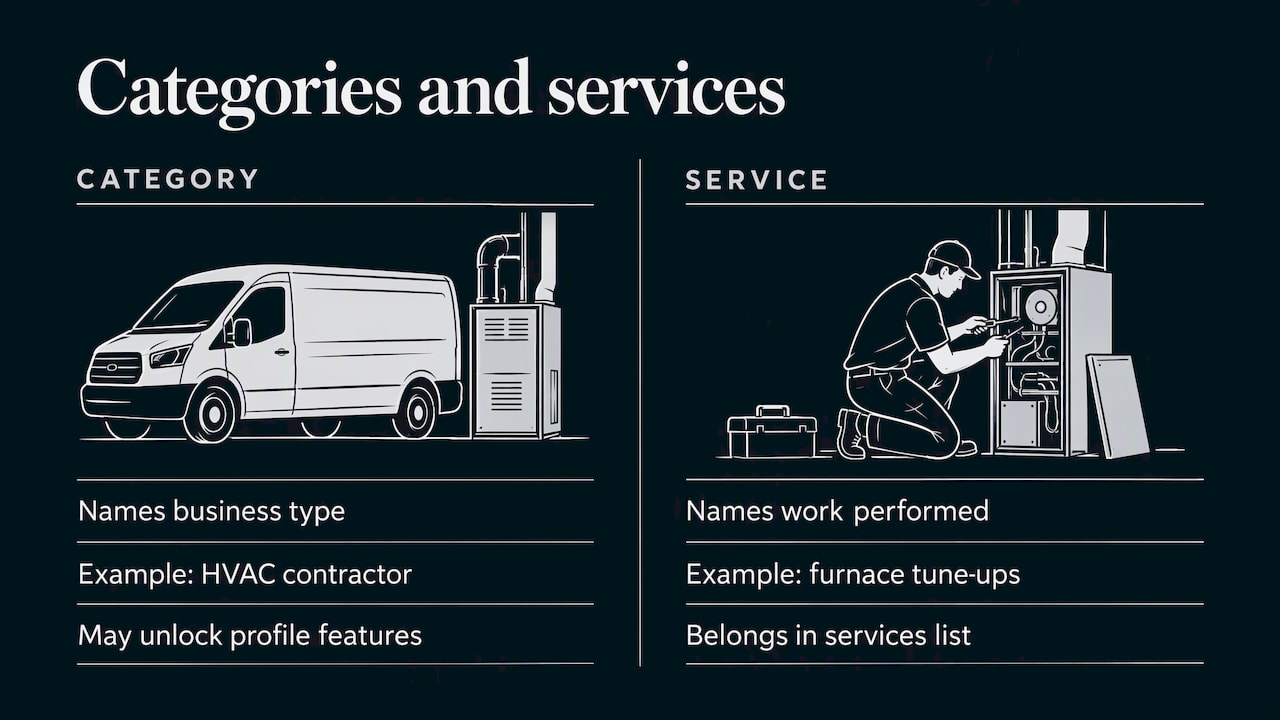
A category is a label that tells Google what kind of business you are. Google’s own help page says categories describe what your business is, not what it does or sells, and that they help connect you to people searching for your services. That wording matters. “HVAC contractor” describes a business. “Furnace tune-ups” is a service, and it belongs in your services list, not your category field.
Google also states that categories are one of many factors that affect local ranking. Don’t expect a category change to lift a weak profile by itself. A wrong or vague category can hold back an otherwise strong one, though. If you have good reviews and a tidy website but Google thinks you are a general contractor, you will miss searches from people who want a furnace fixed tonight.
Categories also decide what you can’t see. Google picks the category list you choose from. Some categories unlock profile features that others don’t, so the picker can change what your profile offers. Check what shows up after you save.
The HVAC categories owners usually consider
Google controls the exact names and adds or retires them over time. Whatever you read online, including here, confirm the wording in the live picker. These are the ones HVAC companies most often weigh:
| Category | Best for | Typical role |
|---|---|---|
| HVAC contractor | Full-service companies doing heating, cooling and ventilation | Primary |
| Air conditioning contractor | Companies whose work is mostly AC installs and replacements | Primary or additional |
| Heating contractor | Furnace, boiler and heat pump installers in cold climates | Primary or additional |
| Air conditioning repair service | Shops with a large repair and emergency business | Additional |
| Furnace repair service | Shops that advertise furnace repair as its own line | Additional |
| Air duct cleaning service | Companies with a real duct cleaning department | Additional |
| Mechanical contractor | Commercial and light industrial mechanical work | Primary or additional |
Notice that the table says “role,” not “rule.” The right answer depends on what you sell and where the money comes from.
How to choose your primary category
Google’s instruction is short: choose the primary category that best describes your business as a whole, pick a specific category from the list, and if the specific one doesn’t exist, choose a more general one that is still accurate. That is the official standard. Here is how to apply it.
Start with revenue, not with keywords
Write down your last 12 months of revenue by line: installs, repairs, maintenance plans, commercial work, duct work. Your primary category should match the biggest and most important block. A residential company that earns most of its money on replacements and repairs across heating and cooling is an “HVAC contractor.” A company that does almost nothing but central AC might reasonably lead with “Air conditioning contractor.”
Look at who ranks where you want to rank
Search Engine Land’s guidance on this topic suggests checking the primary categories used by competitors that rank for your target keywords, then deciding which fits your listing best. Use it as a sanity check, not as permission to copy. If every top result in your metro uses “HVAC contractor,” and you do full-service work, that confirms your choice. If you are a boiler specialist and they are all generalists, being more specific may suit you better.
Be honest about what you are
Don’t pick a category for a service you subcontract or barely offer. Customers will call for it, you will turn them away, and your reviews will show it. Google’s help page is clear that the primary category should describe the business as a whole.
Don’t chase a name that isn’t in the list
You can only select from Google’s list. If you can’t find a perfect match, the official advice is to choose a more general category that accurately describes the business. Typing in a made-up label won’t work, and trying to get around the picker by stuffing keywords into your business name can get your profile suspended.
Additional categories: when to add them and when to stop
Google says additional categories can identify special departments or services, and it asks you not to add one for every product or service. It recommends using as few categories as needed to describe your core business. That is a quiet warning: more is not better.
A practical test for each extra category:
- Is it a real, regular part of the business? If you do air duct cleaning twice a year as a favor, skip it.
- Would a customer search for it separately? “Furnace repair” is a common standalone search. “Thermostat installation” is better handled in your services list.
- Is it truly different from your primary? Several near-identical labels add noise, not signal.
- Can you back it up on your website? If you add “Air duct cleaning service,” you should have a page that explains the service, and photos or reviews that mention it.
Sample setups
These are examples of how the logic plays out, not a formula.
- Full-service residential company: HVAC contractor as primary. Air conditioning repair service and furnace repair service as additional, if repairs are a visible line of business.
- AC-focused company in a hot market: Air conditioning contractor as primary. Air conditioning repair service as additional.
- Heating specialist in a cold climate: Heating contractor as primary. Furnace repair service as additional.
- Commercial mechanical shop: Mechanical contractor as primary, with HVAC contractor added if you also serve commercial HVAC buyers.
If you also run a distinct duct cleaning crew, add that category. If you don’t, leave it off.
Categories are only part of the profile
Searchers who see your profile still need a reason to call. After categories, the fields with the biggest practical effect are the services list, the service area, the hours, the photos and the reviews.
Two of these connect straight to categories:
- Services. Your categories say what kind of company you are. Your services list says what you do: AC repair, furnace installation, heat pump installation, duct sealing, maintenance plans. Keep names plain and match the way homeowners talk.
- Service area. Most HVAC companies travel to the customer. Setting the area correctly matters as much as the category. We cover the rules in our guide to Google Business Profile service areas, including what to do if you work from home and don’t want your address shown.
Reviews matter too, and they are the part you have to earn rather than set. Our piece on HVAC reputation management covers how to ask, how to respond and how to handle a bad one. For the broader picture, see our Google Business Profile tips for local visibility.
How to check or change your categories
Google describes the steps like this. On Search, find your profile and select Edit profile. On Maps, select Edit profile, then Business information. Under About, select Business category and choose from the options that appear, per Google’s category help.
Before you click save, do this:
- Screenshot your current categories so you can roll back.
- Write your intended primary and additional categories on paper.
- Change one thing at a time if you can. If calls drop or rise, you will know why.
- Wait a few weeks before judging the effect. Local results move slowly and are affected by many other things.
If you want a structured routine, our 30 to 60 minute audit for Google Business Profile categories walks through it step by step.
Common HVAC category mistakes
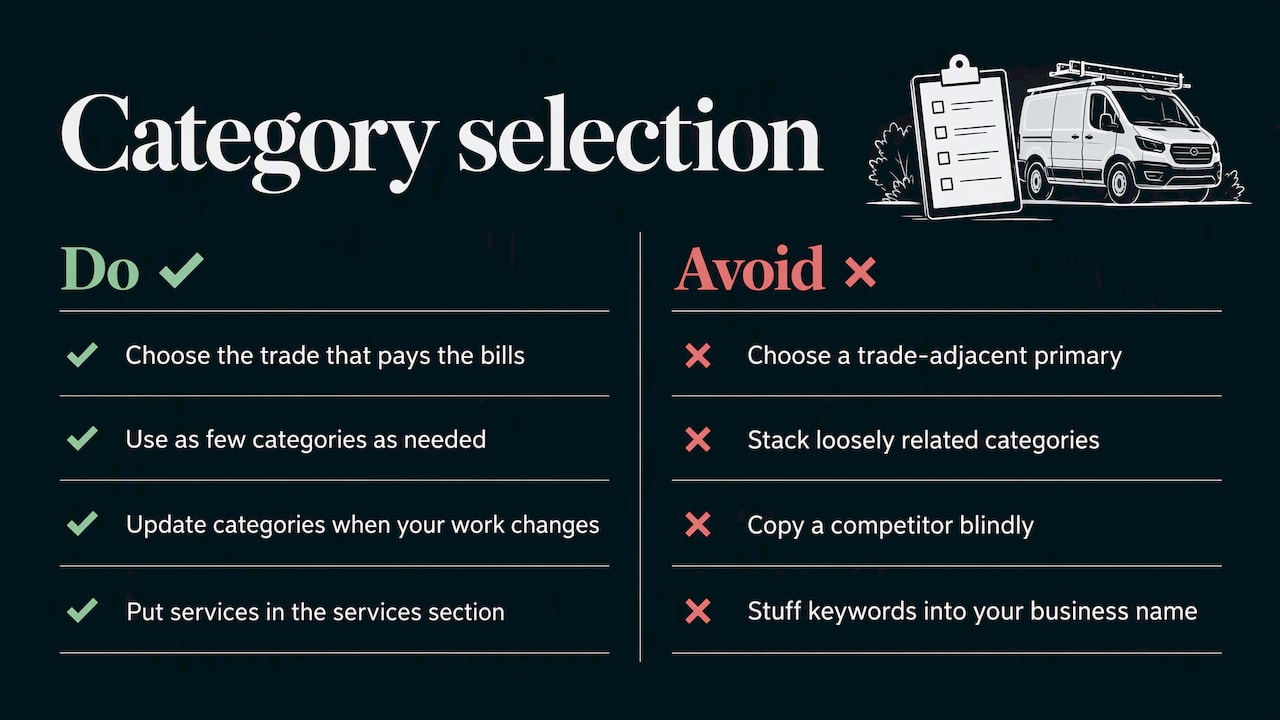
Using a trade-adjacent primary. Picking “Plumber” or “General contractor” because you also do some of that work. Pick the trade that pays the bills.
Stacking too many categories. A profile with a long list of loosely related labels reads as unfocused. Google’s own advice to use as few as needed is the safe guide.
Mirroring a competitor blindly. Their business may not look like yours. Use them as a data point.
Forgetting to update. If you added commercial work or dropped a service, your categories should follow.
Putting services in the wrong place. Categories name your type of business. Individual services go in the services section. Mixing the two up is the most common confusion we see.
Stuffing the business name. Adding “Best AC Repair Houston” to your name to “add a category” is a quick route to a suspension. Use your real name as it appears on your signage and paperwork.
Our perspective
We work with local service companies, and HVAC owners ask us about categories more than almost anything else on the profile, because it feels like a switch you can flip. We understand why. It is free, it takes minutes and Google does say categories matter.
Here is what we tell them. Get the category right, then move on. A correct primary and a few honest additional categories get you most of the available benefit. After that, the gains come from the things that take longer: a complete services list, an accurate service area, steady reviews, a mobile-friendly website with a page for each core service and consistent business details across the web.
We also tell owners to resist the urge to rewrite their categories every time a leads report dips. Seasonal demand swings hard in this trade. A slow April and a slammed July usually say more about the weather than about your profile. Change categories when your business changes, or when an audit shows a mismatch, not because of a bad week.
Our approach is to build a plan around the profile, the website and the review process together, because they work as one system. If you want to see how the pieces fit for a service business, our service area business SEO playbook is a good next read.
— TONY
Let us review your profile
If you would rather hand this off, we can audit your Google Business Profile, set your categories, services and service area, and connect them to a website and review process built for local searches. We build a custom plan for each client and show you performance in real time, so you can see what the work is doing for your calls.

See our local marketing and SEO services or contact us to ask for a custom plan. If you want to understand the whole local picture first, start with our guide to improving local search rankings.
Next steps for an HVAC owner
Here is a short working list you can finish this week:
- Open your profile and note your current primary and additional categories.
- Compare them with your revenue by line from the last year.
- Check the top three local competitors’ primary categories as a reference point.
- Adjust your primary if it doesn’t describe the whole business. Trim extras that don’t match real, regular services.
- Make sure each remaining category is supported by a services entry, a page on your site and, ideally, photos.
- Set a reminder to review everything again in six months.
If you want more on the lead side after the profile is set, see our article on generating more HVAC leads.
FAQ
Can I create my own Google Business Profile category?
No. Google requires you to choose from its provided list, and custom categories aren’t allowed. If the exact category you want isn’t available, Google’s advice is to choose a more general one that still describes your business accurately.
Should my primary category be “HVAC contractor”?
For most full-service heating and cooling companies, it is the category that best describes the whole business, which is what Google asks of a primary category. If you focus almost entirely on one side, such as central AC or heating, a more specific category may fit better. Match it to your revenue and check the live picker for current wording.
How many categories should an HVAC company have?
Google doesn’t want a category for every product or service. It says to use as few as needed to describe your core business, adding a few for special departments or services. In practice, one primary plus a small number of honest additional categories is enough for most HVAC shops.
Will changing my category improve my rankings?
It can help if your current category is wrong or too vague, since categories connect you to relevant searches. But Google lists them as one of many ranking factors, so don’t expect a jump on its own. Reviews, profile completeness, location and your website all play a part.
Where do I change my categories?
On Google Search, select Edit profile. On Maps, select Edit profile, then Business information. Under About, choose Business category and pick from the options shown. You need to be signed in as an owner or manager of the profile.
Sources
- How to choose a category for your Business Profile, Google Business Profile Help
- How to pick the right Google Business Profile categories, Search Engine Land
Recent Comments