
TL;DR:
- Effective campaign tracking turns marketing efforts into a reliable system that directly links spend to revenue. Small businesses must define clear goals, use appropriate tools like GA4 and UTM parameters, and focus on revenue metrics such as ROAS and customer lifetime value for growth. Consistent measurement, privacy compliance, and strategic optimization based on data are essential for meaningful marketing success.
You pour money into ads, post regularly on social media, and send out emails, yet at the end of the month you still can’t say with confidence which of those efforts actually brought in customers. That frustration is one of the most common experiences small business owners share with us. The good news is that clear, consistent campaign tracking changes everything. It turns a guessing game into a reliable system where every marketing dollar is accountable, and every decision is backed by real data rather than instinct alone.
Table of Contents
- Why tracking campaign results matters for small businesses
- What you need before you start tracking
- Step-by-step: How to track your campaign results
- Avoiding mistakes and ensuring accurate data
- A smarter mindset: Tracking for real growth, not just numbers
- Ready to level up your campaign tracking?
- Frequently asked questions
Key Takeaways
| Point | Details |
|---|---|
| Focus on revenue metrics | Tracking ROAS and conversion rate beats focusing on impressions or clicks. |
| Define clear goals and KPIs | Start by identifying what you want to achieve and how success will be measured. |
| Use the right tools | Set up Google Analytics 4 and ad platform dashboards for end-to-end tracking. |
| Avoid common tracking errors | Double-check settings and stay privacy compliant to ensure reliable results. |
| Connect data to business outcomes | Always link your tracking insights back to real sales and growth for maximum impact. |
Why tracking campaign results matters for small businesses
Before you can improve your marketing, you need to know what is and isn’t working. That sounds obvious, but research shows small businesses struggle with SM objectives and metrics identification far more than larger companies with dedicated analytics teams. Without a clear measurement framework, you risk spending your entire monthly budget on campaigns that generate clicks but zero sales.
Understanding why track marketing performance matters starts with recognizing the difference between vanity metrics and revenue metrics. Vanity metrics like total impressions or raw follower counts feel good to look at, but they don’t tell you whether anyone bought anything. Revenue metrics like conversion rate, cost per conversion, and return on ad spend (ROAS) tell you exactly how your money is performing.
Key metrics worth tracking from day one include:
- Click-through rate (CTR): How many people clicked your ad versus how many saw it
- Conversion rate: The percentage of visitors who completed a desired action (purchase, form fill, call)
- Cost per lead (CPL): How much you spend to generate each new lead
- ROAS: Revenue earned for every dollar spent on advertising
- Bounce rate: Percentage of visitors who leave without engaging further
- Average session duration: How long visitors spend on your site
The key KPIs for digital marketing campaigns also include cost per click (CPC), website traffic volume, and average session duration, giving you a full picture from awareness through action. Tracking all of these together lets you spot where visitors drop off and where your strongest returns come from.
“If you can’t measure it, you can’t improve it. SMBs that track revenue-linked metrics consistently make smarter budget decisions than those chasing impressions.”
Two of the most common errors we see small businesses make: launching campaigns without defining a measurable objective first, and then optimizing toward impressions instead of conversions. Both mistakes bleed budget without building revenue. Understanding tracking digital marketing ROI from the start is what separates businesses that grow from those that stall.
What you need before you start tracking
Jumping into tracking without the right tools and a clear plan is like trying to navigate without a map. Here’s what you need to have in place before a single ad goes live.

Your goal comes first. Every campaign needs one primary goal: drive purchases, generate leads, grow sign-ups, or increase phone calls. Each goal requires a specific metric to measure it. If your goal is sales, your primary metric is conversion rate and ROAS. If it’s leads, focus on CPL. Writing this down sounds simple, but it’s the step most businesses skip.
Tools you’ll need:
- Google Analytics 4 (GA4): Free and powerful. It tracks visitor behavior across your website and connects to your ad platforms. Our simple guide to Google Analytics for small business walks you through setup from scratch.
- Ad platform dashboards: Google Ads, Meta Ads Manager, and similar tools offer native reporting that shows performance at the campaign and ad level.
- A simple tracking spreadsheet: Even a basic spreadsheet lets you compile data across platforms in one place for weekly reviews.
Here’s a quick reference for matching goals to metrics:
| Campaign goal | Primary KPI | Secondary KPI |
|---|---|---|
| Online sales | ROAS, conversion rate | CPC, cart abandonment rate |
| Lead generation | CPL, form submission rate | CTR, landing page bounce rate |
| Brand awareness | Reach, impressions | CTR, engagement rate |
| Local foot traffic | Call volume, direction requests | Local search impressions |
| Email sign-ups | Sign-up rate, CPL | Open rate, click rate |
Setting up GA4 correctly is critical to tracking digital marketing success. GA4 best practices recommend configuring key events for purchases and form submissions right away, then linking your GA4 property to Google Ads so conversion data flows automatically into your ad campaigns.
Privacy compliance from day one. Before you collect any data, make sure you have a cookie consent banner in place. Users must actively opt in before you activate features like Google Signals. This is not optional, and getting it wrong can expose your business to legal risk.
Pro Tip: Keep your GA4 event setup as clean as possible. Instead of creating a separate event for every single form on your site, use a single "form_submissionevent with aform_id` parameter to distinguish between them. This keeps your reports readable and reduces the chance of double-counting conversions.
Step-by-step: How to track your campaign results
With your tools ready and goals defined, here is the exact process to follow for reliable campaign tracking.
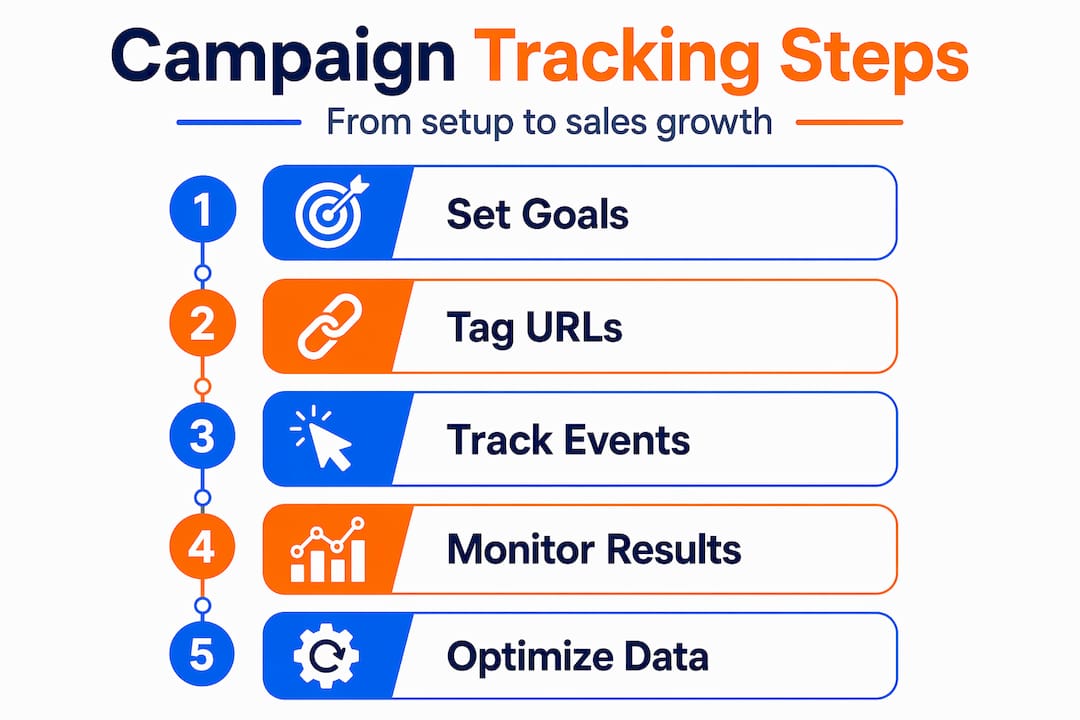
1. Set your campaign goal and KPIs in writing. Before touching any platform, document what success looks like. For example: “This campaign should generate 50 leads at a CPL of $25 or less within 30 days.”
2. Build your UTM tagging system. UTM parameters are short pieces of code added to your URLs that tell GA4 where traffic comes from. Every link in every ad, email, and social post should have a UTM tag with at minimum: source (e.g., google), medium (e.g., cpc), and campaign name. Without UTMs, GA4 lumps paid and organic traffic together and you lose visibility.
3. Set up GA4 key events. Configure GA4 to track purchases, form submissions, and other critical actions as “key events.” Link your GA4 account to Google Ads so these events become conversion actions inside your ad campaigns. This step is what makes automated bidding strategies work properly.
4. Launch and monitor weekly. Don’t check results every hour. Instead, schedule a weekly review where you pull CTR, conversion rate, CPL, and ROAS from each platform. Compare what your ad platform reports against what GA4 shows. Small discrepancies are normal, but large ones signal a tracking setup problem.
5. Diagnose discrepancies using a comparison table. When numbers don’t match, a side-by-side comparison across tools helps locate the issue quickly.
| Metric | GA4 | Ad platform | Spreadsheet total |
|---|---|---|---|
| Conversions | 42 | 51 | 42 |
| Sessions | 1,840 | 1,790 | 1,840 |
| Revenue | $3,200 | $3,850 | $3,200 |
| ROAS | 3.2x | 3.85x | 3.2x |
Gaps between ad platform data and GA4 are common because ad platforms use view-through or impression-based attribution, while GA4 records only last-click or session-based conversions by default. Knowing this prevents panic and helps you track campaign performance accurately.
6. Optimize based on data, not assumptions. Once you have two to four weeks of data, look at which ads, audiences, or keywords drive the lowest CPL and highest ROAS. Shift budget toward those and pause underperformers. This cycle of measure, learn, and adjust is where real growth happens. Understanding your conversion rates in detail is what powers this kind of optimization.
Pro Tip: For brand-new campaigns with low traffic, you won’t have enough data to make reliable decisions at the individual ad or keyword level. As noted in Google Ads and analytics best practices, pooling similar ad groups together helps the algorithm gather enough signal to optimize properly. Patience and consolidation beat constant tinkering when data is scarce.
Avoiding mistakes and ensuring accurate data
Following the steps above gives you a solid foundation, but these final practices will keep your numbers clean and trustworthy so every decision is based on reality.
Common tracking mistakes to avoid:
- Missing or broken UTM tags: Test every link before a campaign launches. A single missing UTM means traffic shows up as “direct” in GA4, making it impossible to attribute correctly.
- Duplicate conversion events: Accidentally firing the same conversion twice inflates your results and makes campaigns look more effective than they are. Use GA4’s DebugView to check events before launch.
- Tracking too many events: More events create noise. Focus on the actions that directly connect to revenue and leads.
- Ignoring data retention settings: GA4 defaults to short data retention periods. Update this in your admin settings so you can compare data across longer time frames.
- Not verifying setup after platform updates: Ad platforms and analytics tools update frequently. Verify that tracking still works after major updates.
“Privacy must be built into your tracking setup from day one. Retrofitting compliance after the fact is harder, more expensive, and potentially too late.”
On the privacy front, GA4 compliance guidelines specify that you should set allow_google_signals to false until a user gives consent, and configure data retention to between 2 and 14 months depending on your needs. This protects your users and keeps you aligned with data regulations. If your business serves European Union customers, GDPR requirements add another layer of consent management that must be configured correctly.
For additional context on navigating these issues, reviewing common marketing challenges and smart solutions for small businesses can help you build a compliance-ready setup that doesn’t slow down your marketing efforts.
A smarter mindset: Tracking for real growth, not just numbers
Here’s what most tracking guides won’t tell you: the tool doesn’t drive growth. The focus you bring to the numbers does.
We’ve worked with small business owners who had every metric perfectly configured in GA4 but still couldn’t grow their sales. Why? Because they were obsessing over CTR and session counts instead of ROAS and lifetime customer value (LTV). High CTR means your ad copy is compelling. High ROAS means your business is actually profitable. These are not the same thing.
Revenue-driving metrics like ROAS and LTV consistently outperform top-funnel vanity metrics as guides for budget decisions. Most SMBs, even those doing solid tracking, underuse this data. They see conversion numbers and feel satisfied, but they never map those conversions back to actual revenue, profit margin, or repeat purchase behavior. That’s the gap between doing tracking and doing tracking well.
The conventional wisdom says to track everything. Our perspective is different: track fewer things, but track the right things deeply. Know what one new customer is worth to your business over 12 months. Then decide how much you’re willing to pay to acquire that customer. Build your entire campaign strategy around that number. Everything else, including impressions, likes, and shares, should serve as supporting context rather than primary decisions drivers.
The businesses we see grow consistently are those that regularly connect their promotion essentials for high ROAS back to actual sales outcomes. They ask: “Did this campaign bring in customers who stayed?” Not just “Did this campaign get clicks?”
Pro Tip: At the end of every campaign, calculate revenue per campaign, not just total conversions. Compare that to your acquisition cost. That single comparison will tell you more about your marketing health than any dashboard full of graphs.
Ready to level up your campaign tracking?
Tracking your campaigns accurately is the first step, but turning those insights into consistent sales growth takes the right strategy, tools, and support.

At ibrand.media, we help small and medium-sized businesses build tracking systems that connect directly to revenue goals, from GA4 setup and UTM management to full campaign reporting dashboards. We also help you optimize your website for search so that the traffic your campaigns generate actually converts. Whether you’re starting fresh or need to fix a messy setup, our team builds a personalized plan around your specific goals and budget. Ready to see what your campaigns are really doing? Track your digital marketing ROI with expert guidance behind you.
Frequently asked questions
What are the top metrics I should track for my campaigns?
Focus on ROAS, conversion rate, CPL, and website traffic as your primary indicators of business impact. Key campaign KPIs also include CTR, bounce rate, average session duration, and CPC to give you a complete view from awareness through conversion.
How soon should I expect useful results from tracking?
You may see actionable trends within 2 to 4 weeks, but allow several full campaign cycles before drawing firm conclusions, since patterns become more reliable with larger data sets over time.
Can I track offline conversions from digital campaigns?
Yes, use dedicated landing pages with unique phone numbers, custom promo codes, or short intake forms to connect offline purchases or calls back to specific digital campaigns and measure their true impact.
How do I ensure privacy when tracking users?
Always collect user consent before activating advanced tracking features, and in GA4, set data retention properly and configure allow_google_signals to false until consent is confirmed.
Should small businesses pool similar campaigns to improve tracking?
Yes, for new or low-traffic campaigns, pooling similar ad groups gives the platform algorithm more data to optimize against, which produces more reliable results than splitting traffic too thin across many separate campaigns.
Recent Comments