
TL;DR:
- Website speed directly impacts user engagement, conversions, and SEO rankings, making it essential for online business success.
- Measuring performance with tools like Google PageSpeed Insights and WebPageTest establishes a clear baseline for effective optimization.
Every second your website takes to load, potential customers are leaving. A slow site isn’t just an inconvenience. It’s a direct drain on your revenue, and the numbers back that up. Every 100ms slower your store loads, conversion rates drop by roughly 3.5%. For a small or medium-sized business trying to compete online, that’s a gap you can’t afford to ignore. This guide walks you through understanding, measuring, and fixing your website speed with clear, actionable steps that connect directly to better user experience and higher sales.
Table of Contents
- Understanding website speed and why it matters
- How to measure website speed: Tools, metrics, and baselines
- Tactics for boosting business website speed
- Validating speed improvements and tying them to business goals
- The practical truth about website speed improvements for SMBs
- Next steps: Professional help and related resources
- Frequently asked questions
Key Takeaways
| Point | Details |
|---|---|
| Speed drives sales | Faster website load times are strongly correlated with higher conversion rates and improved business outcomes. |
| Measure, then act | Establish a reproducible testing baseline before making speed improvements so you can track their true impact. |
| Optimize big wins first | Focus on the bottlenecks with highest impact—server latency and images—before deeper tweaks. |
| Validate each change | Always test before and after adjustments, using Core Web Vitals metrics, to ensure you’re fixing—not causing—speed issues. |
| Business results matter | Tie speed improvements back to sales and conversions with your analytics rather than relying solely on industry averages. |
Understanding website speed and why it matters
Website speed isn’t just about how fast a page appears on your screen. It’s about how quickly your visitors can see, interact with, and trust your content. Google measures this through a framework called Core Web Vitals, which focuses on three key signals: LCP, INP, and CLS.
LCP (Largest Contentful Paint) measures how long it takes for the biggest visible element on the page (usually a hero image or headline) to fully load. A good LCP is under 2.5 seconds. INP (Interaction to Next Paint) replaced the old FID metric and measures how quickly your site responds to user input like clicks and taps. Aim for under 200ms. CLS (Cumulative Layout Shift) tracks visual stability. If elements jump around as the page loads, like a button suddenly shifting down before a user clicks it, that’s a high CLS score, and it frustrates users. Keep CLS under 0.1.
Here’s a quick reference table:
| Metric | What it measures | Good score | Poor score |
|---|---|---|---|
| LCP | Load time of main content | Under 2.5s | Over 4s |
| INP | Response to user interaction | Under 200ms | Over 500ms |
| CLS | Visual stability during load | Under 0.1 | Over 0.25 |
These aren’t just technical checkboxes. They map directly to how a customer feels when using your site. Poor scores mean frustrated users, higher bounce rates, and lower rankings in Google search results.
Beyond rankings, site speed directly affects your bottom line. To understand the full scope of that impact, consider why website speed matters for businesses of every size. Slow loading hurts you across multiple fronts:
- Sales and conversions: Visitors abandon slow-loading product or service pages before they can buy.
- SEO rankings: Google uses Core Web Vitals scores as ranking signals, so poor speed pushes you lower in results.
- Brand trust: A sluggish, unstable page signals a low-quality business to potential customers.
- Mobile users: Mobile shoppers are especially sensitive to slow sites because they’re often on variable network connections.
- Ad spend efficiency: If you’re running paid ads, slow landing pages reduce quality scores, which drives up your cost per click.
Your website performance metrics are not separate from your marketing results. They are your marketing results.
Now that we’ve established why website speed is critical, let’s look at what you need to get started and how to measure it.
How to measure website speed: Tools, metrics, and baselines
Before you fix anything, you need to know where you stand. Guessing at performance problems wastes time. A structured baseline test tells you exactly which issues are costing you the most.
Here’s a table of the most useful free and low-cost speed testing tools:
| Tool | What it measures | Best for |
|---|---|---|
| Google PageSpeed Insights | LCP, INP, CLS, TTFB, field data | Overall CWV scoring |
| WebPageTest | Detailed waterfall charts, TTFB | Finding server bottlenecks |
| GTmetrix | Page weight, load time, LCP | Visual reports for clients |
| Lighthouse (Chrome DevTools) | Full CWV audit | Developer-level insights |
| Cloudflare Speed Test | Network latency, TTFB | Measuring CDN impact |
TTFB (Time to First Byte) is worth highlighting here. It measures how long your server takes to respond before the browser even starts loading content. A slow TTFB means everything downstream is delayed. It’s often the first thing to address.
Here’s a step-by-step process for establishing a reliable baseline:
- Run your test three times per tool. Network conditions vary, so averaging three results gives you a truer picture.
- Test on mobile and desktop separately. Mobile scores are often significantly worse and represent the majority of web traffic.
- Record your LCP, INP, CLS, and TTFB scores. Save these as your starting benchmark.
- Test from multiple locations. Use WebPageTest to test from regions where your customers actually are.
- Document your current plugins, scripts, and page structure so you know what changed when scores shift later.
One often-overlooked step: test with your CDN paused to get a raw server baseline, then retest with it enabled. This isolates the actual gain your CDN provides and helps you diagnose whether slow speed is a server-side or network-side problem. Cloudflare’s speed testing guidance specifically recommends this controlled before/after approach to get accurate, meaningful data rather than misleading snapshots.
Understanding website speed impact on your specific traffic also means looking at your analytics. Check bounce rate, average session duration, and pages per session. These behavioral signals often correlate directly with speed improvements.
Pro Tip: Always test your most important page first, usually your homepage or top landing page, because that’s where most visitors land and where speed problems hurt revenue the most.
With a clear baseline, you’re ready to tackle the main causes of slow speed, starting with high-impact optimizations.
Tactics for boosting business website speed
Knowing your baseline scores is only half the battle. Now you need a practical plan. The good news is that for most SMBs, a handful of targeted fixes account for the majority of speed gains.
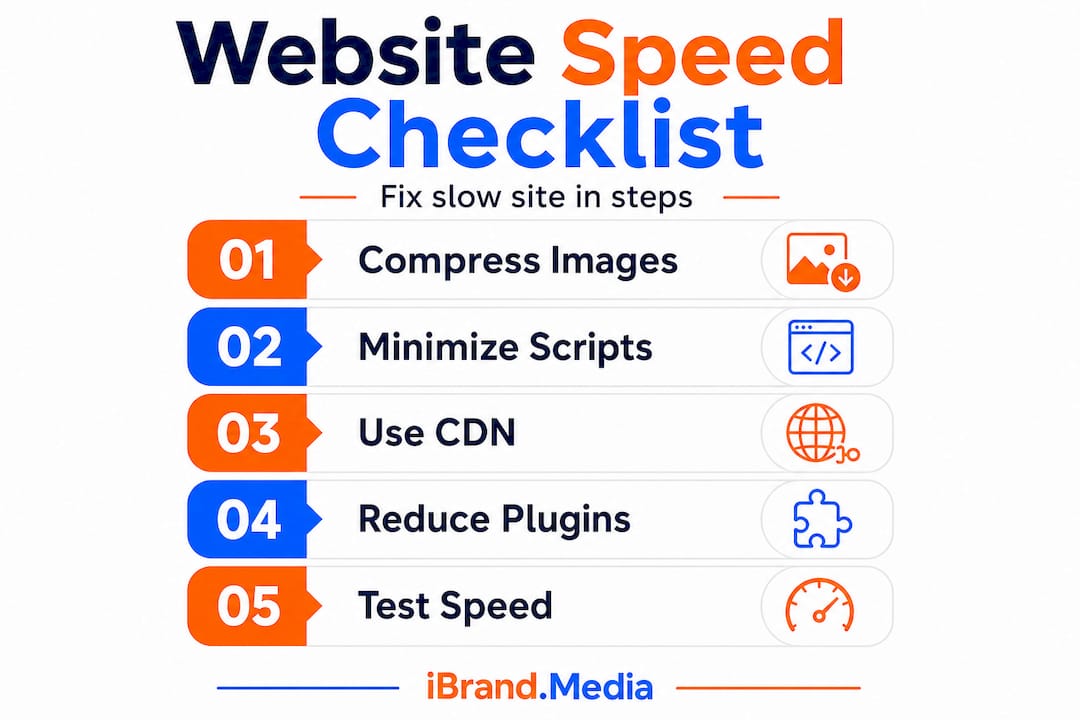
Here are the highest-impact steps, in order of typical impact:
- Reduce server response time (TTFB). Choose a quality hosting provider, use server-side caching, and consider upgrading from shared hosting to a managed or virtual private server if your TTFB regularly exceeds 600ms.
- Implement a CDN. A Content Delivery Network stores copies of your site’s static assets (images, CSS, JavaScript) on servers close to your visitors. Reducing server latency with a CDN is one of the most reliable ways to improve LCP scores across your entire audience.
- Optimize images. Images are usually the single biggest contributor to slow LCP scores. Compress all images before uploading, convert to modern formats like WebP, and set correct dimensions so the browser doesn’t have to resize them.
- Minimize JavaScript and CSS. Remove unused code, defer non-critical scripts from loading, and combine files where possible. Heavy third-party scripts (like chat widgets and ad trackers) are common culprits.
- Enable browser caching. Set cache headers so returning visitors don’t re-download unchanged assets on every page load.
- Use lazy loading for images. Images below the fold don’t need to load until the user scrolls to them. This directly reduces initial page weight.
On the image front specifically, image optimization techniques are among the most documented and reliable levers for speed improvement. A well-optimized image file can be 70% smaller than the original without any visible quality loss.
Common mistakes to avoid when optimizing site speed:
- Installing too many optimization plugins that conflict with each other
- Enabling aggressive CDN caching on dynamic pages, which can serve outdated content to customers
- Removing fonts or design elements that hurt CLS without checking the visual result
- Adding lazy loading to above-the-fold images, which actually delays LCP
Understanding why your website is slow in the first place is half the battle. Many SMBs are surprised to find their speed problems come from a single bloated plugin or an unoptimized hero image rather than anything deeply technical.
Pro Tip: Use a tool like Squoosh or ShortPixel for lossless and lossy image compression. Lossless compression removes unnecessary metadata without changing quality. Lossy compression reduces file size more aggressively while keeping images visually sharp. For most web images, a 70 to 80 percent quality setting in WebP delivers excellent results at less than half the file size. Also consider conversion optimization tips alongside speed fixes, since a fast page that isn’t designed to convert still won’t hit your sales goals.

After executing these improvements, it’s crucial to verify their effect on both site speed metrics and business results.
Validating speed improvements and tying them to business goals
Making changes without measuring their effect is guesswork. Validation is what transforms technical work into a business argument you can act on and invest in confidently.
Here’s how to structure your post-fix measurement process:
- Rerun baseline tests immediately after each change. Don’t bundle multiple changes together before testing. If you optimize images and update your hosting at the same time, you won’t know which one moved the needle.
- Compare field data, not just lab data. Tools like Google PageSpeed Insights show both lab scores (simulated) and field data (real user experience from Chrome users). Field data takes weeks to update, but it’s a more accurate reflection of what your actual customers experience.
- Monitor bounce rate and conversion rate in your analytics for two to four weeks after changes. A meaningful speed improvement usually shows up as a drop in bounce rate and an increase in goal completions.
- Segment your data. Look at mobile vs. desktop separately, and if possible, compare traffic from different geographic regions. CDN improvements often show larger gains for visitors who are physically farther from your server.
“Speed improvements are real and measurable, but they’re one factor among many. Validate your gains against your own funnel data before attributing all conversion changes to speed alone.”
This is the nuance that conversion performance correlations require. The data is compelling, but your specific audience, pricing, and offer quality all play a role too.
One important warning: some performance settings that improve delivery can also destabilize your Core Web Vitals scores. For example, certain JavaScript deferral settings can cause layout shifts that hurt CLS. Validate CWV outcomes after every change to make sure you haven’t introduced new problems while fixing old ones.
Here’s a table summarizing how common speed improvements map to business outcomes:
| Speed fix | Likely metric improvement | Expected business outcome |
|---|---|---|
| Image optimization | LCP, page weight | Faster load, higher engagement |
| CDN implementation | TTFB, LCP | Better global load times |
| Script deferral | INP, TBT | Smoother interactions, less rage-clicking |
| Caching setup | TTFB, repeat load times | Faster returns, lower server load |
| Layout stabilization | CLS | Fewer accidental clicks, higher trust |
Avoid the common marketing mistakes of treating speed as a one-time project. Websites evolve. New plugins get added, images are uploaded without compression, and third-party scripts accumulate. Schedule a speed audit every quarter and increase website conversions over time through consistent incremental improvements rather than one big overhaul every few years.
With speed improvements verified and connected to business outcomes, let’s step back and share an editorial perspective on what works and what doesn’t.
The practical truth about website speed improvements for SMBs
Here’s something most speed guides won’t tell you: chasing a perfect 100 score on Google PageSpeed Insights is usually a waste of your time and budget.
We’ve seen business owners spend thousands of dollars on developer hours to move from a 78 to a 94, and their conversion rates barely budged. Meanwhile, a competitor with a score of 72 but a cleaner checkout flow and clearer pricing was outselling them every month. The score is not the goal. Your customer’s experience is the goal.
The most valuable approach is to fix your biggest bottleneck first, test whether it moved a real business metric, and then decide whether to continue. If a faster LCP reduces your mobile bounce rate by 12%, that’s a green light to invest further. If it doesn’t change anything meaningful in your funnel, look elsewhere before spending more.
Speed work also doesn’t exist in a vacuum. A technically fast page with confusing navigation, poor copy, or weak offers still won’t convert. Speed removes friction. It doesn’t replace the fundamentals of a good sales page. Your website performance metrics should always be read alongside your business metrics, not in isolation.
The SMBs that get the best results are the ones who treat speed as one part of a broader web quality strategy, not a standalone technical exercise.
Next steps: Professional help and related resources
Speed optimization can dramatically improve your results, but it works best when it’s part of a complete digital strategy that includes strong SEO, well-designed pages, and targeted content.

If you’re ready to go beyond speed fixes, we’ve built detailed resources to support your next moves. Learn how search optimization for small businesses connects performance to visibility. Explore our affordable web design guide to understand how design decisions affect load speed from the ground up. And if you want the bigger picture, our guide to SEO for small businesses ties speed, content, and rankings into a single coherent plan. At ibrand.media, we help SMBs like yours build faster, smarter, higher-converting websites without the enterprise price tag.
Frequently asked questions
What are Core Web Vitals, and why do they matter for business owners?
Core Web Vitals are three Google-defined speed metrics (LCP, INP, and CLS) that measure how fast and stable your site feels to real users. Strong scores improve both search rankings and sales conversions.
How much can website speed improvement boost sales?
Every 100ms of additional load time reduces conversion rates by roughly 3.5%, meaning even modest speed gains can deliver meaningful revenue increases for SMBs.
Should I use a CDN or simply optimize images?
Use both together: test with your CDN paused first to establish a raw baseline, then enable it to measure the actual delivery improvement alongside your image optimization results.
How can I avoid mistakes that harm my site’s speed or stability?
Make one change at a time and validate CWV scores after each adjustment, since some performance settings can unintentionally cause layout shifts or rendering delays that hurt the user experience.
Recommended
- Boosting Online Sales Locally: Step-by-Step Guide for SMBs | Ibrandmedia
- Improving Website Rankings: Step-by-Step Guide for Small Businesses | Ibrandmedia
- Why Your Website Is Slow – Impact on Sales & SEO | Ibrandmedia
- How to Optimize Website Speed: Faster Sites for Small Businesses 2025 | Ibrandmedia
Recent Comments