
Verifying your Google Business Profile confirms you actually run the business, and it’s free every time. Click “Get verified” inside your profile, follow whichever method Google displays (video, phone, text, email, or postcard), and expect a decision within up to 5 business days. Skip video only if it isn’t offered to you.
TL;DR:
- Verification methods depend on business type and digital footprint, with video being the preferred route for storefronts and service-area businesses.
- Common failures stem from address mismatches, thin video evidence, expired postcard codes, or automated call traps, all fixable with correct data and preparation.
- Re-record videos focusing on management authority proof and staging all evidence in one continuous shot significantly improves approval chances.
- Sending a postcard takes several days, so avoid requesting multiple retries early, as they cancel previous codes and delay verification.
- Post-verification, activating messaging, updating business details, and collecting reviews help maximize local visibility and ranking.
Table of Contents
- What Are the Google Business Profile Verification Methods?
- How Do I Verify My Google Business Profile Step by Step?
- What Does Google Require for Video Verification?
- Why Isn’t My Google Business Profile Verification Working?
- What Should You Do Right After Verification?
- Where Client Verification Attempts Usually Go Wrong
- Get Verification Right the First Time
- Sources
- FAQ
What Are the Google Business Profile Verification Methods?
Google decides which options you see, and you can’t force a different one. The choice depends on your business category, how much public data already backs up your listing, and whether Google can find independent proof you exist.
- Instant verification happens automatically if you’ve already verified the same business through Google Search Console.
- Phone or text sends a 5-digit code to the number listed on your profile, often for service businesses with a clean public record.
- Email works the same way for profiles tied to a verified domain.
- Postcard mails a code to your physical address, typically for newer listings or businesses without much digital footprint yet, and takes days to arrive by mail.
- Live video verification is Google’s preferred route for storefronts, hybrid businesses, and service-area companies without a public-facing office, since it lets a reviewer see real evidence in real time.
Google’s own guidance leans toward prioritizing video when it’s available, since it usually clears faster than anything routed through the mail.
How Do I Verify My Google Business Profile Step by Step?
Sign in to the Google Account connected to your listing, open your Business Profile, and look for the “Get verified” button on the dashboard. Google shows you the exact method it has assigned. Here’s how to handle the three most common ones.
- Phone or text: Answer the call or open the text message, then enter the 5-digit code exactly as shown on your profile screen. Don’t let it route to voicemail without checking.
- Email: Open the message from Google and click the confirmation link or enter the code where prompted.
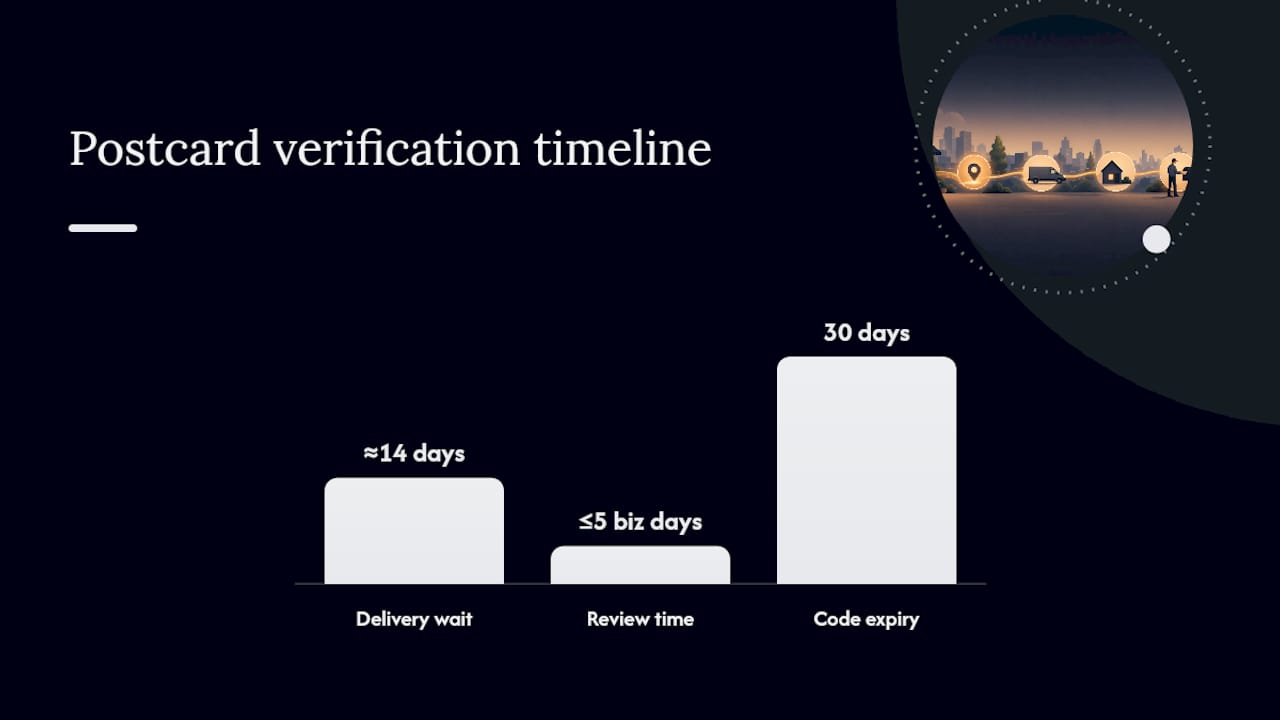
- Postcard: Confirm your mailing address is correct before requesting the card, then wait. Once it arrives, log in and enter the code before it expires.
- Don’t edit your business name, address, or category while any of these are pending — a mid-verification edit can invalidate the attempt and force you to restart the whole process.
- If verification fails or times out, the “Get verified” button reappears on your dashboard, meaning Google wants another attempt.
Review takes up to 5 business days, and postcard codes specifically expire 30 days after they’re generated.
Pro Tip: If a postcard hasn’t shown up after two weeks, resist the urge to request three more. Each new request cancels the previous code, and requesting a second postcard before the first arrives just resets your wait clock to zero.
What Does Google Require for Video Verification?
The recording has to be live, continuous, and unedited, running at least 30 seconds, and you shoot it directly through the mobile Business Profile app rather than uploading a pre-made clip. Google treats this as a remote site visit, and reviewers are trained to look for three specific things.
- Location proof: street signs, nearby landmarks, or your storefront address visible on the building itself.
- Existence proof: permanent signage, a shopfront, inventory, or equipment that matches what your listing claims you sell.
- Management authority proof: access to employee-only areas, a point-of-sale system, or paperwork showing your name tied to the business.
A shot sequence that tends to hold up well: start outside with your sign and a cross-street or house number in frame, pan briefly to a neighboring business for context, walk inside to show the customer area, then demonstrate something only staff could access, like a back office or register drawer. Keep other people’s faces and any sensitive ID numbers out of frame throughout.
If you get a “review issues” notice, don’t just resubmit the same footage. Re-shoot with whatever evidence pillar was weakest, usually management authority, since that’s the one owners forget to cover. Local SEO practitioners describe video verification as functioning like an in-person spot check that helps Google filter out fake or duplicate listings, which is exactly why thin footage gets bounced.
Why Isn’t My Google Business Profile Verification Working?
Most stalled verifications trace back to one of a handful of causes, and nearly all of them are fixable without starting from scratch.
- Mismatched business data: your listed address, name, or category doesn’t match what a reviewer sees in your video or postcard address.
- Thin video evidence: footage that skips the management authority proof, which is the most commonly missed piece.
- Phone system traps: automated IVR menus that swallow verification calls before a human ever answers.
- Expired postcard codes: entered after the 30 day window closes.
Fix the underlying data first, then retry the same method or wait for a different one to appear. If two or three attempts fail, use the verification status tool inside your dashboard to submit supporting documents and flag the listing for manual review.
Pro Tip: Screenshot every error message you get. When you eventually reach a human reviewer, having a timestamped history of your attempts speeds up manual review considerably.
What Should You Do Right After Verification?
Verification unlocks the features that actually move the needle for local visibility, so don’t let the profile sit idle.
- Turn on Business Messages so customers can text you directly from search results, a feature that’s only available to verified profiles.
- Double check your hours, services, and category are accurate.
- Publish your first post and upload at least five photos in the first week.
- Request your first customer review.
- Confirm your name, address, and phone number match exactly across other directories, since inconsistent citations quietly undercut your local ranking even after verification succeeds.
Where Client Verification Attempts Usually Go Wrong
Address mismatches and thin video footage account for the overwhelming majority of stalled verifications we see. A business that lists “123 Main St Suite 4” on its profile but shows a bare storefront number in the video, with no suite marker visible anywhere, gets flagged almost every time.
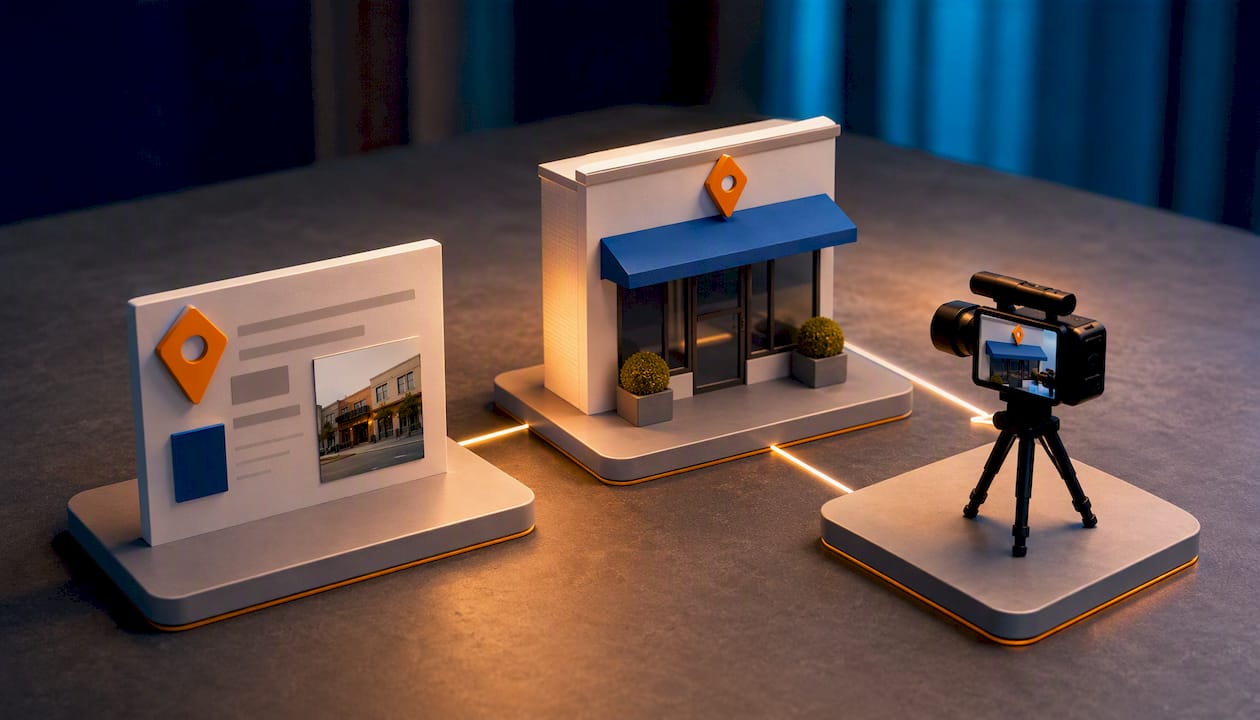
The fix isn’t complicated: walk the shoot before you film it. Have an authorized manager physically present on camera, stage the documents you’ll need in advance, and assign one staff member to hold the phone steady while another opens the register or back office on cue. That single change, planning the shot list before recording instead of improvising, cuts retry rates dramatically because it addresses all three evidence pillars in one continuous take instead of two.
Businesses that treat verification as a five-minute afterthought almost always end up redoing it. The ones that treat it like a two-minute rehearsal rarely get denied twice.
— TONY
Get Verification Right the First Time
Get practical help instead of trial-and-error verification attempts: instead of guessing which evidence Google wants, you can use a pre-shoot checklist and hands-on guidance built from watching this process succeed and fail across dozens of local businesses.

Our team walks clients through the exact shot sequence that clears video review, helps stage documents and staff roles before recording starts, and cleans up the profile details that most often trigger mismatches. We build this into our broader Google Business Profile Guide 2025 and use an internal 60 Minute Evidence Kit to prep clients before they ever open the camera. If your listing needs more than verification, whether that’s a full local SEO tune-up or a faster-loading site to match, our website optimization services start with a free consultation. Request one this week and get your profile fully verified and working for you before the month is out.
Sources
- Verify your business with a video recording – Google Business Profile Help
- Google Business Profile Video Verification Best Practices – Search Engine Journal
FAQ
How Do I Verify My Google Business Profile?
Sign in to your Business Profile, click “Get verified,” and complete whichever method Google displays, video, phone, text, email, or postcard. Review typically finishes within 5 business days.
Why Does Google Keep Asking Me to Re-Verify My Business?
The “Get verified” button reappears when a previous attempt failed, your business information changed, or Google needs a fresh confirmation that you still control the listing. It’s not a bug, it’s a signal to try again.
How Much Does It Cost to Verify a Business on Google?
Nothing. Google Business Profile verification is free, and there’s no paid option to skip the queue or speed up review.
Why Won’t Google Let Me Verify My Business?
Usually it’s a mismatch between your listed address or category and what your video or documents show, or a postcard code entered after its 30 day expiration. Correcting the data and retrying, or requesting manual review through the verification status tool, resolves most cases.
What If My Verification Video Gets Rejected?
Re-record it, focusing on whatever evidence was thin the first time, most often proof of management authority like employee-only access or a point-of-sale system. A clear exterior-to-interior sequence with all three evidence pillars in one continuous shot clears review far more reliably than a quick retake.
Recent Comments