
TL;DR:
- Geotargeting ensures ads reach only potential local customers in specific areas.
- It increases ad relevance, click-through rates, and optimizes local advertising budgets.
- Effective use requires ongoing analysis, location-specific messaging, and tailored landing pages.
Most small business owners assume that running online ads means reaching potential customers. The uncomfortable reality is that a large chunk of that ad spend reaches people who will never walk through your door, call your number, or buy from you because they simply live too far away. Geotargeting fixes that problem by letting you show ads only to people in the locations that actually matter to your business, turning a scattershot approach into a precise, budget-efficient strategy that drives real local results.
Table of Contents
- Geotargeting explained: What it is and why it matters
- How geotargeting works in online advertising platforms
- Practical benefits of geotargeting for small businesses
- Common challenges and expert tips for effective geotargeting
- The truth most marketers miss about geotargeting
- Take your local marketing further with expert solutions
- Frequently asked questions
Key Takeaways
| Point | Details |
|---|---|
| Geotargeting boosts local ROI | Focusing ads on specific regions attracts more local customers and stretches your budget further. |
| Optimize by geography | Campaign analysis and budget allocation by location drive better performance than blanket targeting. |
| Pair ads with local landing pages | Matching ad copy and landing pages to local areas significantly increases conversions. |
| Beware location data accuracy | City-level or postal code targeting can be unreliable, so use broader signals and ongoing adjustment. |
Geotargeting explained: What it is and why it matters
Generic online advertising is like handing flyers to everyone in a stadium when you only serve customers in one section. You pay for all those flyers, but most of them go straight to the trash. Geotargeting is the digital equivalent of walking directly to your section and handing flyers only to the people sitting there.
At its core, geotargeting means configuring your ads to appear only to users in specific geographic locations. Those locations can be as broad as an entire country or as narrow as a five-mile radius around your storefront. The technology works by reading signals from users’ devices, including GPS data, IP addresses, Wi-Fi connections, and even browsing history tied to local searches.
Here is where it gets interesting for small businesses: geotargeting in ad platforms is implemented by selecting locations such as countries, areas, radii, and location groups, and optionally applying “presence” or “interest” style signals. The “presence” signal targets people who are physically in your chosen area. The “interest” signal targets people who have shown interest in that area, even if they are currently somewhere else. This distinction matters enormously when you are targeting a local audience for a brick-and-mortar business versus an online service that ships to a specific region.
Why geotargeting matters for local businesses:
- It eliminates wasted impressions on users who cannot realistically become your customers
- It lets you craft location-specific ad copy that feels personal and relevant
- It gives you control over where your budget flows, region by region
- It improves your click-through rate because the ad is relevant to where the user actually is
- It makes your overall marketing to local customers online far more efficient
Consider a quick comparison to see why this matters in practice:
| Feature | Generic targeting | Geotargeting |
|---|---|---|
| Ad reach | Everyone online | Users in chosen locations |
| Budget efficiency | Low (many wasted clicks) | High (focused spend) |
| Ad relevance | Generic messaging | Location-specific messaging |
| Conversion likelihood | Lower | Higher |
| Analytics clarity | Broad, hard to act on | Geographic, actionable |
“The best ad in the world is worthless if it reaches the wrong person in the wrong place. Geotargeting ensures your message finds the right audience at the right moment.”
The table above makes one thing clear: the difference is not just about cost. It is about relevance. A user who sees an ad for a pizza shop that is three blocks away is far more likely to act on it than one who sees the same ad from 40 miles out.
How geotargeting works in online advertising platforms
Understanding the concept of geotargeting leads to a natural question: how does this actually function inside the ad platforms you use every day?
In Google Ads, for example, you can set up location targeting by selecting countries, cities, specific postal codes, or a custom radius around an address. You can also exclude locations where you do not operate, which prevents your ads from showing to users in areas you cannot serve. This exclusion feature alone can save significant budget for businesses with clearly defined service areas.
Here is a step-by-step breakdown of how the process typically works:
- Choose your target locations. Select the countries, cities, zip codes, or radius around a specific address where you want your ads to appear.
- Set your location signal preference. Decide whether you want to target people physically present in the area (“presence”) or people showing interest in the area (“presence or interest”).
- Add location exclusions. Block any areas where you do not provide service to stop wasted impressions before they happen.
- Apply location-specific bid adjustments. Increase your bid for high-performing areas and reduce it for lower-priority zones.
- Monitor and refine. Review your geographic performance reports regularly and adjust targeting based on real data.
The platform determines a user’s location through several signals. Device GPS is the most accurate. IP address is the most common but also the least precise. Browser history and profile data from signed-in accounts add another layer of context. Together, these signals give the platform a reasonable picture of where a user is or where they have expressed interest.
Pro Tip: When running local ads for a service-based business, use the “presence” signal rather than “presence or interest.” This ensures your ads only reach people who are actually in your service area, not people who searched for your city from across the country.
| Location signal type | Accuracy level | Best use case |
|---|---|---|
| GPS (device) | Very high | Mobile ads, foot traffic goals |
| IP address | Moderate | General city-level targeting |
| Wi-Fi location | High | Hyperlocal campaigns |
| Browser/profile history | Variable | Interest-based local targeting |
One often-overlooked feature is the ability to layer geotargeting with other audience signals. You can target people in a specific zip code who also fall into a certain age group or income bracket. This combination dramatically narrows your audience to the most likely buyers, which means every dollar you spend is working harder.
Practical benefits of geotargeting for small businesses
Now that you know how geotargeting works, let us explore its practical benefits for your business in concrete, real-world terms.
Greater local visibility. When your ads appear to people in your actual service area, your business becomes a familiar name locally. Repeated exposure to relevant users builds brand recognition among the people most likely to convert. A plumber running ads within a 15-mile radius of their shop will be top of mind when a local homeowner’s pipe bursts at 11 PM.

Smarter budget allocation. Geotargeting for local businesses typically works by pairing geo-targeted ads with location-appropriate landing pages and budget allocation based on geographic performance. This means you can identify which neighborhoods or zip codes produce the most conversions and shift more of your budget toward those areas. You stop guessing and start investing based on evidence.
Higher conversion rates through relevance. Location-specific ad copy converts better because it speaks directly to the user’s context. An ad that says “Same-day HVAC repair in Austin, TX” will outperform a generic “HVAC repair available” message every time. The user immediately knows the service is available where they are, which removes friction from the decision-making process.
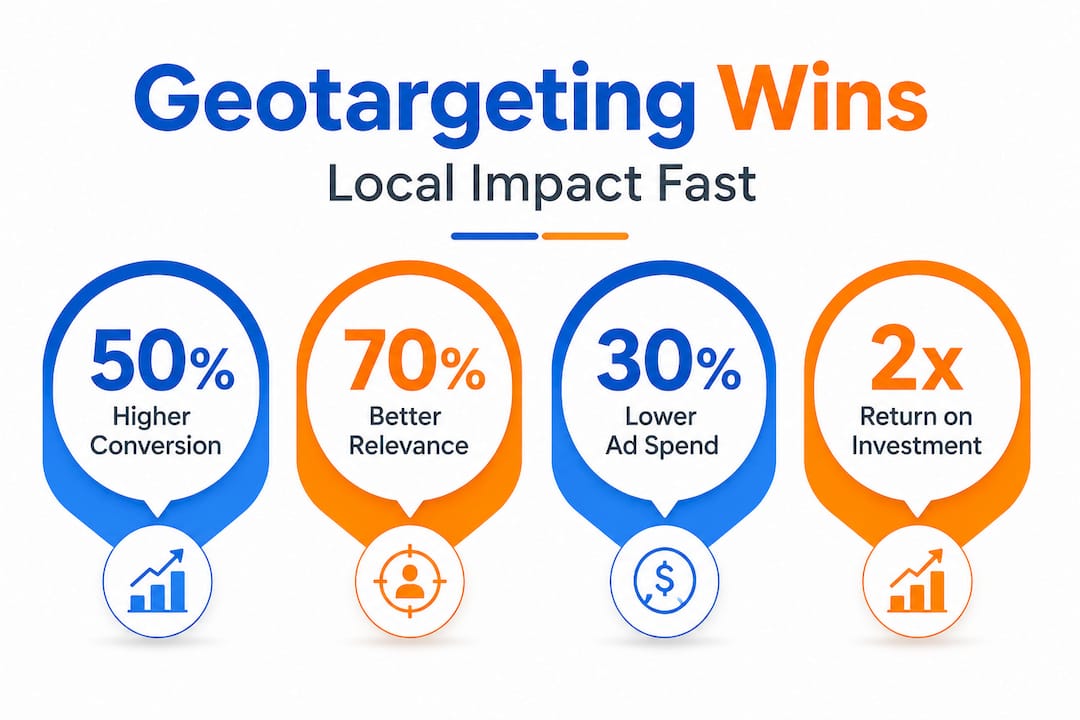
Improved user experience through local landing pages. When a user in Dallas clicks your ad and lands on a page that mentions Dallas, shows local reviews, and lists your Dallas service area, they feel like the business understands them. Aligning your landing pages with your ad locations is one of the highest-impact moves you can make when targeting local customers.
Actionable performance data by geography. Geotargeting gives you reporting broken down by location. You can see which cities, zip codes, or radius segments are driving clicks, conversions, and revenue. This turns your ad account into a live map of where your marketing is working and where it is not.
Here are the key benefits summarized:
- Focused spend on your actual service area
- Location-specific messaging that increases click-through and conversion rates
- Ability to double down on high-performing geographic segments
- Reduced wasted impressions from users outside your reach
- Clear geographic performance data for smarter future decisions
One of the most common local business marketing challenges is proving that digital ads actually drive foot traffic or local calls. Geotargeting makes this connection much clearer because you can correlate ad performance in specific areas with actual sales data from those same areas.
Pro Tip: Create separate ad campaigns for each major city or neighborhood you serve. This lets you customize the messaging, budget, and landing page for each location independently, giving you far more control over performance than a single broad campaign ever could.
Common challenges and expert tips for effective geotargeting
With geotargeting’s advantages in mind, it is important to address the challenges that can undermine your results if you are not careful.
The biggest technical limitation is location accuracy. IP-based location can be inaccurate at the city or postal code level, which can misroute ad delivery and skew your analytics if you assume precise location data. A user in a suburban town might have an IP address registered to a server in a major city 30 miles away. If your campaign is targeting that city, you might reach the suburban user. If you have excluded that city, you might miss them entirely.
This is not a reason to avoid geotargeting. It is a reason to set realistic expectations and use the right signals. GPS-based targeting through mobile devices is far more accurate than IP-based targeting. For campaigns where precision matters most, prioritize mobile placements and use radius targeting around a specific address rather than relying on zip code or city-level targeting alone.
Common geotargeting mistakes and how to avoid them:
- Assuming IP-based targeting is precise at the postal code level (it is not)
- Forgetting to exclude areas you do not serve, which wastes budget
- Using the same generic ad copy for all locations instead of localizing the message
- Ignoring geographic performance reports after setup
- Failing to match landing pages to the targeted location
“Geotargeting is not a set-it-and-forget-it tool. It requires ongoing analysis and refinement to deliver consistent results.”
For businesses serving multiple neighborhoods or cities, service area marketing tips consistently point to one best practice: treat each location as its own mini-campaign. This means separate ad groups, separate budgets, and separate landing pages for each area. The extra setup time pays off quickly in better performance and clearer data.
Another common mistake is using geotargeting only to exclude areas rather than to optimize within them. The most effective approach when targeting local customers online is to use geographic data as a performance signal, not just a filter. If one neighborhood consistently converts at twice the rate of another, that is a signal to increase your bid and budget for that area, not just to maintain it.
Pro Tip: Review your geographic performance report at least once a month. Look for zip codes or cities where you are spending money but getting no conversions. Exclude those areas and reinvest the savings into your top-performing locations.
The truth most marketers miss about geotargeting
Here is the perspective most marketing guides skip entirely: businesses treat geotargeting as a cost-cutting tool when it is actually a performance multiplier.
The typical mindset goes like this. A business owner sets up geotargeting, excludes a few irrelevant states, and calls it done. They feel good because they stopped wasting money on obviously wrong locations. But they leave enormous value on the table because they never go deeper.
The real power of geotargeting shows up when you use location targeting as a performance lever and run location-by-location analysis to optimize your campaigns, not just reduce spend. Google explicitly frames it this way, and the businesses that follow this approach consistently outperform those that treat geotargeting as a simple on/off switch.
Think about what location-by-location analysis actually reveals. You might discover that one zip code converts at three times your average rate. That is a signal to increase your bid there, write more specific ad copy for that neighborhood, and build a landing page that speaks directly to residents there. You might also find that a city you assumed would perform well is actually dragging down your overall numbers. That is a signal to reduce spend there and investigate why.
The step-by-step local marketing guide approach we recommend is to pair every geographic targeting decision with a matching landing page. This combination, precise targeting plus locally relevant destination, is where conversion rates genuinely move. One without the other leaves results on the table.
Geotargeting done right is not about shrinking your audience. It is about sharpening your message for each segment of that audience. The businesses that understand this distinction are the ones that turn local ads into a predictable, scalable growth channel.
Take your local marketing further with expert solutions
Geotargeting is one of the most powerful tools in a local business’s marketing toolkit, but it works best when it is part of a broader, well-executed strategy.

At ibrand.media, we help small and medium-sized businesses build complete local marketing systems that include geotargeted advertising, locally optimized landing pages, and SEO that puts you in front of nearby buyers. Whether you are just getting started or want to improve campaigns you already have running, our local customer marketing guide gives you a clear roadmap. For businesses focused on organic visibility, our local SEO for small businesses resource covers exactly how to rank in your area. And if you want to understand how paid ads can directly lift sales, our online advertising sales lift guide breaks it all down with actionable steps built for businesses like yours.
Frequently asked questions
How does geotargeting differ from regular targeting in online ads?
Geotargeting restricts ad visibility to specific geographic locations, while regular targeting may show ads to everyone regardless of where they are located. Geotargeting in ad platforms uses location signals like GPS, IP address, and user behavior to determine eligibility.
Can geotargeting improve ROI for small businesses?
Yes, because it focuses your budget on areas that are most likely to convert rather than spreading spend across irrelevant locations. Budget allocation based on geographic performance is a core geotargeting strategy that directly improves return on investment.
What are the risks of inaccurate geotargeting?
IP address targeting accuracy can be unreliable at the city or postal code level, which may cause your ads to reach users outside your intended area and distort your performance data.
How should I optimize campaigns using geotargeting?
Analyze your performance region by region, then adjust your budget, ad copy, and landing pages to maximize returns in your best-performing locations. Location-by-location analysis is the most effective way to turn geotargeting into a real growth driver.
Does geotargeting work for businesses serving multiple cities?
Absolutely. You can create separate campaigns with distinct ads and landing pages tailored to each city you serve. Pairing geo-targeted ads with location-appropriate pages is the proven approach for multi-location businesses.
Recent Comments