
Speed to lead is the time between a prospect’s expressed interest, like a form submission or chat message, and your team’s first meaningful contact with them. We recommend treating minute-level response as the priority for hot, high-intent leads rather than treating same-day follow-up as acceptable. Teams that close this gap consistently see better qualification rates and less lead decay, because interest fades fast once someone leaves your site or closes the chat window.
TL;DR:
- Hot, high-intent leads should be contacted within five minutes, while lower-priority leads can be responded to within the same business day.
- Consistent measurement of speed to lead depends on starting the timer at a defined event and measuring only actual human contact, not automated acknowledgments.
- Automating acknowledgment and prioritized follow-up for hot leads, combined with dedicated staff for the first hour, significantly improves response times.
- Different communication channels have specific strengths: calls for high-intent leads, SMS for warm responses, and email for lower urgency follow-up.
- Regularly reviewing response times by source, campaign, and lead score helps optimize staffing, routing, and automation to reduce lead decay.
Table of Contents
- What speed to lead actually measures and how teams start the clock
- Evidence: why speed to lead matters (research and statistics)
- Benchmarks: what your target speed to lead should be by lead type
- Step-by-step playbook to reduce lead response time
- Channels and tools: how each channel performs and integrates
- How to measure speed to lead and report progress
- Implementation checklist and timeline
- What most teams get wrong about lead response
- How we help you close the speed-to-lead gap
- FAQ
- Sources
What speed to lead actually measures and how teams start the clock
Speed to lead sounds simple until you try to report it consistently across a sales team. The clock starts at a specific trigger event, and that event needs to be the same one every time or your numbers mean nothing.
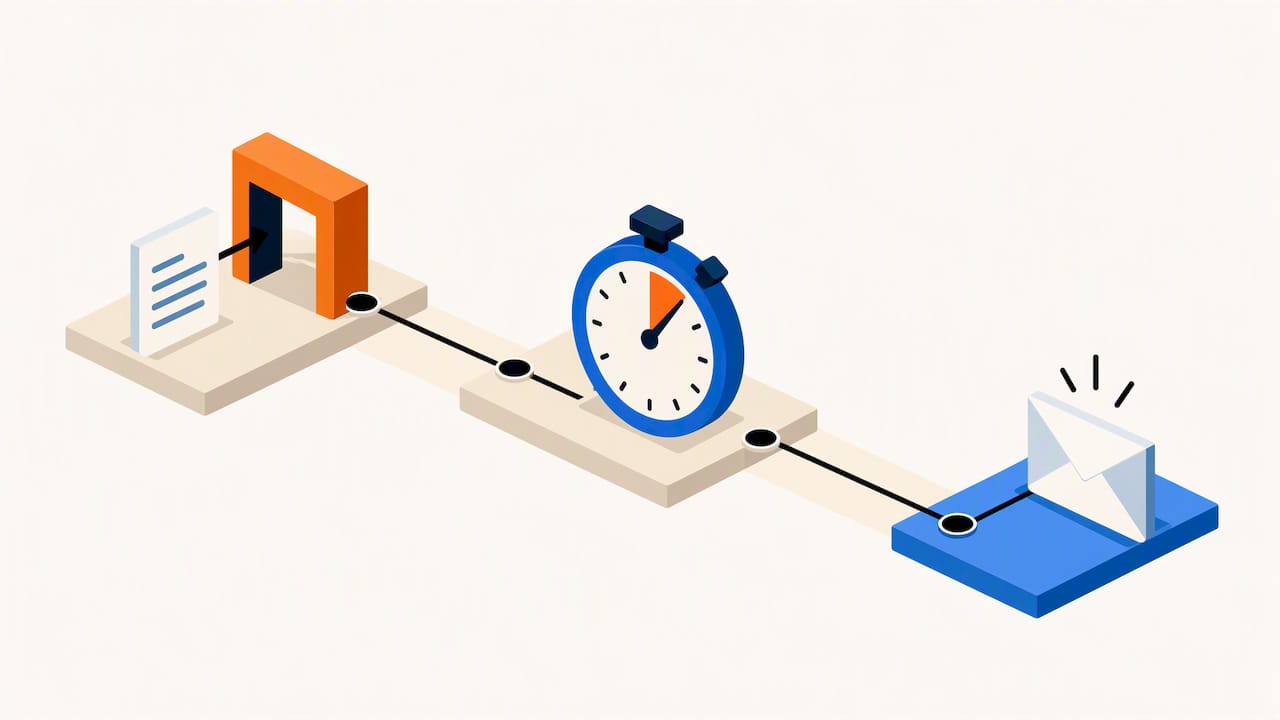
Most teams start the timer at one of three moments: a form submission on a landing page, the first message in a live chat session, or a call-back request through a scheduling widget. Each of these represents a prospect telling you, in some form, that they want to talk. The ambiguity usually shows up in what counts as “first contact.” An automated email acknowledgment is not the same as a human calling the lead, and a human calling the lead is not the same as getting them on a scheduled meeting. Conflating these three stages is the most common reporting mistake we see.
A consistent measurement rule separates the three:
Acknowledgment: an automated response confirming receipt, which should happen within seconds but does not count as contact.
First human contact: a call, text, or personalized email from a real rep, which is what most speed-to-lead benchmarks actually measure.
Meaningful contact: the point where the prospect engages back, whether that’s answering the phone, replying to a text, or booking a meeting.
Reporting against “first human contact” rather than “acknowledgment sent” gives a far more honest view of how fast your team actually moves. Some organizations stretch the definition to make their numbers look better, measuring from when a rep was assigned rather than from when the lead arrived. That inflates performance on paper while leaving the prospect waiting exactly as long. If you’re building internal dashboards, lock in the trigger event and the contact definition before you start collecting data, and keep it consistent across every reporting period so quarter-over-quarter comparisons actually hold up.
Evidence: why speed to lead matters (research and statistics)
The research most often cited on this topic is a Harvard Business Review analysis of online sales leads, which found that the odds of qualifying a lead drop sharply as response time stretches out. The underlying behavioral logic is straightforward: a prospect who fills out a form is usually comparing several options at once, and attention is a depleting resource. The longer your team waits, the more likely a competitor has already called, texted, or booked a demo with that same person.
Leads lose responsiveness quickly after they come in, according to HBR’s lead-response research, which means the practical lesson is to treat the first hour after a lead arrives as a different category of work than everything else your sales team does that day. A lead sitting in a queue for a few hours is not the same opportunity it was the moment it arrived.
A few patterns show up consistently in how this plays out operationally:
- Hot leads (demo requests, pricing inquiries) decay the fastest because the prospect is actively comparing vendors right now.
- Warm leads (content downloads, webinar signups) decay more slowly since the intent is softer and less time-sensitive.
- Leads that go to voicemail or an unanswered inbox rarely convert as well as leads reached on the first or second attempt, regardless of channel.
- Reps who treat new leads as interruptions, rather than scheduling dedicated response windows, consistently produce slower average response times.
None of this requires fancy technology to act on. It requires treating the first contact window as a protected priority rather than something squeezed between other tasks. A lead nurturing approach that pairs fast initial contact with a structured follow-up sequence tends to outperform either fast contact alone or nurture alone, because speed gets you in the door and nurture keeps the conversation alive if the first touch doesn’t convert.
Benchmarks: what your target speed to lead should be by lead type
Not every lead deserves the same urgency, and treating all of them identically wastes rep time on low-intent contacts while slowing down response to the ones that matter most. Setting bands by intent level gives your team a realistic structure to work from.
- Under a few minutes: demo requests, pricing inquiries, and anyone who requested a call back. This is the highest-intent category and the one where competitor contact is most likely.
- 5 to 30 minutes: live chat conversations that went unanswered in real time, and form fills from high-value landing pages like case studies or comparison pages.
- Same business day: content downloads, newsletter signups, and other low-commitment actions where the prospect isn’t actively shopping yet.
- Scheduled nurture cadence: webinar registrants and early-funnel content engagers, where immediate contact would feel pushy rather than helpful.
Setting SLAs means assigning each band an owner and an escalation path. If a hot lead isn’t contacted within five minutes, the system should automatically reassign it to a backup rep or alert a manager, rather than quietly aging in a queue. Escalation only works when it’s automatic. A manual process that depends on someone remembering to check a dashboard will fail exactly when volume spikes and speed matters most.
It’s also fine to accept slower targets on genuinely low-intent leads. A same-day response to a newsletter signup is reasonable, and treating every single contact as an emergency burns out reps and trains them to ignore urgency flags altogether. The goal is matching response speed to actual buying intent, not applying maximum urgency across the board.
Step-by-step playbook to reduce lead response time
Cutting your response time down to minutes requires changes at four points: how leads enter your system, how they get triaged, who’s responsible for picking them up, and how your team follows a repeatable process once contact happens.
- Fix intake first. Connect your forms, chat widget, and call-booking tool to your CRM through webhooks rather than batch imports or manual entry. A webhook push should land the lead in your system within seconds, not minutes. Run basic spam and bot filtering at this stage so reps aren’t wasting response windows on junk submissions, and enrich the record automatically with company size, source, and any available firmographic data so the rep has context before they dial.
- Build triage rules before volume hits. Every lead needs an automated acknowledgment within seconds of arrival. That’s table stakes and it buys you goodwill while a human gets looped in. But acknowledgment should trigger an immediate internal alert too. For leads flagged as hot (demo request, pricing page, high lead score), the rule should be SMS or click-to-call first, not email, since email response rates lag badly behind a direct call or text for time-sensitive outreach.
- Staff for the first hour specifically. Response time problems are often staffing problems in disguise. A dedicated on-call rotation for new leads, separate from reps working existing pipeline, keeps urgent leads from getting stuck behind someone’s afternoon of scheduled calls. Shared SLAs posted somewhere visible to the whole team, not just sales leadership, keep accountability from becoming a single person’s job.
- Standardize the first conversation. Reps responding fast but improvising the conversation still lose deals. Build a short script or talk track for the first call that gets straight to scheduling a real meeting rather than re-qualifying from scratch. A scheduling link embedded in the first text or email removes a round trip of back-and-forth and converts urgency into a booked meeting while interest is still high.
- Treat the whole system as something to tune, not set once. Run small experiments: test SMS-first against call-first for a specific lead segment, try a different first-contact script, adjust the escalation window from five minutes to three. Measure contact rate and meeting-booked rate for each change, and keep what moves the numbers.
Pro Tip: Pair every automated acknowledgment with a same-hour human follow-up; an auto-reply alone tells the prospect you received their message, not that you’re paying attention to them.
A structured automation checklist is useful here if you’re building these workflows from scratch, since sequencing intake, enrichment, and routing in the wrong order tends to create bottlenecks that look like staffing problems but are actually configuration problems.
Channels and tools: how each channel performs and integrates
No single channel wins every situation, and the right mix depends on the lead type and how your team is staffed. Understanding the trade-offs of each channel makes it easier to design routing rules that actually reflect how people respond, rather than routing rules built around what’s easiest to automate.
- Phone calls get the fastest meaningful engagement for hot, high-intent leads, since a live conversation can move straight to scheduling, but they require a rep available in the moment and miss leads who screen unknown numbers.
- SMS tends to produce strong response rates for warm follow-ups and appointment confirmations, and it works well paired with a call attempt since a missed call followed by a text often gets a reply even when the call itself didn’t.
- Live chat captures intent the instant it happens, but only if someone is actually monitoring it; an unanswered chat message is often worse than no chat widget at all, since it signals inattentiveness right when the prospect is deciding whether to trust you.
- Email is reliable for lower-urgency follow-up and documentation, but it’s the slowest channel for genuine first contact on hot leads given how easily it gets buried in an inbox.
- Scheduling links remove friction once a prospect is ready to talk, and embedding one directly in the first SMS or email often converts faster than asking the prospect to reply with their availability.
Integration patterns matter as much as the channels themselves. A webhook from your form or chat tool into your CRM should complete in well under a few seconds, with enrichment data (company info, lead score) returned fast enough that it doesn’t delay the routing decision. CRM write and routing logic should resolve quickly enough that the total time from form submission to a rep’s notification stays under ten seconds. When any one piece of that chain, the webhook, the enrichment call, or the CRM write, lags, the whole system slows down even if your reps are fast.
Choosing the right channel mix comes down to matching urgency to method: hot leads get a call attempt followed immediately by SMS if the call isn’t answered, while lower-intent leads can sit in an email nurture sequence without losing much. Automation patterns that connect these channels together are what separate a fast-responding team from one that just has fast individual reps.
How to measure speed to lead and report progress
Measurement only works when the definitions are fixed and the segments are consistent. Three metrics matter most: time to first contact (the gap between lead creation and the first human outreach attempt), contact rate within a defined window (what percentage of leads get a genuine human touch within five minutes, thirty minutes, and same day), and meaningful-contact rate (how many of those contacts result in a real conversation or booked meeting, not just a dial that rang out).
Segmenting the data makes it useful for decisions rather than just a vanity number:
- By source, since paid search leads often behave differently than organic form fills or referral leads.
- By campaign, to see whether a specific landing page or offer is producing leads that convert faster or slower once contacted.
- By rep, which surfaces coaching opportunities without turning into a blame exercise if framed around process rather than individual speed alone.
- By lead score, confirming that your highest-priority leads are actually getting the fastest response, not just the average lead.
A simple dashboard built around these fields covers most reporting needs:
| Metric | Data fields needed | Reporting cadence |
|---|---|---|
| Time to first contact | Lead created timestamp, first contact timestamp | Daily |
| Contact rate within 5 minutes | Lead created timestamp, first contact timestamp, lead source | Weekly |
| Meaningful-contact rate | First contact timestamp, outcome field (connected, voicemail, no answer) | Weekly |
| Response time by rep | Assigned rep, first contact timestamp, lead created timestamp | Weekly |
Real-time analytics tools that surface these numbers as leads arrive, rather than in a weekly export, make it possible to catch a slow day before it costs you a week’s worth of lost opportunities.
Implementation checklist and timeline
Rolling this out works best in three horizons, ordered by how much infrastructure each requires.
- Within 24 hours: turn on automated acknowledgment emails or texts for every new lead, set up SMS-first outreach rules for your hottest lead category, and write basic routing rules so leads don’t sit unassigned.
- Within 30 days: build proper CRM workflows that connect your forms and chat tool through webhooks, add enrichment so reps have context before the first call, and establish a staffing pattern (on-call rotation or dedicated rapid-response rep) for peak lead hours.
- Within 90 days: layer in fuller automation across channels, build the reporting dashboard described above, and start enforcing SLAs with real escalation consequences rather than informal reminders.
The most common pitfall is treating this as a one-time setup rather than an ongoing process. Routing rules that worked at low volume often break down as lead flow grows, and a script that converted well last quarter can go stale. The second most common pitfall is optimizing for raw speed while ignoring quality of contact. Lead generation strategies that pair fast response with a genuinely useful first conversation outperform teams that just respond fast and then stumble through a disorganized pitch.
What most teams get wrong about lead response
The mistake we see most often isn’t a lack of urgency, it’s urgency applied inconsistently. A team will sprint to call a demo request within minutes and then let a pricing inquiry sit for three hours because it arrived through a different form. Prospects don’t know or care which internal category their inquiry fell into. They know how long they waited.
The second mistake is confusing a fast automated reply with genuine contact. An auto-acknowledgment buys goodwill, but it doesn’t move a deal forward, and teams that stop there mistake a quiet inbox for a handled lead.
If we had to name one priority for a team starting from zero, it would be fixing the first five minutes for your highest-intent leads before touching anything else. That single change produces the most measurable shift in contact rate, and it’s the one most teams can implement without new software, just clearer rules and a rep who owns the first response.
— TONY
How we help you close the speed-to-lead gap
Most of what slows a lead response down isn’t a lack of effort from your sales team, it’s a lack of connected systems: forms that don’t talk to your CRM, no automated routing, and no visibility into who’s actually getting contacted fast enough. We build the automation, routing, and real-time tracking that turns a leaky lead process into one where hot inquiries reach a rep in minutes instead of hours, without asking you to rebuild your whole tech stack from scratch.

If you want a clear picture of where your own response time is leaking opportunity, reach out through our services page for a custom plan built around your lead volume and team size.
FAQ
What does speed to lead mean?
Speed to lead is the time that passes between a prospect expressing interest, such as submitting a form or starting a chat, and your team’s first meaningful human contact with them. It’s typically measured in minutes for high-intent leads and tracked as a core sales operations metric.
Is speed to lead a legitimate priority for sales teams?
Yes, speed to lead is a well-established concept in sales and marketing operations, grounded in research like HBR’s analysis of online sales leads showing that lead responsiveness fades quickly over time. Teams that treat it as a tracked, enforced metric consistently report better contact and qualification outcomes than teams that leave follow-up timing informal.
How important is speed to lead compared to other sales metrics?
Speed to lead matters most for high-intent leads where a prospect is actively comparing options in real time, since a slow response often means a competitor gets there first. It matters less for low-intent, early-funnel leads, where a thoughtful follow-up a day later can still convert well.
What should our target response time actually be?
For hot leads like demo requests or pricing inquiries, aim for contact within five minutes using a call or text. Lower-intent leads, like content downloads, can reasonably wait until the same business day without losing much conversion potential.
Recent Comments