
A good service page does one job: it takes a person who searched for a specific service and makes it easy to call, book or request a quote. Design is mostly about order. The visitor should see what you do and where, why to trust you, and how to act, all before they scroll twice. If you want a page built to that standard, our team designs and builds service pages for small and local businesses, and the rest of this guide shows what that page contains.
TL;DR
- One service, one page: a page about “AC repair” converts better than a page that lists every service you offer.
- Put the service, the city and a clear action (call or request service) in the first screen, especially on a phone.
- Back every claim with proof: ratings, license badges, guarantees, photos of real work.
- Keep the form short, list the areas you serve, and answer the three or four questions buyers always ask.
- Review the layout on your own phone before you publish.
Table of Contents
- What a service page is for
- The layout, from top to bottom
- Designing for the phone first
- Service page examples by type of business
- Layout mistakes that cost you calls
- Getting found: the search side of the layout
- Need the page built for you?
- Our perspective
- FAQ
- Sources
What a service page is for
A service page describes one thing you sell and persuades a visitor to take the next step. It is not your homepage, which introduces the whole business, and it is not a blog post, which teaches. It is the page a homeowner lands on after searching “water heater replacement” or a bride’s family reaches after searching “banquet hall for 200 guests.”
That visitor is usually comparing three or four businesses in a few minutes. They are not reading for pleasure. They are scanning for answers to four questions:
- Do you do exactly what I need?
- Do you work in my area?
- Can I trust you?
- What do I do next?
Every element on the page should answer one of those questions. If an element answers none of them, it is decoration, and on a small-business site it is usually the first thing to cut.
The layout, from top to bottom
The order below follows the mobile-first structure that Service Nation recommends for local service pages, adapted for the range of businesses that read this site. Treat it as a skeleton and adjust the proportions to your trade.
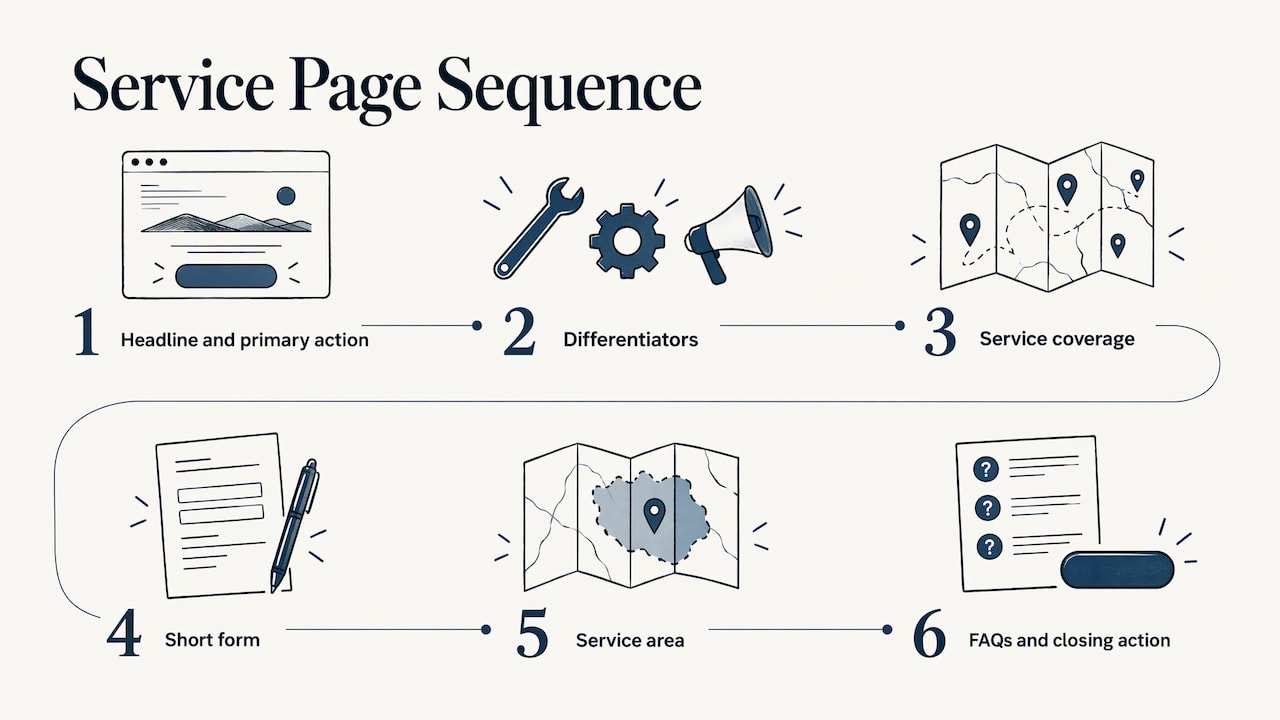
1. The headline and first screen
The headline names the service and the place: “Furnace Repair in Tampa” beats “Quality Solutions You Can Trust.” Under it, one sentence says what the visitor gets, such as same-day visits, free estimates or a specific guarantee, but only if you really offer it.
The first screen also carries the main action. For urgent trades, that is a large Call Now button with your phone number visible. For appointment-based businesses such as a dentist or med spa, it is a Schedule button. Service Nation advises keeping the button, phone number and hours visible without scrolling. Pick one primary action. Two equal buttons make people hesitate.
2. Three or four reasons to choose you
Right below the first screen, give a short list of what sets you apart. Make each point concrete: “Licensed and insured,” “Upfront pricing before work begins,” “Text updates when your technician is on the way.” Vague bullets such as “Excellent service” tell the visitor nothing, because every competitor writes the same line.
3. What the service covers
This is the body of the page, and it is where most small-business pages are too thin. Describe the actual jobs. A plumber’s drain page might cover clogged kitchen sinks, slow shower drains, main-line backups and camera inspections. A banquet hall might cover weddings, quinceañeras, corporate events and fundraisers, with capacity and what is included in the rental.
Service Nation suggests listing three to six common jobs, each with a short symptom line (“water pooling around the base of the tank”) so the visitor recognizes their own problem, and a small Call or Schedule button at the end of the list. Symptom language also matches how people search, which helps the page in search results.
4. Proof
Proof turns a claim into something believable. Use what you genuinely have:
- Star ratings and a few full customer reviews with first name and neighborhood
- License numbers or badges, insurance and manufacturer certifications
- Guarantees, stated in plain terms
- Before-and-after photos or photos of your own team and venue, not stock images
Place proof near the action, not buried at the bottom. A review sitting beside the request form does more work than one on a separate testimonials page.
5. A short form
Ask only for what you need to respond. The Service Nation structure uses name, phone, email, the service needed and a preferred time, with button copy like “Request Service.” Every extra field costs you some requests. If you do not need a budget range or a long message to give a first quote, leave it out. Add one line under the button that says what happens next, for example that someone will reply during business hours.
6. Where you work
If you travel to customers, list the cities, towns or neighborhoods you serve, or show a service-area map. This reassures a visitor in a nearby suburb and gives search engines a clear local signal. If your service area is wide, do not stuff one page with fifty place names. Our guide to service area business SEO explains how to handle a large territory, and city pages for SEO covers which towns deserve a page of their own.
7. Questions and a closing action
Finish with a handful of real questions: how fast can you come, what does it cost, what is included, what happens if something goes wrong. Then repeat the main action once more. People who read to the bottom are your most interested visitors, so do not make them scroll back up to find the button. For a step-by-step approach to the button itself, see our guide to calls to action that convert.
Designing for the phone first
Most local searches for a plumber, dentist or HVAC repair happen on a phone, often in a hurry. Design the phone version first and let the desktop version expand from it.
What that means in practice:
- Tap targets: buttons large enough for a thumb, with space around them. A tap-to-call link on the phone number is essential.
- Short blocks: two or three lines per paragraph. Long walls of text get skipped on a small screen.
- Sticky action: a call or schedule button that stays visible as the visitor scrolls saves them hunting for it.
- Light images: compress photos so the page loads quickly on a mobile connection.
- Readable type: body text that does not need pinch-zooming.
A quick check: open your page on your own phone, stand up, and try to request a quote with one hand. Anything awkward is costing you inquiries. Our overview of website design basics for local businesses goes deeper on the mobile side.
Service page examples by type of business
The best pages are not the prettiest ones in a design gallery. They are the ones that fit how customers buy. Here is how the same skeleton bends for different businesses.
HVAC, plumbing and home contractors
These are urgent or semi-urgent purchases. Lead with the phone number, hours and emergency availability. Show license and insurance badges high up. List common jobs with symptoms, such as no cooling, strange noises or a leaking tank. Put one prominent service-area list near the bottom. A separate page for each core service (repair, replacement, maintenance) lets each page match a specific search.
Dentists and med spas
Here trust and comfort matter more than speed. Lead with the treatment name and a plain description of what the visit involves. Show the practitioner’s photo and credentials, real patient reviews and a clear booking button. Answer the anxious questions directly: how long it takes, what recovery looks like, how pricing works. Keep before-and-after photos to treatments where you have the patient’s permission and follow the advertising rules that apply to your profession and state.
Banquet halls and venues
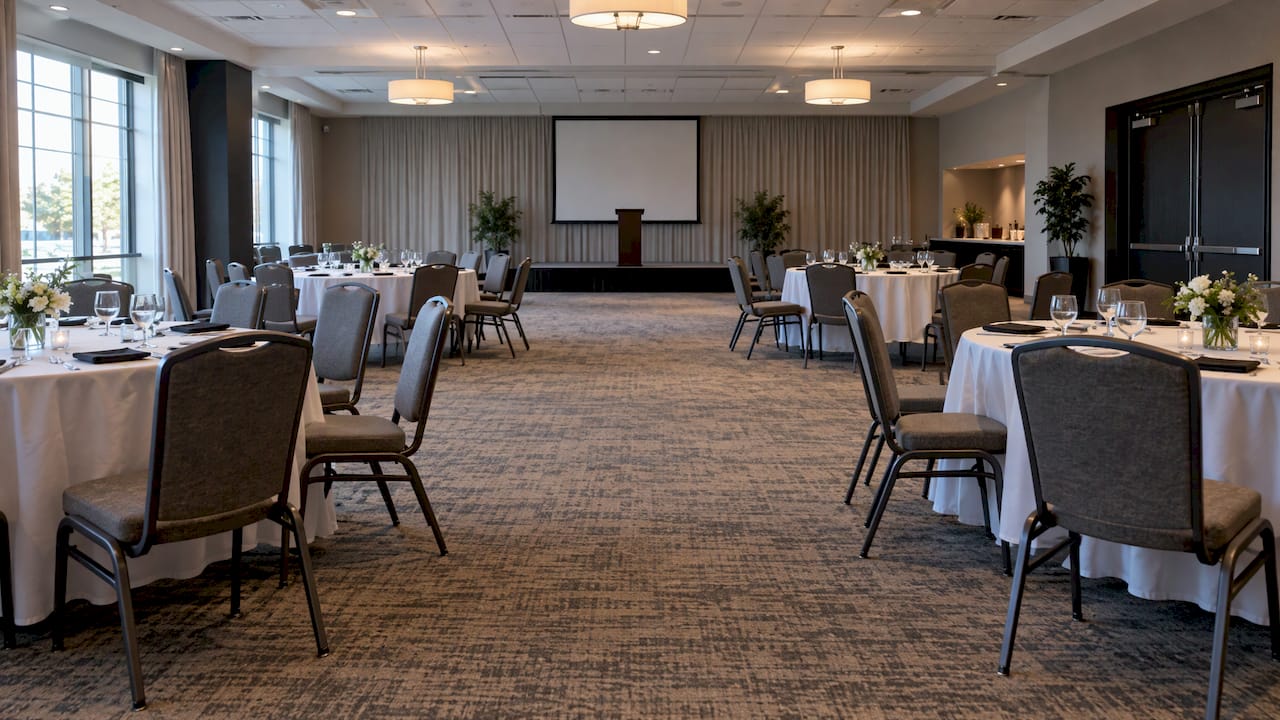
The visitor is picturing an event. Lead with big, real photographs of the space set up for different occasions, then capacity numbers, what is included, parking and accessibility. The action is usually “Check Availability” or “Book a Tour,” and the form should ask for the date and guest count. We cover this in more depth in our guide to event landing pages and in SEO for venues.
Retailers and startups
If you sell a service alongside products, such as installation, repair or custom orders, give the service its own page rather than a line in a menu. State the process in three or four steps (request, quote, schedule, completion) so a new customer knows what to expect from a business they have never heard of.
Layout mistakes that cost you calls
- One page for everything. A single “Services” page with a paragraph per service cannot rank or convert for any of them. Give each major service its own page and link them together.
- Generic copy. If the text could appear on a competitor’s site with the name swapped, rewrite it with your jobs, your area and your details.
- Stock photos. A real photo of your truck, team or room outperforms a handshake image in building trust.
- No price signal. You do not need a full price list, but a starting range, a typical range or an explanation of how you quote removes a common reason to leave.
- Hidden contact details. A phone number that is only in the footer is a lost call.
- Text in images. Words embedded in a graphic cannot be read by search engines and are hard to read on small screens.
Getting found: the search side of the layout
A beautiful page nobody finds earns nothing. Use the service and city in the headline, the page title and the opening paragraph, written naturally. Use the words customers use, such as “AC not cooling,” not only the industry term. Link the page from your homepage and from related services, and keep your Google Business Profile pointing to it. For writing the text itself, our guide on how to write for local SEO walks through it, and local landing pages includes a launch checklist.
Need the page built for you?
Writing, designing and optimizing a set of service pages takes hours most owners would rather spend on customers. IBrand Media offers web design, website development, SEO optimization, local marketing and graphic design for small and local businesses, and each client gets a custom plan. Our approach is built around affordable pricing and quick results, with real-time performance tracking so you can see how your pages are doing.
If you would like service pages designed around the layout above, get in touch with IBrand Media to talk through the pages your business needs.
Our perspective
Most small businesses do not have a traffic problem on their service pages. They have a clarity problem. A visitor arrives ready to call, and the page makes them work to find out whether you serve their town, whether you are licensed, and which button to press.
We build pages for local and small online businesses around that reality. Each page gets one service, one clear action and proof placed where the doubt appears. We pair design with local SEO, because a page that looks good and sits on page five of search results does nothing for the owner.
We also believe in a personal plan for each client. A plumber, a med spa and a banquet hall need different first screens, different proof and different forms. That is why we start from how your customers decide, then design the page, and then track the results in real time so the next change is based on what visitors did.
TONY
FAQ
What should a service page include?
At minimum: a headline with the service and city, a clear call to action, a few specific reasons to choose you, a description of the jobs you handle, proof such as reviews and licenses, a short contact form and your service area. Add answers to common questions if you have room.
How long should a service page be?
Long enough to answer the buyer’s questions and no longer. For many local trades that lands in the range of a few hundred to a thousand words, broken into short sections. A simple, urgent service needs less text than a considered purchase such as a cosmetic treatment or an event rental.
Should I make a separate page for each service?
Yes, for each service that brings in real revenue. A dedicated page can match the specific words people search and give a specific answer. Smaller or rarely requested services can share a page, as long as each one is clearly described.
How is a service page different from a landing page?
A service page lives on your website, links to the rest of the site and works for both search visitors and returning customers. A landing page is usually built for one campaign, often paid ads, with fewer distractions. Many local businesses use their service pages for both purposes. Our guide to local landing pages shows when a separate page is worth building.
Recent Comments