
TL;DR:
- A clear strategy and defined goals are essential before designing a website.
- Professional website costs range from $2,000 to $20,000, with ongoing expenses for maintenance and tools.
- Core principles like mobile-first design, fast load speeds, and clear CTAs are vital for effective websites.
You’ve paid good money for a website that sits there doing nothing. No leads, no calls, no sales. It’s one of the most common frustrations small business owners share with us, and it almost always comes down to the same root cause: jumping into design before setting a clear strategy. Professional web design costs $2,000 to $20,000, while DIY options run $0 to $500 per year, but the price tag alone won’t determine your results. This guide walks you through every step, from planning and budgeting to building and measuring, so you can get a site that actually works for your business without overspending.
Table of Contents
- Define your strategy and requirements first
- Compare your web design options and costs
- Essential web design principles for great results
- Avoid common mistakes and get the most from your investment
- The truth about budget web design: How to spend wisely in 2026
- Get affordable web design that brings real business growth
- Frequently asked questions
Key Takeaways
| Point | Details |
|---|---|
| Strategy comes first | Begin your web project by defining business goals and customer journey instead of jumping into design tools. |
| Costs vary by solution | DIY tools are cheapest but pro web design delivers better results when matched with business strategy. |
| Focus on essentials | Mobile-friendly, fast-loading, SEO-ready sites bring more leads and sales no matter your budget. |
| Avoid costly mistakes | Neglecting performance, clear CTAs, or strategic planning often leads to wasted web spend. |
Define your strategy and requirements first
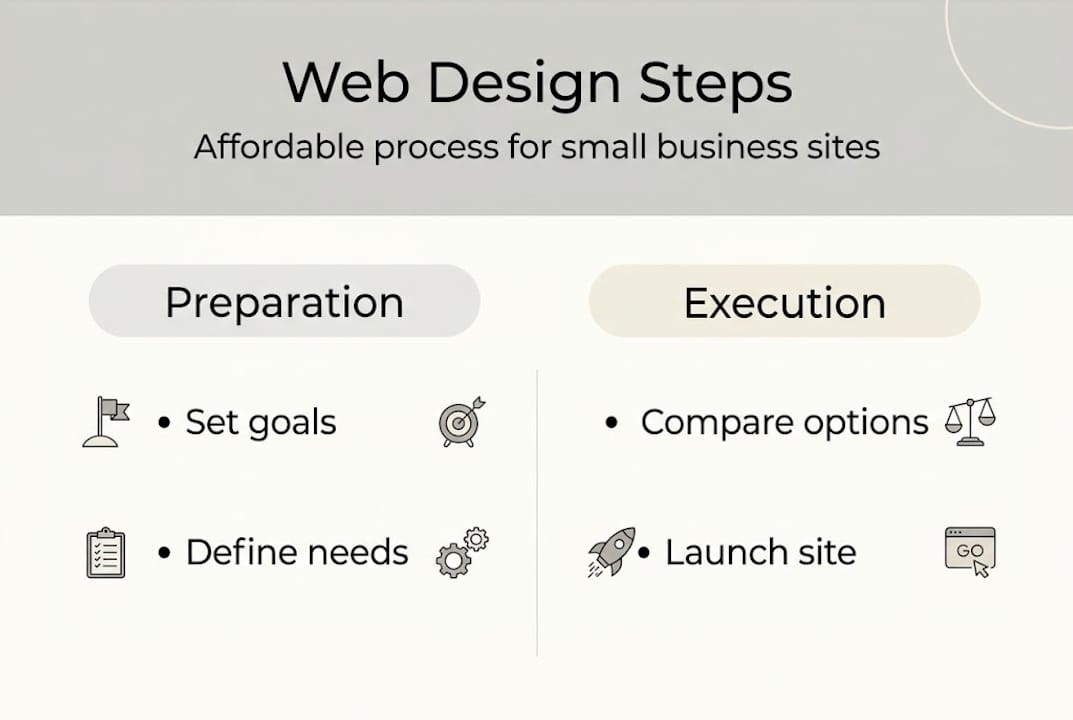
Before you think about colors and templates, set the foundation for success. Most business owners skip this step entirely and go straight to picking a platform or browsing themes. That’s how you end up with a beautiful site that confuses visitors and converts nobody.
Start by writing down exactly what you want your website to accomplish. Do you want people to call you? Fill out a form? Buy a product? Book an appointment? Each goal changes how your site should be structured, what pages you need, and what your calls to action should say. Without this clarity, every design decision becomes a guess.
Next, define your Ideal Customer Profile (ICP), which is a detailed picture of the person most likely to buy from you. Think about their age, location, problems, and what they’re searching for online. Then map out their typical buyer journey: How do they find you? What do they read before deciding to contact you? What objections do they have? Defining your ICP and buyer journey first is what separates sites that convert from sites that just look nice.
Once you have your goals and ICP, map out the pages your site needs. Most small businesses need at minimum:
- Home page: Clear headline, core value proposition, and a call to action
- About page: Your story, team, and why customers should trust you
- Services or products page: What you offer and who it’s for
- Contact page: Phone, email, form, and location if relevant
- Blog or resources (optional): Supports SEO and builds authority
Pro Tip: Write one sentence describing what your website should do for a first-time visitor. If you can’t write it in one sentence, your strategy isn’t clear enough yet.
This upfront work saves real money. When you hand a designer or developer a clear brief, you cut revision cycles and scope creep. Understanding why investing in web design matters goes beyond aesthetics. It’s about building a business asset that earns its cost back.
Compare your web design options and costs
With clear goals, you can compare how to build your site. The right approach depends on your budget, technical comfort, and how custom your needs are.
Here’s a straightforward breakdown of your main options:
| Option | Typical cost | Best for | Watch out for |
|---|---|---|---|
| DIY builder (Wix, Squarespace) | $0 to $500/year | Simple sites, tight budgets | Limited SEO, hard to scale |
| WordPress with template | $500 to $2,000 | Growing businesses | Needs maintenance and updates |
| Freelance designer | $1,500 to $8,000 | Custom needs, mid budgets | Quality varies widely |
| Agency | $5,000 to $20,000+ | Full strategy and execution | Higher upfront investment |
Professional builds typically cost $2,000 to $20,000, but hidden costs catch many business owners off guard. Domain registration, SSL certificates, premium plugins, stock photos, copywriting, and ongoing maintenance can add hundreds to thousands of dollars annually on top of your initial build cost.

AI-powered site builders like Wix ADI or Jimdo are worth mentioning separately. They can get a basic site live in under an hour, which is genuinely useful for brand-new businesses that need an online presence fast. But AI lowers basic build costs without replacing the strategy and SEO expertise that drive real traffic and conversions. If you use an AI builder, treat it as a starting point, not a finished product.
When is it worth paying more? When your business depends on online leads or sales. A professionally built site with strong conversion architecture can justify its cost quickly. Pairing your site with affordable digital marketing tactics amplifies your return even further.
- Overspending traps: Paying for features you don’t need in year one, choosing platforms with high transaction fees, or hiring designers without a clear brief
- Underspending traps: Skipping mobile optimization, ignoring page speed, or using free hosting that goes offline regularly
Pro Tip: Get three quotes before hiring anyone. Ask each provider to show examples of sites they’ve built for businesses similar to yours and ask what’s included in post-launch support.
Essential web design principles for great results
No matter your budget, every effective site should include these musts. These aren’t optional extras. They’re the baseline for a site that ranks, converts, and keeps visitors engaged.
Here are the core principles ranked by impact:
- Mobile-first design: More than half of all web traffic comes from phones. Your site must look and work perfectly on small screens before anything else.
- Fast load speed: A page load time under 2.5 seconds is the target. Slow sites lose visitors before they even read your headline.
- Clear calls to action (CTAs): Every page needs one primary action you want the visitor to take. Learn how to write calls to action that convert visitors into leads.
- Simple navigation: Visitors should find what they need in three clicks or fewer. Complicated menus cause people to leave.
- SEO foundations: Use your target keywords in page titles, headings, meta descriptions, and image alt text from day one.
- Brand consistency: Fonts, colors, and tone should match across every page so your business feels credible and professional.
Here’s a quick reference for technical performance targets:
| Metric | Target | Why it matters |
|---|---|---|
| Page load speed (LCP) | Under 2.5 seconds | Affects bounce rate and Google ranking |
| Mobile responsiveness | 100% compatible | Over 50% of traffic is mobile |
| Core Web Vitals score | Good (green) | Google ranking signal |
| SSL certificate | Active | Trust and security requirement |
Understanding responsive design principles will help you ask the right questions when reviewing your site. And if you want to dig into website speed impact on your bottom line, the numbers are eye-opening. Before you go live, run through a solid website testing guide to catch issues before your customers do.
Pro Tip: Use Google’s free PageSpeed Insights tool to test your site’s load speed on both mobile and desktop. It gives you a score and a list of specific fixes ranked by priority.
Avoid common mistakes and get the most from your investment
Getting affordable web design is also about avoiding costly missteps. Even a well-planned project can go sideways if you fall into these common traps.
The most frequent mistakes SMBs make:
- Launching without a mobile check on multiple real devices
- Writing copy that talks about the business instead of solving the customer’s problem
- Using too many fonts, colors, or animations that slow the site down
- Forgetting to set up Google Analytics or Search Console before launch
- Not budgeting for ongoing updates, security patches, or content additions
- Ignoring page speed until visitors are already leaving
One of the most damaging mistakes is treating web design as a one-time project. Your site needs regular attention. Plugins go outdated. Google changes its ranking signals. Your offers change. A site that isn’t maintained slowly loses its ranking and effectiveness.
“A professionally built site with strong conversion architecture can pay for itself many times over. Pro sites justify cost via a 61% conversion lift compared to poorly built alternatives.”
After launch, measure performance consistently. Track these numbers monthly:
- Organic traffic: Are more people finding you through search?
- Bounce rate: Are visitors staying or leaving immediately?
- Conversion rate: What percentage of visitors take the action you want?
- Lead volume: Are you getting more calls, form fills, or purchases?
If something isn’t working, don’t guess. Use tools like website performance testing to identify exactly where visitors drop off. Then make targeted fixes. Small changes to headlines, button placement, or page speed can dramatically increase website conversions. And if your pages load slowly, diagnosing why your website is slow is often the fastest path to better results.
The truth about budget web design: How to spend wisely in 2026
To wrap up, here’s our honest advice for SMBs weighing web design options: the cheapest option upfront is rarely the most affordable option over time.
We’ve seen business owners spend $300 on a DIY site and then spend two years wondering why they get zero leads. The site looked fine. But it had no strategy, no SEO, and no clear path for visitors to follow. That $300 cost them far more in lost business.
AI lowers basic build costs but it can’t replace the thinking that goes into a site built around your specific customer and their buying behavior. DIY tools have a real place for very early-stage businesses or side projects. But if your website is supposed to generate revenue, it needs to be built like a business tool, not a digital brochure.
Spend where it counts: strategy, copywriting, and conversion design. These three elements drive results more than visual polish ever will. A clean, fast, clearly structured site with strong messaging will outperform a visually stunning site with confusing navigation every single time. That’s not opinion. That’s what the data on conversion optimization tips shows consistently. Affordable doesn’t mean cheap. It means getting real value for every dollar you put in.
Get affordable web design that brings real business growth
Ready to put these strategies to work on your business site? The steps in this guide give you a solid foundation, but having the right partner makes execution faster and more effective.

At Ibrand Media, we work with small and medium-sized businesses to build websites that are fast, mobile-ready, and built around your specific goals and customers. From strategy and SEO to design and launch, our packages are priced to fit real business budgets. Explore our web design guide for small businesses to see what a results-focused build looks like, or check out our approach to SEO for small businesses to understand how design and search work together. Reach out today for a free consultation and a plan built around your budget.
Frequently asked questions
How much should small businesses budget for a website in 2026?
Expect to spend $2,000 to $20,000 for a professional build or $0 to $500 per year with a DIY builder, not counting the time you’ll invest managing it yourself.
Can I use AI to build my small business website affordably?
AI reduces basic build costs but can’t replace a solid business strategy or the expert SEO work needed to attract and convert real customers.
What is the biggest mistake SMBs make in web design?
Skipping strategy entirely and picking a template without defining your ICP or buyer journey almost always leads to a site that fails to convert visitors into customers.
How do I know if my website is working for my business?
Look for mobile responsiveness, fast load times, clear calls to action, and a steady growth in leads, calls, or sales over time.
Recommended
- What is web design for small businesses: A 2026 guide | Ibrandmedia
- Why Invest in Web Design: Complete Guide for SMBs | Ibrandmedia
- Improving Website Rankings: Step-by-Step Guide for Small Businesses | Ibrandmedia
- 10 Essential Website Design Tips for Small Businesses | Ibrandmedia
- Website Testing: A Guide Before You Go Live – Testvox
Recent Comments