
Service area business SEO succeeds when your Google Business Profile is configured correctly and your website publishes a small set of genuinely useful city pages. Start by auditing your GBP today.
If you run a plumbing, HVAC, cleaning, pest control, or similar business that drives to customers instead of welcoming them into a storefront, your visibility problem usually traces back to two things: a GBP that’s set up incorrectly, and a website with no real content for the towns you serve. Fix those two, add a steady drip of reviews, and most of the ranking struggle resolves on its own.
Run this checklist this week:
- Audit your Google Business Profile: hide your address if you don’t serve walk-ins, list your actual service cities and ZIP codes, and confirm your primary category matches what you do.
- Text or email your three most recent customers asking for a review, and include the direct link to your GBP review page.
- Pick your highest-value city and link it directly from your GBP website field, not just your homepage.
Pro Tip: A large portion of website traffic now comes from mobile devices, so if your city pages load slowly on a phone, you’re losing calls before a customer ever reads your service list.
Give it four to eight weeks. If your GBP and city pages are solid, you should start seeing more calls and form submissions from the specific towns you targeted.
Key Takeaways
Service area business SEO comes down to three fundamentals: a correctly configured Google Business Profile, a small set of genuinely local city pages, and consistent, city-specific reviews.
| Point | Details |
|---|---|
| Fix GBP settings first | Hide your address if you don’t serve walk-ins, and list specific cities and ZIP codes instead of a broad radius. |
| Build fewer, better city pages | Five well-written city pages targeting high-value locations outperform twenty thin, templated ones. |
| Add schema markup | Use LocalBusiness schema with areaServed properties so search engines know exactly which cities each page covers. |
| Automate review requests by city | Trigger a text with a direct GBP link right after job completion to build steady review velocity. |
| Get a professional audit | Ibrand offers a GBP and city page audit that identifies your highest-impact fixes within the first week. |
Table of Contents
- How Google Interprets Service Area and Hybrid Businesses
- How Do You Set Up Google Business Profile for a Service Area?
- What Makes a Service Area Landing Page Rank?
- How Do Reviews and Citations Affect Local Rankings?
- How Do You Track Local SEO Performance by City?
- What Common Mistakes Trigger a GBP Suspension?
- What a Lean 30/60/90-Day Local SEO Plan Looks Like
- What I’ve Learned Running Local SEO for Service Businesses
- Where Ibrand Fits Into Your Local SEO Plan
- Sources
- FAQ
How Google Interprets Service Area and Hybrid Businesses
Google draws a distinction between businesses that serve customers at a physical location and those that travel to the customer. If you fall into the second category, Google’s own guidance says you should hide your street address and instead define your coverage using specific cities, ZIP codes, or regions.
Here’s the part most owners miss: hiding your address doesn’t erase it from Google’s calculations. Your verified address still acts as a proximity anchor behind the scenes, even though customers never see it. That means a business based in one suburb will naturally rank better for searches in that suburb and gradually lose ranking strength as the search location moves farther away. Local SEO people call this proximity decay, and it’s the single biggest reason a service business ranks great fifteen minutes from its base and barely shows up thirty minutes out.
A few structural rules shape how far you can stretch this:
- GBP caps you at 20 defined service areas, so you can’t just claim an entire state.
- A common rule of thumb among local SEO practitioners is to cap your service radius at roughly a two-hour drive, since anything beyond that tends to look implausible to both Google and searchers.
- Overlapping too many far-flung cities without supporting content on your site tends to dilute rather than expand your reach.
Hiding a home address doesn’t inherently hurt rankings. The real challenge is building enough supporting signals, reviews, citations, and city-specific content, to overcome the natural pull of proximity decay.
Understanding this mechanic changes how you think about expansion. Adding a city to your GBP without adding any content or reviews tied to that city is basically wishful thinking.
How Do You Set Up Google Business Profile for a Service Area?
Getting your GBP settings right is the highest-leverage move available to a service area business seo strategy, because it’s free, it’s fast, and Google treats it as your primary source of truth. Work through this in order:
- Decide whether to hide your address. If customers never visit your location, hide it. If you also see some walk-in or by-appointment traffic, keep it visible and mark yourself as a hybrid business.
- Add cities and ZIP codes, not vague radii. List the specific towns and ZIP codes you actually service well, rather than a blanket 50-mile circle around your zip.
- Choose the most specific primary category available. “Emergency Plumber” beats “Plumber” if that’s genuinely your specialty, and Google rewards precision here.
- List every service you offer individually inside the Services tab, not bundled into one vague line item.
- Add booking links and a local phone number rather than a national call center line or a tracking number with an unfamiliar area code.
- Fill out every remaining field, hours, photos, business description, attributes, and link each relevant listing item back to the matching page on your site instead of just your homepage.
Our Google Business Profile guide walks through each of these settings screen by screen if you want visuals.
Pro Tip: Write your service descriptions the way you’d describe your work to a neighbor, and let city or neighborhood names appear naturally. “We handle emergency water heater repairs across the east side of town” reads better and performs better than a keyword-stuffed sentence pretending to be helpful.

What Makes a Service Area Landing Page Rank?
Not every city on your GBP list needs its own webpage, and trying to build one for all 20 is usually a mistake. Search Engine Land’s research on service area pages found that a small set of genuinely useful pages outperforms dozens of thin, templated ones almost every time. Start with the five cities that generate the most revenue or the most search volume, not the five that are easiest to write about.
Each page needs its own URL structure (something like /service-areas/cityname/), a unique title tag naming both the service and the city, and a meta description that isn’t a copy-paste job with the city name swapped out. Aim for enough real content, usually 400 to 700 words, to cover what makes that location distinct: nearby neighborhoods, common issues you see in that area’s housing stock, typical response times, and a sample job or two.
| Element | What to include |
|---|---|
| URL and title | City name in the URL slug and page title, paired with the specific service |
| Unique local content | Neighborhood names, ZIP codes served, response time expectations |
| Structured data | LocalBusiness schema with areaServed properties |
| Visual proof | Embedded map, job photos taken in that city, not stock imagery |
Add LocalBusiness schema with areaServed markup to each page so search engines get an explicit, machine-readable signal about which territory that page covers, rather than inferring it from text alone.
Link every city page from a central “Service Areas” hub page, and cross-link them from your relevant service pages too. Avoid dropping your locations into a JavaScript-only store locator widget; if Google’s crawler can’t easily read the page content, none of this work pays off. Our guide to local service area marketing structure covers page layout examples if you’re starting from scratch.
How Do Reviews and Citations Affect Local Rankings?
Reviews that mention a specific city or neighborhood carry more local weight than generic five-star praise, because they reinforce the geographic signals you’ve already built into your GBP and city pages. You can’t script a customer’s words, but you can nudge the outcome: ask shortly after the job is finished, send the request by text rather than email (response rates run higher), and include the direct GBP review link so there’s no extra friction.
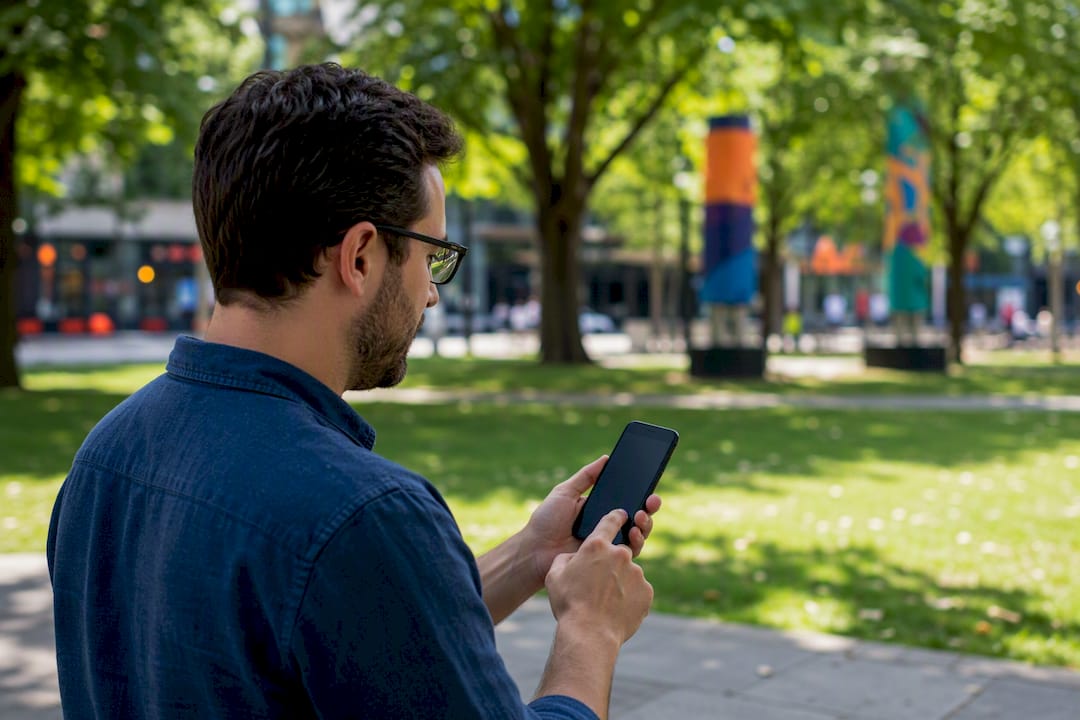
Locafy’s research on service area SEO confirms that reviews referencing a specific town materially help relevance for that town’s searches, alongside citations and photos as proof of work.
A few things worth automating and auditing:
- Trigger review request texts automatically when a job is marked complete in your scheduling software, with the city name pulled from the job record.
- Track review velocity, how many new reviews you earn per month, not just your total star rating; Google weighs recency.
- Audit your business name, address, and phone number across major directories (Google, Yelp, Apple Maps, Bing Places, industry-specific directories) and fix any mismatches.
- Look for local link opportunities like sponsoring a youth sports team or getting listed on a community organization’s resource page.
Pro Tip: A steady trickle of two or three reviews a week beats a burst of twenty in one weekend followed by silence. Google and customers both read velocity as a signal of an active, trustworthy business.
How Do You Track Local SEO Performance by City?
Measuring this well means tracking city-level detail, not just overall traffic. Set up your reporting around these metrics:
- Map Pack position by city, checked with a local rank grid tool rather than your own phone, since your search results are personalized.
- GBP Insights data, specifically how many people found you through direct versus discovery searches, and what actions they took (calls, direction requests, website clicks).
- Calls and bookings by city, using call tracking numbers or UTM-tagged links on each city page.
- Organic sessions to each city page in Google Analytics, segmented by landing page.
- Review velocity, tracked monthly alongside the city each review mentions.
Check these numbers monthly, but don’t panic over week-to-week swings. Local rankings fluctuate for reasons that have nothing to do with your work. Meaningful progress from foundational fixes tends to show up in four to twelve weeks, with the real compounding effect building over several months as reviews and links accumulate.
What Common Mistakes Trigger a GBP Suspension?
Google actively polices service area listings, and a handful of shortcuts routinely trigger suspensions. Using a virtual office or a UPS mailbox as your listed address is one of the fastest ways to get flagged, since Google’s verification systems are built specifically to catch this. Creating a second GBP listing for the same business at a different address, hoping to rank in two zones, usually ends the same way.
- Never use a virtual office, coworking space, or mailbox service as your GBP address.
- Don’t create duplicate listings; consolidate into one profile with properly defined service areas instead.
- Run a NAP (name, address, phone) consistency check across directories at least twice a year.
- If a competitor is clearly gaming the system with a fake address, you can report it directly to Google.
Pro Tip: If you get suspended, don’t panic and don’t create a new listing. Appeal through the official reinstatement form, correct whatever triggered the flag first, and be patient. A rushed second listing usually makes the situation worse, not better.
What a Lean 30/60/90-Day Local SEO Plan Looks Like
Most small service businesses don’t need a sprawling campaign. They need the fundamentals executed correctly and consistently.
The businesses that climb fastest aren’t spending the most. They’re the ones that got their GBP settings right in week one and never let their review requests lapse.
A workable sequence looks like this:
- Days 1 to 30: Fix GBP settings completely, address visibility, categories, services, and launch your first review request automation.
- Days 31 to 60: Build three to five priority city pages targeting your highest-value locations, each with unique local content and schema markup.
- Days 61 to 90: Audit citations for consistency, secure two or three local link opportunities, and set up your tracking dashboard.
If you have the time and a reasonably organized team, this is doable in-house. If your calendar is already full running the actual business, this is exactly the kind of work an agency earns its fee doing.
What I’ve Learned Running Local SEO for Service Businesses
The pattern that wins is boring, and that’s the point. It’s not a clever hack or a new algorithm trick. It’s a correctly configured GBP, five strong city pages instead of twenty weak ones, and reviews that keep coming in every single week without fail. Businesses that chase shortcuts, keyword-stuffed pages, fake addresses, review incentives, almost always lose more time cleaning up the mess than they’d have spent doing it right the first time.
One thing worth saying plainly: sometimes the better move isn’t more SEO, it’s opening an actual second location. If you’re consistently landing jobs forty minutes from your base, at some point a real address in that second city will out-rank a virtual service-area listing every time.
If you’re not sure whether your setup needs a fix or a full rebuild, an audit will tell you in under an hour.
— TONY
Where Ibrand Fits Into Your Local SEO Plan
Ibrand builds exactly the kind of lean, GBP-first local SEO programs described above, without locking you into a bloated retainer or a twelve-month contract you didn’t ask for. Where a full-service agency might spend your budget on generic content and broad-match ads, Ibrand focuses first on the two levers that actually move service area rankings: a properly configured Google Business Profile and a handful of city pages built to convert, not just to exist.

If your city pages are thin, missing, or buried behind a JavaScript locator, our website optimization guide for small businesses outlines exactly what a rebuild involves, and our local SEO team can scope that work for you directly. A typical first deliverable is a GBP audit report plus a prioritized list of your top three to five target cities, usually delivered within a week of an intake call. From there, pricing is transparent and scaled to your business size, not a one-size-fits-all package. Reach out through the contact form to schedule that intake call and get your audit started.
Sources
- Manage your service areas for service-area & hybrid businesses — Google Business Profile Help
- Service area pages: Boost local SEO across locations — Search Engine Land
- Share of website traffic coming from mobile devices — Statista
FAQ
What Is the Service Area of a Business?
A service area is the set of cities, ZIP codes, or regions where a business travels to perform work, as opposed to a fixed location customers visit. On Google Business Profile, you define this explicitly rather than letting Google guess from your address alone.
What Does “Service Area” Mean on Google Business Profile?
It’s a specific setting inside GBP where you list the cities or ZIP codes you serve, and it determines how Google understands your coverage for local search and Map Pack results. You can define up to 20 service areas per listing.
What Is SEO for Business Services, and How Does It Differ for Service Area Businesses?
SEO for business services generally covers ranking a company’s website and profiles in search results. For service area businesses specifically, it means configuring GBP without a public address, building city-specific landing pages, and earning geographically relevant reviews since there’s no physical storefront to anchor local signals.
How Many Service Area Cities Should a Small Business Target?
Start with three to five cities that generate the most revenue or search volume rather than spreading thin across a dozen towns. A small number of genuinely useful, unique city pages consistently outperforms a large batch of near-duplicate ones.
How Long Does It Take to See Results From Service Area SEO?
Basic fixes like GBP corrections often show measurable movement within four to eight weeks, while the full compounding effect of reviews, citations, and city pages tends to build over several months.
Recent Comments