
If your Facebook ads are getting clicks but not purchases, the most likely culprit is a broken or undercounted conversion signal, not your creative. Open Events Manager, confirm the Purchase event is firing correctly, and compare that number against your actual backend revenue. Don’t touch your ad copy or images until you’ve ruled this out.
TL;DR:
- Verify that your Purchase event fires correctly using Events Manager and the Meta Pixel Helper to prevent undercounted conversions.
- Ensure your Event Match Quality score is above 6.0 and that your pixel, CAPI, and event deduplication are properly set up before optimizing or testing creative.
- Address landing page speed issues, especially on mobile, by optimizing load times to under three seconds to improve conversion rates.
- Avoid changing creative, audiences, or landing pages during the first 72 hours after fixing tracking issues to allow the algorithm to re-learn on clean data.
- Focus first on troubleshooting tracking, attribution, and measurement signals before testing new creative or audience strategies.
Table of Contents
- Why Are My Facebook Ads Not Converting?
- The Diagnostic Priority Ladder: What To Fix First
- Verify Your Pixel, CAPI, and Event Match Quality
- Is Creative Fatigue Or Audience Mismatch Killing Your Ads?
- What Happens After the Click: Landing Page and Offer Fixes
- How Does the Learning Phase Affect Ad Conversion?
- Sudden Drop in Conversions? Check Account Quality First
- How Do I Know If My Facebook Ads Numbers Are Accurate?
- A 7-Day Plan To Recover a Struggling Campaign
- What Ibrand Sees Most Often in Small Business Accounts
- The Real Lesson: Most “Bad Ads” Are Bad Data
- Get a Conversion Audit Instead of Guessing
- Where To Verify These Fixes Yourself
- Sources
- FAQ
Why Are My Facebook Ads Not Converting?
Clicks without sales almost always trace back to one of six overlapping problems: broken measurement, an under-fed optimization event, creative fatigue, audience mismatch, a landing page that leaks visitors, or an account-quality flag throttling delivery. Most underperforming accounts don’t have just one issue. They have two or three stacked on top of each other, which is exactly why so many marketers chase the wrong fix first.
Here’s the sequence that actually works, and it starts with a 10 to 30 minute audit before you rewrite a single headline.
- Test your Purchase event. Use Events Manager’s “Test events” tool alongside the Meta Pixel Helper browser extension to confirm the Purchase event fires on an actual checkout, not just a page view.
- Check Event Match Quality (EMQ). Find this score inside Events Manager under your pixel’s diagnostics tab. Anything below 6.0 signals a matching problem that’s likely suppressing real conversions from your reported numbers.
- Scan the Delivery column. Look for “Learning Limited,” “Not Delivering,” or policy warnings in Ads Manager, and check Account Quality for billing or restriction flags.
- Measure landing page view rate. If a large share of clicks never register as a landing page view, you likely have a page speed or redirect problem, not an ad problem.
- Watch frequency against CTR. A climbing frequency paired with a falling click-through rate is the fingerprint of creative fatigue.
- Confirm your optimization event. Many accounts are unknowingly optimizing for link clicks or landing page views instead of Purchase, which trains the algorithm to find clickers, not buyers.
Pro Tip: Run this checklist before every “why is my ROAS dropping” panic session. Nine times out of ten, one of these six items is flashing a warning sign you’ve been scrolling past for days.
The Diagnostic Priority Ladder: What To Fix First
Random fixes waste both budget and the learning phase Meta needs to optimize properly. A five-lane priority system keeps you from rewriting ad copy while your pixel is silently dropping half your Purchase events.
- P0, tracking. Pixel, CAPI, and event deduplication. Nothing else matters until this is verified.
- P1, optimization event and consolidation. Confirm you’re optimizing for Purchase (or a valid proxy) and that ad sets aren’t split so thin they each miss the weekly event threshold.
- P2, creative. Hook strength, frequency, and message fit, addressed only once signal is trustworthy.
- P3, page and offer. Load speed, message match, and checkout friction.
- P4, cold-offer tests. New audiences, new products, or new positioning, reserved for accounts that are already stable.
The reason this order matters is simple: if your tracking is broken, every downstream decision is based on distorted data. Practitioner diagnostics on poor Facebook ad performance consistently show that accounts skip straight to creative fatigue diagnoses when the real issue is an undercounted Purchase event making a perfectly good ad look like a loser.
| Signal you’re seeing | Likely lane | First action |
|---|---|---|
| Ads Manager revenue way below Shopify/CRM revenue | P0 | Audit pixel and CAPI setup, check EMQ |
| “Learning Limited” badge, low weekly events | P1 | Consolidate ad sets, raise budget or use a proxy event |
| CTR falling, frequency climbing past 3.0 | P2 | Rotate creative, refresh the first three seconds |
| High CTR, low landing page view rate | P3 | Check page speed and redirect chain |
| Stable metrics but stagnant ROAS after months | P4 | Test new audiences or a new offer angle |
A common pattern worth flagging: fixing attribution often reveals that a creative you were about to kill was actually converting fine, it just wasn’t being counted. Don’t pause a campaign or overhaul creative inside the first 72 hours after a tracking fix. Give the algorithm time to re-learn on clean data before judging results.
Verify Your Pixel, CAPI, and Event Match Quality
This is the section that fixes more accounts than any other single action. If your Purchase event isn’t firing cleanly, or your server-side signal is disconnected, everything downstream, targeting, bidding, budget allocation, is being optimized against noise.
- Open Events Manager and run “Test events.” Load your site in a separate tab, complete a real (or test-mode) purchase, and watch for the Purchase event to appear within seconds.
- Install the Meta Pixel Helper. This Chrome extension shows every pixel firing on a page in real time and flags errors like missing parameters or duplicate fires.
- Confirm CAPI is sending server events. In Events Manager, check the “Overview” tab for your dataset and look for a green “Connected” status next to Conversions API.
- Check for deduplication using event_id. Both the browser pixel and your server-side CAPI event need to send the identical event_id for the same purchase, or Meta can’t reconcile duplicate fires, which inflates or confuses your reported conversion count.
- Look up your EMQ score. Navigate to your pixel’s diagnostics inside Events Manager. A score at or above 6.0 is the practical target; anything lower suggests missing customer information (email, phone, or browser identifiers) isn’t reaching Meta.
- If EMQ is low, add more matching parameters. Pass hashed email and phone data through CAPI, and make sure your checkout page isn’t stripping cookies or blocking the pixel via a consent banner misconfiguration.
If your Purchase volume is too thin to hit Meta’s weekly threshold even after tracking is fixed, a valid short-term move is optimizing for a shallower event like AddToCart or InitiateCheckout to accumulate signal, then shifting back to Purchase once volume returns. This isn’t a permanent fix, but it keeps the algorithm learning instead of stalling.
Pro Tip: Give any tracking fix a full 24 to 72 hours before evaluating results. Meta’s delivery system needs fresh, clean data points to recalibrate, and judging a fix after six hours will send you chasing a phantom problem.
Once your Purchase event is confirmed and EMQ clears roughly 6.0, you’ve eliminated the most common root cause of poor ad performance. Everything from here is about making a genuinely good signal convert better.
Is Creative Fatigue Or Audience Mismatch Killing Your Ads?
Once tracking checks out, the next question is whether people are clicking your ad because it’s compelling, or clicking it out of habit while scrolling past the actual offer. Those are very different problems with very different fixes.
- Check your hook rate. This measures how many viewers watch past the first three seconds of a video ad; a healthy benchmark sits around 25 to 30%. Anything lower means your opening frame isn’t earning attention.
- Watch frequency by audience type. Cold audiences start showing fatigue past a frequency of roughly 3.0; retargeting audiences can often tolerate higher frequency since familiarity works in your favor there.
- Audit your interest stack. Layering five or six narrow interests on top of each other can starve the algorithm of enough reach to learn efficiently, and broadening the audience or switching to Advantage+ targeting often restores delivery faster than a creative overhaul.
- Swap creative in layers, not wholesale. Change the first two to three seconds of video, then test a new headline, then a new primary text, one variable at a time so you know what actually moved the needle.
- Run A/B tests only after tracking is verified. Testing creative against unreliable conversion data just produces a confident wrong answer.
An over-constrained audience is one of the most underdiagnosed problems in SMB accounts. Marketers assume a narrow, hyper-relevant interest stack will convert better, but Meta’s algorithm generally learns faster with fewer audience layers, especially once you’ve verified the ad set is hitting its weekly event threshold.
Pro Tip: If frequency has crossed 3.0 and CTR is sliding, don’t wait for it to “settle.” Cold-audience fatigue compounds fast, and every day you leave a tired ad running is a day of wasted impressions.

What Happens After the Click: Landing Page and Offer Fixes
A great ad that lands on a slow, mismatched page is a wasted ad. Post-click friction is where a lot of otherwise solid campaigns quietly bleed conversions, and it’s one of the easier problems to fix once you know where to look.
Load time matters just as much; mobile pages taking longer than roughly three seconds see measurably lower conversion rates, since a large share of Facebook traffic is mobile and impatient.
| Friction point | Fix | Expected effect |
|---|---|---|
| Slow mobile load (over 3 seconds) | Compress images, remove unnecessary scripts, use a CDN | Fewer bounces before page even renders |
| Headline doesn’t match ad copy | Rewrite first-screen copy to mirror ad promise exactly | Higher landing page view to conversion ratio |
| Pop-up or forced sign-up on arrival | Delay pop-up or remove it entirely for paid traffic | Fewer immediate exits |
| Checkout requires 5+ steps | Cut to 2 to 3 steps, enable guest checkout | Higher completed-purchase rate |
| CTA buried below the fold | Move primary CTA above the fold | More visible next action |
Test one variable at a time: offer wording, CTA phrasing, or page layout, never all three simultaneously, or you won’t know which change actually moved the number. Track landing page view rate and downstream conversion rate in GA4 or your backend platform, not just Ads Manager, since Ads Manager’s numbers are only as good as your conversion tracking setup allows them to be.
Quick fixes (image compression, CTA repositioning, removing a pop-up) can happen same-day. A full page redesign is worth considering only after quick fixes have been tested and the message-match problem persists.

How Does the Learning Phase Affect Ad Conversion?
Meta’s ad sets go through a “learning phase” while the algorithm figures out who to show your ad to. Exiting that phase cleanly, or getting stuck in “Learning Limited,” has a direct and often underestimated effect on conversion rates.
- The core benchmark: roughly 50 optimization events per week per ad set. Meta’s own guidance points to this threshold as the point where delivery stabilizes and cost per result normalizes.
- The budget heuristic: 3 to 5 times your target CPA as a daily minimum. If your target cost per purchase is $30, a insufficient daily budget relative to CPA leads to failure to generate enough weekly events to exit learning.
- Consolidate before you split-test. Five ad sets each getting 10 conversions a week never individually hit the threshold; one consolidated ad set getting 50 does.
- Use Lowest Cost bidding during learning. Switch to Cost Cap only once delivery has stabilized and you have a reliable sense of your actual cost per result.
- Avoid frequent edits. Every meaningful edit (budget, audience, creative) can restart the learning phase, so batch your changes instead of tweaking daily.
“Learning Limited” specifically means the ad set isn’t on track to hit that 50-event threshold within its current spend pace, and the fix is almost always consolidation or a budget increase, not new creative. For businesses comparing budget logic across platforms, the same minimum-spend-for-learning principle shows up in Google Ads budgeting guidance as well.
Sudden Drop in Conversions? Check Account Quality First
A conversion rate that was fine last week and cratered overnight is rarely a creative problem. It’s almost always an account-level issue: a payment failure, a policy flag, or a disconnected Page.
- Read the Delivery column status. “Active” with zero spend usually means a billing issue; “Not Delivering” often points to a rejected ad or audience too narrow to serve.
- Check Account Quality. This panel flags policy restrictions, ad rejections, and any limited access to features like Custom Audiences.
- Fix payment methods immediately. An expired card or failed charge halts delivery instantly with no other symptoms.
- Confirm your Page connection is intact. A disconnected or restricted Page can silently stop ads from serving even when the campaign shows “Active.”
- Resubmit rejected ads with adjusted copy. Policy rejections on health, finance, or before/after claims are common and usually fixable with minor copy changes.
- Escalate to Meta support with evidence. Screenshot the specific error, note the timestamp, and use the in-platform support chat rather than general feedback forms for faster resolution.
How Do I Know If My Facebook Ads Numbers Are Accurate?
Trusting your own dashboard is the final step, and it’s one most marketers skip. Reconcile before you optimize.
- Export Ads Manager conversion data for a specific date range and compare it order-by-order against your Shopify or CRM records for that same window.
- Match by order ID and timestamp, not just total counts, since a revenue total can look close while individual orders are being miscounted or double-counted.
- Use 7-day click attribution for direct-response campaigns rather than 28-day windows, which can overlap with other channels and inflate what Facebook takes credit for.
- Separate EMQ drift from real revenue changes. A dropping EMQ score explains a reporting gap; it does not explain an actual drop in sales, so don’t let one mask the other.
Getting this reconciliation right is what stops you from pulling a genuinely profitable ad because the dashboard undercounted its results.
A 7-Day Plan To Recover a Struggling Campaign
- Day 0 to 1: Verify Purchase event and CAPI connectivity, check EMQ, freeze all structural edits, and record your current baseline metrics (CTR, CPA, ROAS, frequency).
- Day 2 to 3: Consolidate underperforming ad sets, switch bidding to Lowest Cost, and apply landing page quick fixes (speed, message match, CTA visibility).
- Day 4 to 5: Launch new creative hooks focused on the first three seconds, and run a controlled A/B test against the existing top performer.
- Day 6 to 7: Reconcile Ads Manager revenue against backend orders, move stable ad sets to Cost Cap bidding, and document what worked for the next cycle.
Pro Tip: Resist the urge to check results hourly during this week. Constant small edits reset learning and make it impossible to tell if your fixes are actually working.
What Ibrand Sees Most Often in Small Business Accounts
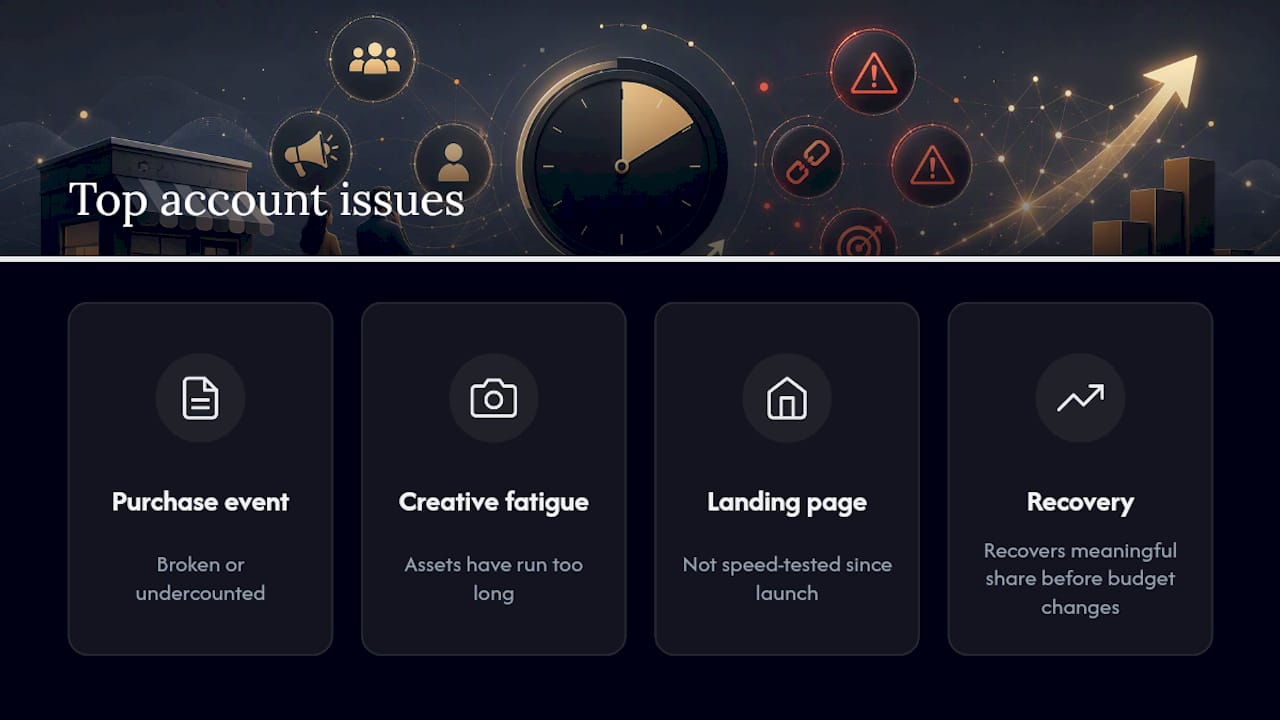
Across small business ad accounts, the pattern repeats: a broken or undercounted Purchase event, one or two creative assets that have simply run too long, and a landing page nobody has speed-tested since launch. Fixing those three things alone recovers a meaningful share of the accounts Ibrand audits, before any budget or targeting change happens.
DIY works fine when you have someone comfortable inside Events Manager and a developer, or a platform like Shopify, that can implement CAPI properly. Hiring outside help makes more sense when EMQ stays stubbornly low despite multiple fixes, when “Learning Limited” keeps reappearing after consolidation, or when nobody on the team has time to run a proper 7 day recovery cycle. A conversion tracking audit is usually the fastest way to find out which category an account falls into before spending another dollar on new creative.
The Real Lesson: Most “Bad Ads” Are Bad Data
Conventional advice treats every underperforming campaign as a creative problem, kill the ad, write a new hook, test a new angle. That advice is backwards more often than not. The research behind this guide points to a simpler truth: most accounts that look broken are actually accounts that can’t see clearly. Fix the lens before you blame the picture.
The overrated fix is creative refresh applied too early. Marketers love touching creative because it feels like progress, but a new ad tested against corrupted conversion data just produces a confident, wrong conclusion. The underrated fix is the 30-minute EMQ and pixel audit that most people skip because it feels too basic to be the answer.
If you take one thing from this guide, prioritize verification over iteration. Confirm your Purchase event, check your EMQ, and give any tracking fix 72 hours before touching anything else. Everything downstream, budget, bidding, creative, audience, only works when the algorithm is learning from real numbers instead of a broken echo of them.
— TONY
Get a Conversion Audit Instead of Guessing
Ibrand fixes the exact problems this guide walks through: broken pixel and CAPI setups, tired creative that’s been running too long, and landing pages nobody has speed-tested since launch. Rather than spending another week second-guessing your Ads Manager numbers, an audit identifies precisely which of the six root causes is dragging your account down.

The audit deliverable covers conversion tracking verification, a landing page review against the message-match and speed benchmarks covered above, and a short list of creative and targeting adjustments ranked by expected impact. Ibrand also handles ongoing execution, from website optimization to campaign management, so fixes don’t stall out after the first report. If your Facebook ads have been getting clicks without sales for more than a week, request a conversion audit and get a prioritized action plan instead of another round of creative guesswork.
Where To Verify These Fixes Yourself
A handful of resources cover the technical side of everything above in more depth than a single article can:
- Meta’s Conversions API documentation for server-side event setup and deduplication parameters.
- Events Manager’s built-in “Test events” and diagnostics tabs for real-time pixel and EMQ checks.
- The Meta Pixel Helper browser extension for catching pixel errors before they distort your data.
- Ibrand’s conversion tracking guide for a small-business-specific walkthrough of pixel and CAPI setup.
- A mobile page speed testing tool (Google PageSpeed Insights or GTmetrix) to confirm your landing page clears the roughly three-second load target.
Sources
FAQ
Why are my Facebook ads getting clicks but no sales?
The most common cause is a broken or undercounted Purchase event. Verify your pixel and CAPI setup in Events Manager and check your Event Match Quality score before assuming the creative or audience is the problem.
What is a good Event Match Quality score for Facebook ads?
Aim for an EMQ score of 6.0 or higher. Scores below that typically mean missing customer-matching parameters are causing Meta to undercount real conversions.
How many conversions does Facebook need to exit the learning phase?
Meta’s guidance points to roughly 50 optimization events per ad set per week as the threshold for stable, predictable delivery.
How long should I wait before judging a Facebook ad’s performance?
Give a tracking fix 24 to 72 hours to show clean results, and give a new ad set at least 7 days or roughly 50 optimization events before judging its long-term conversion rate.
Should I pause an underperforming Facebook ad immediately?
No. Pausing during the learning phase or within 72 hours of a tracking or budget fix restarts the learning process and wastes the data you’ve already paid for. Verify tracking and give the fix time to register before making that call.
Can a slow landing page cause Facebook ads to underperform?
Yes. Mobile pages that take longer than about three seconds to load see a measurable drop in conversion rate, even when the ad itself is performing well and driving qualified clicks.
Recent Comments